
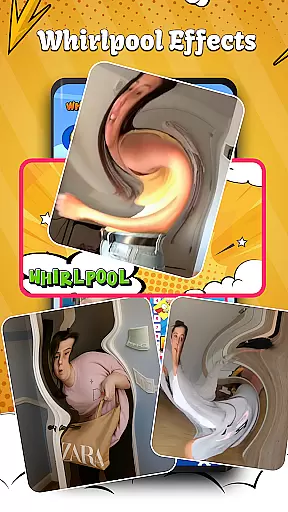
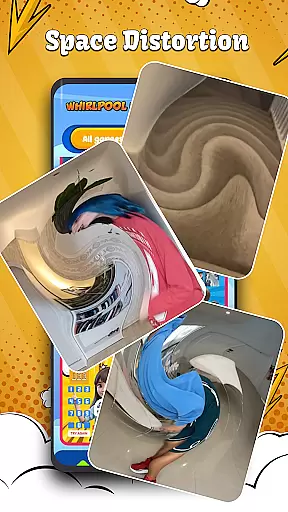
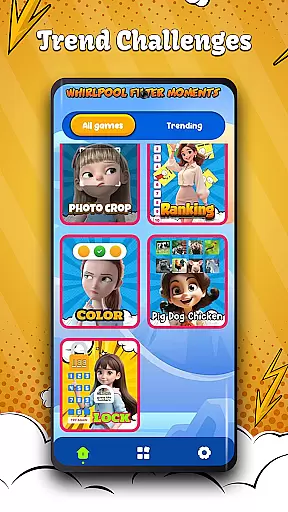

Whirlpool Filter Challenge is an innovative entertainment app that brings a variety of engaging filter challenges to social media users. The app's core feature lies in its unique Whirlpool Effect, which transforms objects into surreal, flexible forms, creating visually stunning content perfect for sharing with friends. Additionally, the app offers a Ranking Filter where users can test their judgment skills by ranking items across various topics. With viral trends like the Pig-Dog-Chicken Filter and Photo Crop Challenge, this app provides endless amusement while keeping up with the latest social media crazes.
The app also includes Color Filters for creative coloring challenges and the Lock Filter that tests logical thinking through code-breaking tasks. These features make it ideal for users seeking interactive entertainment that combines creativity, humor, and mental stimulation. Whether you're looking to impress your friends or simply enjoy some light-hearted fun, Whirlpool Filter Challenge delivers a dynamic experience tailored to today's digital age.
Whirlpool Filter Challenge stands out due to its diverse range of interactive filters designed to engage users on multiple levels. One key feature is the Whirlpool Effect, which manipulates visual elements within frames to create mesmerizing distortions that are both entertaining and share-worthy. This effect allows users to transform ordinary images into extraordinary pieces of art, making it a standout tool for social media enthusiasts. Another notable feature is the Ranking Filter, which taps into users' critical thinking by prompting them to rank items from best to worst across different categories.
In addition to these, the app offers specialized filters such as the Pig-Dog-Chicken Filter, which combines reflex testing with vocal challenges, and the Lock Filter, which requires problem-solving skills to unlock codes. The Color Filters provide a more artistic challenge by requiring accurate color matching. Each feature not only enhances user engagement but also encourages creativity and cognitive development. By integrating these innovative tools, Whirlpool Filter Challenge ensures a fresh and captivating experience every time the app is used.
In the realm of digital entertainment, content variety and freshness are paramount to maintaining user engagement. Whirlpool Filter Challenge delivers on both fronts by offering a diverse array of filter challenges that cater to different interests and moods. From the Whirlpool Effect that transforms objects into surreal forms, to Ranking Filters that test your judgment skills, the app ensures that users have access to an ever-evolving selection of interactive experiences.
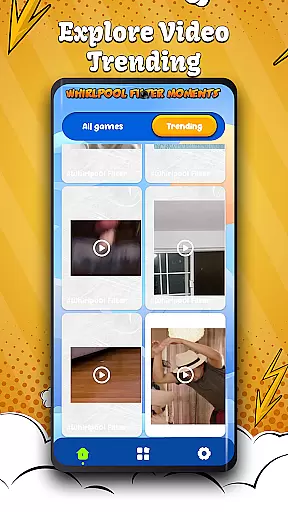
Moreover, the app's commitment to freshness is evident in its regular updates with trending videos and viral filter challenges. This dedication keeps the content library dynamic and reflective of current social media trends. Users can explore new filters such as Color Filters for creative expression or Pig-Dog-Chicken Filters for a fun twist on reflex testing, ensuring that there is always something novel to try.
The true value of this variety and freshness lies in its ability to inspire creativity and sharing among users. By providing countless opportunities for creating unique and impressive content, Whirlpool Filter Challenge not only entertains but also encourages community interaction through shared experiences. Whether it's laughing out loud with friends over quirky challenges or impressing followers with artistic visuals, the app fosters a vibrant ecosystem of entertainment that evolves with its audience.
User engagement duration and retention are critical metrics for any entertainment application, indicating how well the platform can captivate its audience over time. Whirlpool Filter Challenge excels in these areas by offering addictive features like the Photo Crop Challenge and Lock Filter puzzles that naturally encourage longer play sessions. These interactive elements require users to solve problems or complete tasks, which inherently increases the time spent within the app.
Beyond individual features, the app leverages a combination of humor, competition, and creativity to boost retention rates. The inclusion of social elements, such as collaborative challenges and shareable content, creates a sense of community that compels users to return. Additionally, the Trend Challenges section provides ongoing incentives for users to engage regularly, as they strive to keep up with the latest trends and maintain their status within the community.
Ultimately, Whirlpool Filter Challenge understands that sustained user engagement comes from a blend of novelty, interactivity, and social connectivity. By continuously updating its content and providing fresh challenges, the app ensures that users have compelling reasons to stay engaged. This strategic approach not only enhances user satisfaction but also fosters long-term loyalty, making it a standout choice in the entertainment category.
User-friendly interface
Variety of engaging filters
Highly shareable content
Enhances creativity
Regular updates with new challenges
May drain device battery
Some filters could be improved
Occasional performance lags
Limited offline functionality
In-app purchases required for premium features

A companion app for the game Elite Dangerous
 4.10
4.10
Colorful flows will relax and calm you down, or get you trippy and creative!
4.90
Scan sets, track your builds, and enjoy intuitive digital instructions.
4.70
5 funny and lovely ponies waiting for you to style them!
4.80
Raise Christmas Magic with daily missions, magical scanners, and kindness.
4.3
Browse popular images and videos from Reddit on Android TV!
3.90
Everything FOX in one place. Watch FOX News, NFL, MLB, TV shows and more.
4.50
Earn big rewards like PayPal & Amazon gift cards by playing games you love!
4.30
Scary prank camera & on face app: Shoot videos, selfies with spiders & scorpions
4.60
Open-source, fast, simple and powerful IPTV app
4.90
Wodfix Air aggregates popular online content for you.
4.80
Stream Live TV, News & Documentaries. Watch Full Seasons with PBS Passport.
4.80
Triple A is a highly complex, kinetic, and interactive visualizer.
4.50
Chat with AI characters! Anime, games, roleplay & more.
4.50
* Multiple Matches * Intuitive UI * Scoring Made Easy!
4.40
Best of icon for christmas
4.30
Practice and master your ESP and intuition with five mode trainer.
4.20
Watch everything you want.
2.90
Simulation of Dashboard / Touch Screen for Tesla. (Works without actual Tesla).
4.1


User Reviews