

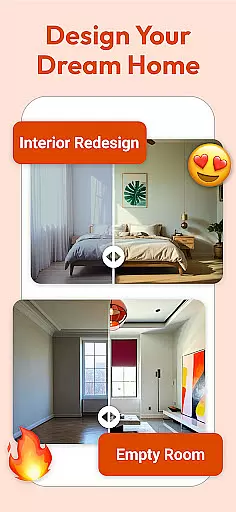
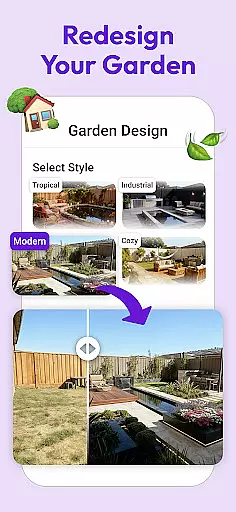
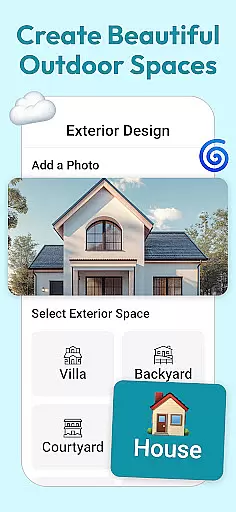
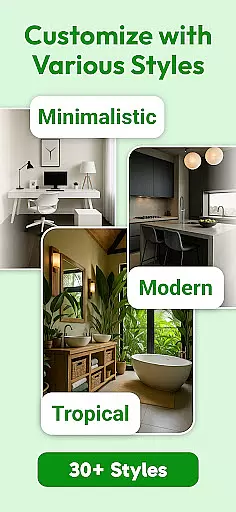
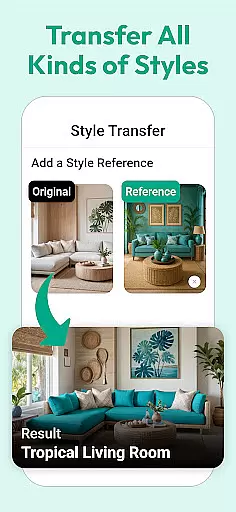
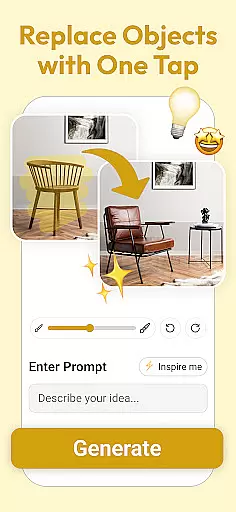
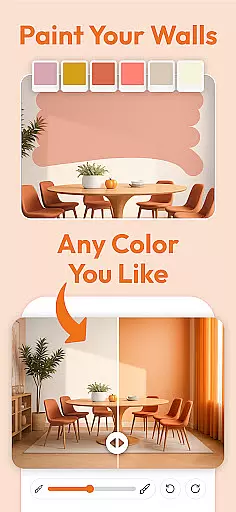
AI Interior Design is a cutting-edge home design application tailored for homeowners, renters, and design enthusiasts who want to reimagine their living spaces. The app leverages advanced AI technology to provide personalized interior design suggestions based on user preferences and current trends. With its powerful 3D visualization feature, users can see realistic renderings of redesigned rooms before committing to any changes. Additionally, the app offers curated furniture and decor options that align with your chosen style, making it easier than ever to bring your vision to life.
The app's intuitive interface ensures a seamless experience for both beginners and seasoned designers. Whether you're redesigning a single room or planning an entire home makeover, AI Interior Design simplifies the process by offering smart tools like easy sharing of designs for feedback. This functionality allows users to effortlessly share their ideas with friends, family, or professional designers, ensuring everyone involved is aligned on the creative direction.
Ultimately, AI Interior Design bridges the gap between creativity and practicality, empowering users to transform their homes into stylish, functional spaces without needing professional design expertise.
AI Interior Design stands out with its innovative features designed to streamline the home makeover process. One of its core functionalities is the AI-driven personalized design suggestions. These recommendations are crafted based on individual preferences and the latest interior design trends, ensuring each suggestion feels both unique and modern. This level of customization helps users explore styles they may not have considered before, broadening their creative horizons.
Another key feature is the app's 3D visualization tool. This allows users to view lifelike representations of their redesigned spaces, providing a clear understanding of how the final result will look. The ability to visualize changes in advance minimizes guesswork and enhances decision-making. Furthermore, the app includes a curated selection of furniture and decor items, handpicked to complement various design aesthetics. This ensures that every piece you choose fits seamlessly into your overall vision.
Finally, the app's user-friendly interface makes it accessible to all skill levels. From novices taking their first steps in design to experts seeking efficient tools, AI Interior Design caters to a wide audience. Its sharing capabilities also foster collaboration, allowing users to gather valuable input from others, thus refining their projects further.
In the realm of home improvement and interior design, having authentic and reliable sources is crucial. AI Interior Design ensures that all its design suggestions and property listings are meticulously curated and verified. This meticulous attention to detail guarantees that users receive genuine recommendations tailored to their preferences.
The app employs advanced algorithms to cross-reference user inputs with current design trends and industry standards. By doing so, it provides accurate and trustworthy design options that truly reflect what is achievable within the user's parameters. This verification process helps maintain a high level of authenticity across all listed properties and design choices.
Users benefit from this rigorous approach by receiving realistic expectations about their potential home transformations. The assurance of authenticity in every recommendation empowers users to make informed decisions, enhancing their overall experience and satisfaction with the app.
AI Interior Design goes beyond just offering aesthetic enhancements; it also includes comprehensive home management features. These functionalities allow users to efficiently organize and track various aspects of their home redesign projects. From budgeting tools to project timelines, the app provides everything needed for effective project management.
The inclusion of 3D visualizations plays a significant role in these management features. Users can visualize different stages of their project, ensuring that each step aligns with their vision before any physical changes are made. This feature not only saves time and resources but also enhances the precision of the planning phase.
Additionally, the app offers easy sharing capabilities, enabling collaboration with others involved in the project. Whether seeking feedback from friends or consulting with professional designers, these home management features streamline communication and ensure everyone is on the same page throughout the redesign journey.
Personalized suggestions
Realistic 3D previews
Curated furniture options
User-friendly interface
Easy sharing for feedback
Limited free features
Requires constant updates
Premium subscription cost
In-app purchases needed
Occasional slow rendering

Use Home by ShowingTime to easily manage showings, tours, feedback and more
 3.60
3.60
The official app for Home Assistant. Control your home anywhere in the world.
4.30
Smart AI plant care schedules, Real plant experts, support & Thriving community!
4.20
IP camera view and playback, for your WiFi cam or home security cctv system.
3.70
View houses and apartments for rent, updated daily.
4.80
Find the perfect paint color with advanced tools to explore and visualize color.
3.80
Fire & Power Safety
4.50
An easier way to make payments and maintenance requests from anywhere.
3.50
Looking for the perfect apartment finder app? Find beautiful rental homes here!
4.60
AI-powered home design, interior design, home decor, and room design solutions
4.50
Control your thermostat, comfort, and home monitoring from your phone
4.30
Turn your phone into a wifi cam with smart features and umlimited reach.
4.20
Universal Tv Remote Control for all Tv. Cast for chromecast & all Tv Controller
4.20
AI floor creator to design your dream house, plan rooms & style your home
4.00
USHUD.com helps you find the best homes for sale in your area
4.00
Draw your floor plan smartly. Make house design blueprint with home planner app
3.60
An awesome mobile app for Home Security Surveillance - uses ZoneMinder
3.20
PRO Version of GLB AR Viewer
4.4
Universal TV remote Control for Roku TV brands via WiFi remote
4.2


User Reviews