
Sherwin-Williams Color Expert is a powerful home design app that helps users find the perfect paint colors for their spaces. The app offers advanced color visualization tools, personalized recommendations, and seamless planning features.
Key functionalities include photo-based color matching, intelligent color suggestions based on your space, and easy saving of favorite palettes. Whether you're redesigning a single room or planning a full home renovation, this app provides professional-grade tools to make confident color choices.
The app is particularly useful for homeowners who want to visualize paint colors in their actual spaces before making a purchase decision. By offering both digital previews and physical color samples, it bridges the gap between digital planning and real-world application.
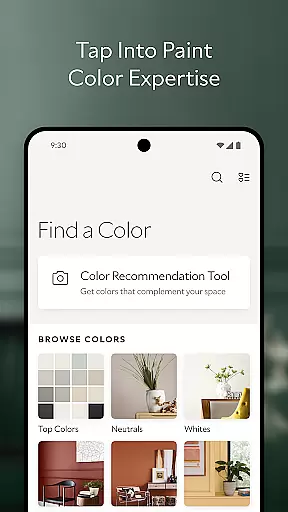
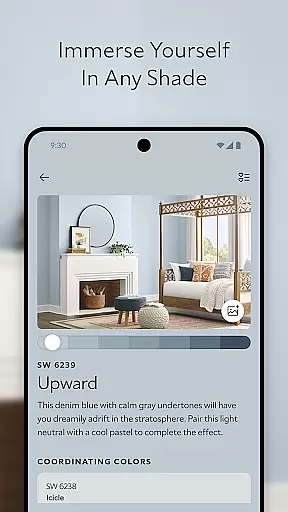
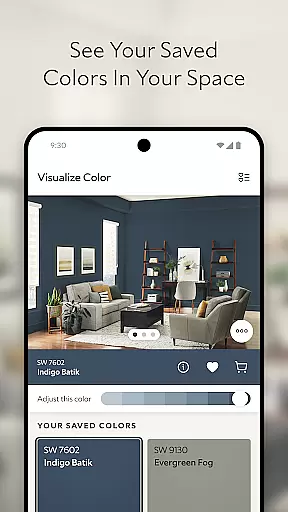
The app's standout feature is its comprehensive color visualization system. Users can take photos of their rooms and instantly see how different Sherwin-Williams paint colors would look on their walls. This virtual preview capability saves time and reduces uncertainty in color selection.
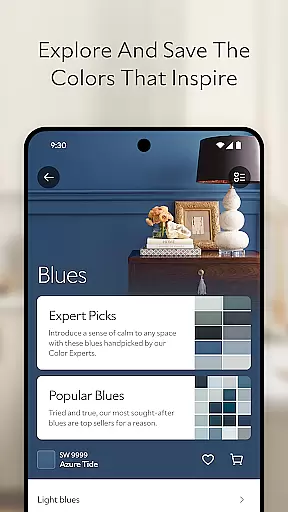
Another key aspect is the Personal Color Recommendation Tool. This intelligent feature analyzes user-submitted photos and suggests complementary colors based on the room's existing elements and lighting conditions. The app also includes robust planning tools, allowing users to save color palettes, order physical samples, and explore color collections by various categories.
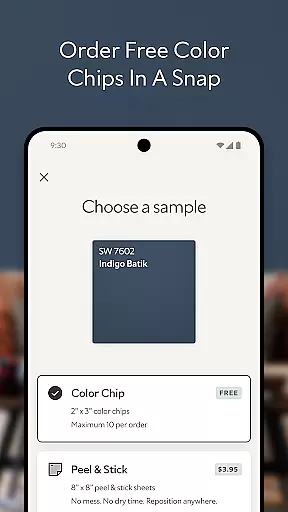
Additional features include direct ordering of color chips and peel-and-stick samples, plus access to trending color collections. These features create a complete ecosystem for home color planning, from initial inspiration to final product selection.
In the realm of home improvement and design, having authentic and reliable information is crucial. The Sherwin-Williams Color Expert app ensures property listing authenticity by providing users with genuine color options directly from the Sherwin-Williamsu00ae palette. This guarantees that every color choice you make is backed by a reputable brand known for quality and consistency.
The app's extensive collection of colors is meticulously curated, ensuring that each shade represents the latest trends and timeless classics. By leveraging advanced algorithms and expert analysis, the app delivers accurate representations of how these colors will appear in your space. This level of precision empowers homeowners to make informed decisions about their paint choices.
Furthermore, the ability to order physical color chips and peel & sticks directly through the app adds another layer of authenticity. These samples allow users to experience how a color looks under their home's unique lighting conditions before making a final commitment. This feature not only enhances confidence in your color selection but also significantly reduces the risk of dissatisfaction post-purchase.
Beyond just selecting paint colors, effective home management involves planning and organizing your projects efficiently. The Sherwin-Williams Color Expert app excels in this area by offering robust home management features designed to streamline your color journey from inspiration to application.
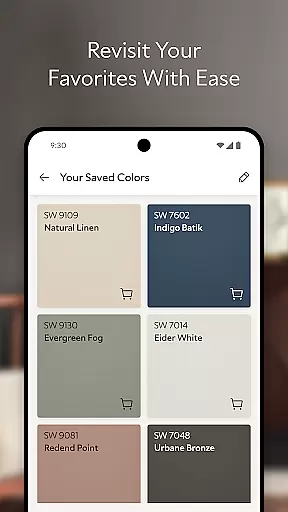
One standout feature is the SAVE & PLAN tool, which allows users to store their favorite colors for future reference. This functionality ensures that you can revisit and refine your selections as needed, maintaining an organized record of your preferences over time. Additionally, the option to order paint samples directly through the app simplifies the preparation phase, enabling seamless integration into your workflow.
Moreover, the appu2019s intelligent color recommendation tool acts as a virtual consultant, analyzing photos of your space to suggest complementary shades. This personalized guidance helps harmonize your interior design efforts, creating cohesive aesthetics throughout your home. With such comprehensive support at your fingertips, managing your home improvement projects becomes more intuitive and enjoyable than ever before.
User-friendly interface
Accurate color matching
Wide color selection
Intelligent recommendations
Seamless sample ordering
Requires good lighting
Internet connection needed
Premium features locked
Steep learning curve
Limited export options

Map-based search app for apartments and homes for rent.
 4.60
4.60
The official app for Home Assistant. Control your home anywhere in the world.
4.30
An awesome mobile app for Home Security Surveillance - uses ZoneMinder
3.20
This Fire TV Remote control's your Fire TV Device and Insignia Fire TV Remote
3.70
Security App with HD Video, 2-way Audio, and event detection for Home monitoring
4.40
Control your Vivint Smart Home with the next generation Vivint App.
4.30
Search for Homes, Rentals, Agents & Schools
4.70
Turn old phones into security cameras, baby monitors, pet cams, and more.
4.70
Connect with reliable pros for maintenance services, plumbing, and home design!
4.80
Download today to join the community to help bring lost pets home faster.
4.70
Looking for the perfect apartment finder app? Find beautiful rental homes here!
4.60
Rent on-the-go with TurboTenant’s app made just for renters
4.50
Control the scent and ambiance of your home and car, right from your phone.
4.50
The Merkury Smart app makes it easy to control your smart devices.
4.50
3D House Design and AI Room Planner - from floor plans to full interior design.
4.40
Make your phone a surveillance camera remote with a home camera app for Android!
4.40
Turn your phone into a wifi cam with smart features and umlimited reach.
4.20
Our app allows Sunrun customers to monitor systems, pay bills, and get support.
3.80
PRO Version of GLB AR Viewer
4.5


User Reviews