
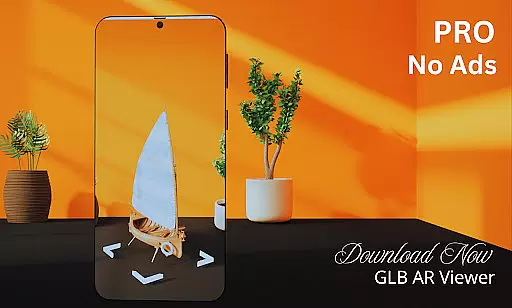
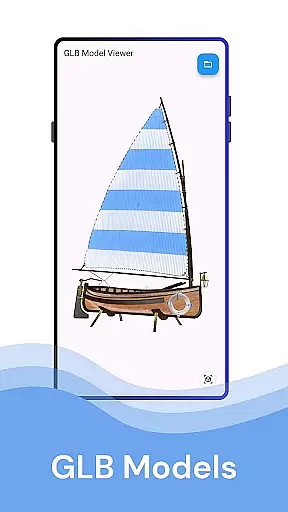
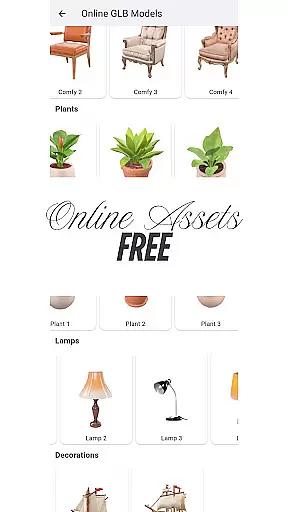
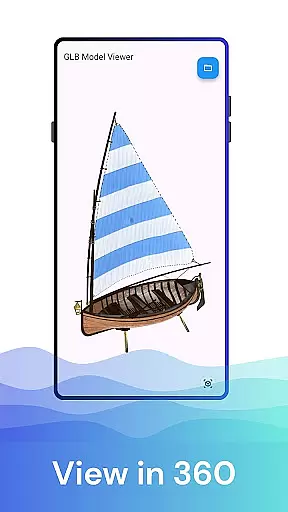
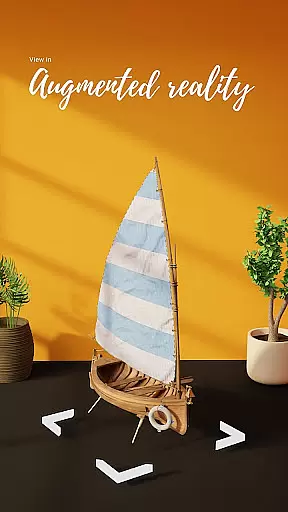

GLB AR Viewer 3D PRO is a cutting-edge application designed for users who need to visualize 3D models in both standard and augmented reality (AR) modes. This app allows you to open .glb files directly on your mobile device, providing an immersive experience that brings 3D creations to life.
The core functionality of GLB AR Viewer 3D PRO lies in its ability to seamlessly load and render complex 3D models with interactive controls. Users can rotate, zoom, and pan their models using intuitive touch gestures. The app also supports AR viewing through ARCore, enabling users to place virtual objects in real-world environments.
This app is particularly useful for professionals such as 3D artists, game developers, and educators who require a portable solution for previewing and interacting with 3D content. By offering a fast, lightweight, and user-friendly platform, GLB AR Viewer 3D PRO enhances productivity and creativity in various professional settings.
GLB AR Viewer 3D PRO stands out with its comprehensive feature set tailored for 3D visualization. One of the key highlights is its support for .glb file formats, which are widely used for 3D assets due to their compact size and embedded textures. This ensures quick loading times and high-quality rendering on mobile devices.
The app's Augmented Reality (AR) capabilities are powered by ARCore, Google’s platform for building AR experiences. With this feature, users can place 3D models in their physical space, allowing for realistic previews and demonstrations. The interactive controls further enhance the user experience by enabling precise manipulation of models through simple touch gestures.
Additionally, GLB AR Viewer 3D PRO offers a clean and minimalistic user interface, focusing on delivering a smooth and distraction-free experience. Its lightweight nature means that it runs efficiently even on less powerful devices, making it accessible to a wider audience while maintaining professional-grade performance.
When it comes to property listings, the authenticity of information is crucial for making informed decisions. The GLB AR Viewer 3D PRO app ensures that users can view accurate and realistic 3D models of properties in augmented reality. This feature allows potential buyers or renters to explore properties virtually with a high level of detail.
The app leverages advanced ARCore technology to place 3D models within real-world environments, providing an immersive experience. Users can interact with these models by rotating, zooming, and panning using intuitive touch gestures. This interactive approach helps verify the accuracy of property features and dimensions.
For real estate professionals, this means they can confidently showcase their listings knowing that the details are faithfully represented. The ability to preview properties in AR not only enhances transparency but also builds trust between clients and agents. It streamlines the decision-making process by offering a clear understanding of what each property entails.
Beyond just viewing property listings, GLB AR Viewer 3D PRO offers robust home management features that cater to various needs. Whether you're a homeowner looking to redesign spaces or an educator teaching about spatial design, this app provides tools that facilitate better home management through its interactive 3D modeling capabilities.
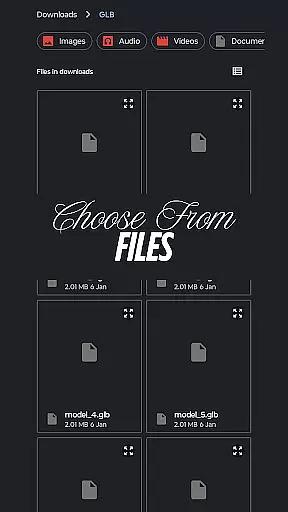
Users have access to clean and minimal user interfaces that ensure smooth navigation and operation. The simplicity of loading GLB files directly from device storage makes it easy for anyone to manage digital representations of their homes efficiently. These practical controls empower users to manipulate 3D objects effortlessly.
Moreover, the fast and lightweight nature of the app ensures that thereu2019s no compromise on performance while managing complex 3D data. By integrating such powerful yet straightforward functionalities, GLB AR Viewer 3D PRO becomes an indispensable tool for anyone involved in home improvement projects or educational endeavors related to 3D visualization.
Fast and responsive
Supports AR viewing
User-friendly interface
Lightweight design
Ideal for professionals
Limited file format support
No advanced editing tools
Requires ARCore
Premium version needed
Occasional bugs

Use Home by ShowingTime to easily manage showings, tours, feedback and more
 3.60
3.60
Technology powering many in-home services for residents across the United States
3.80
AI-powered home design, interior design, home decor, and room design solutions
4.50
Convert your Phone to HiSense Smart TV Remote Control
4.70
Resident Center, powered by Buildium, is designed with simplicity in mind.
4.50
AI Home Designer & Room Planner: Decorate your interior space with AI
4.40
Find your next home, house, apartment, condo, casa, flat, rental, studio, or bed
4.70
Universal Tv Remote Control for all Tv. Cast for chromecast & all Tv Controller
4.20
Samsung remote app helps control all Samsung Smartthings TVs. Fast and Stable!
4.10
Download today to join the community to help bring lost pets home faster.
4.70
Innovative and budget-friendly housing options
4.60
Rent on-the-go with TurboTenant’s app made just for renters
4.50
Fire & Power Safety
4.50
Make Renting Easy
4.40
Control your Vivint Smart Home with the next generation Vivint App.
4.30
Fully control your Philips TV with this all-in-one remote control app.
4.20
Book your local plumber 24/7, track your service order & get exclusive coupons
4.00
An easier way to make payments and maintenance requests from anywhere.
3.50
Control Fire TV & mirror your phone screen instantly over Wi-Fi.
3.30


User Reviews