
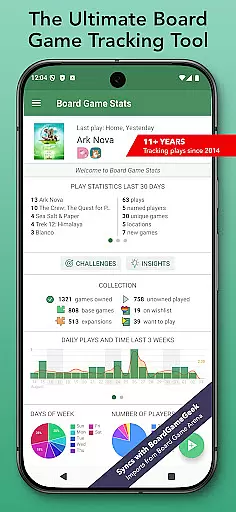
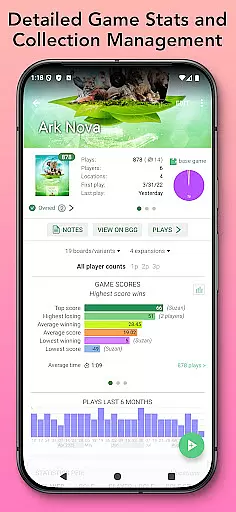
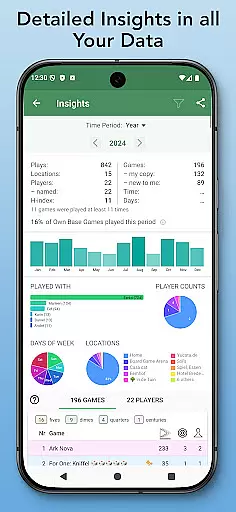
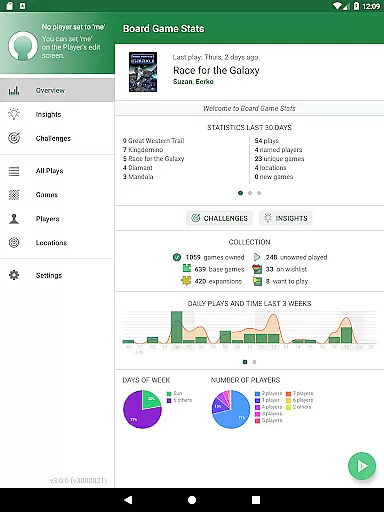
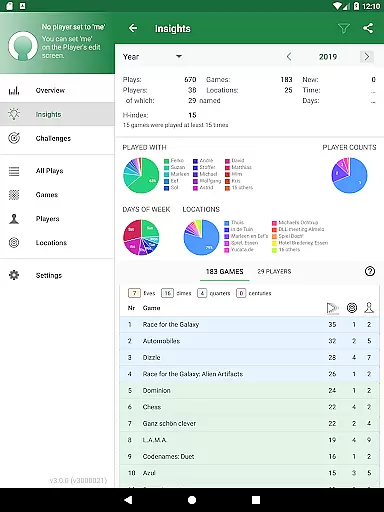
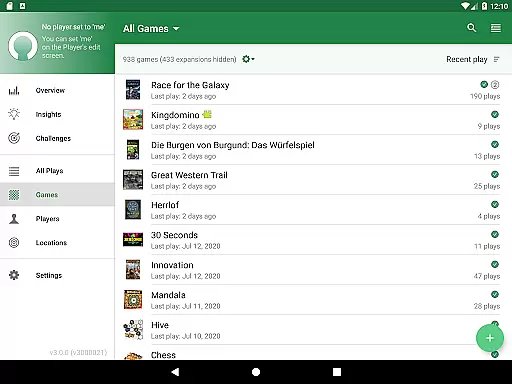
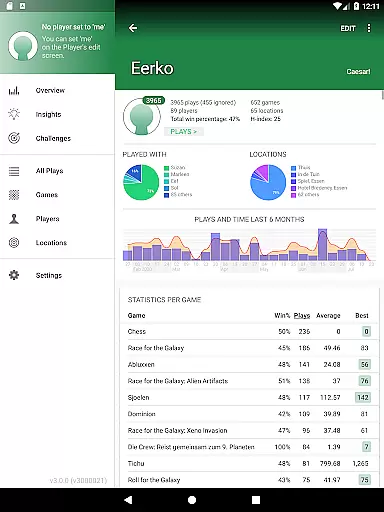
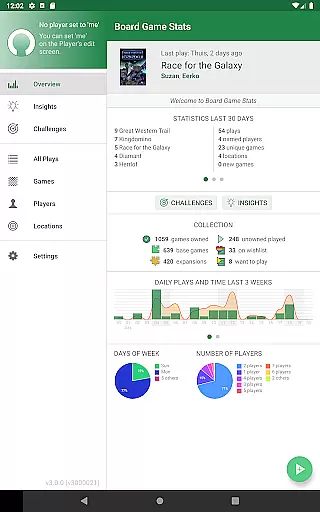
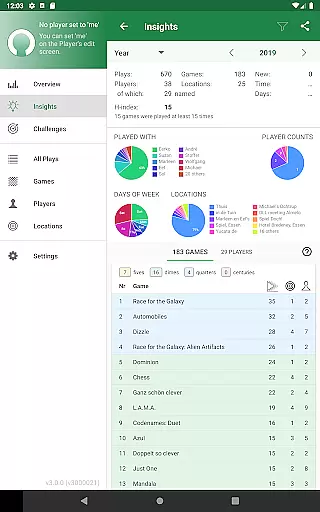
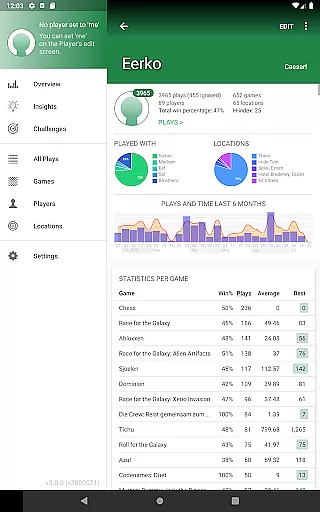
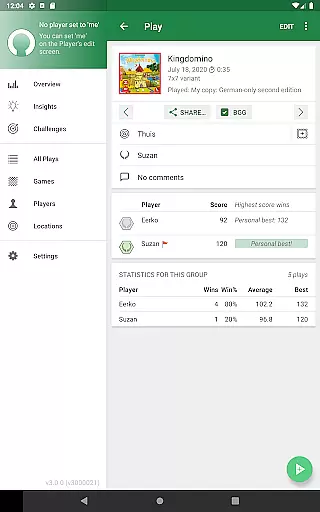
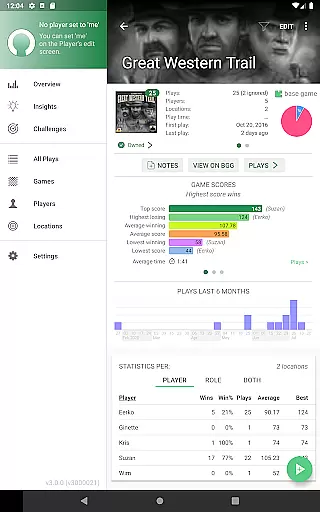
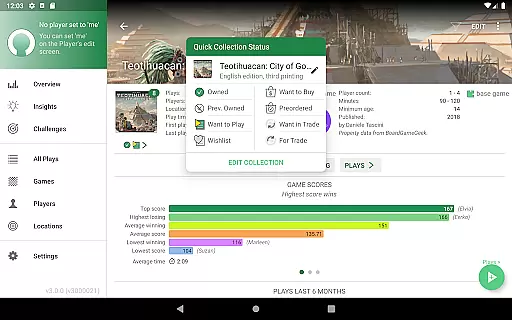
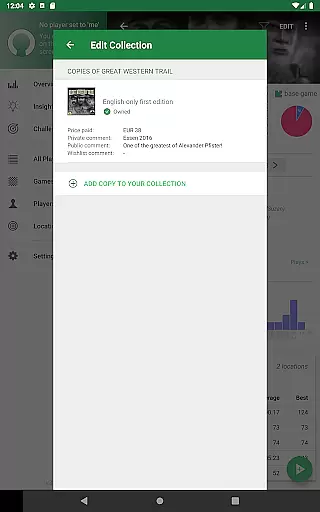
Board Game Stats (BG Stats) is a comprehensive lifestyle app designed for board game enthusiasts who want to track their collection, plays, and scores efficiently. The app offers detailed statistics and graphs for games, players, and plays, providing insights into gaming habits and performance. It supports offline functionality while offering seamless sync with BoardGameGeek (BGG), making it an essential tool for serious collectors and casual players alike.
With features like tailor-made score sheets, play tracking, and player comparisons, BG Stats allows users to monitor their progress over time. Whether you're looking to analyze your win rates, track unplayed games, or compare scores across different sessions, this app provides the tools necessary to enhance your board gaming experience. Its intuitive interface and robust feature set make it valuable for both personal use and group gaming sessions.
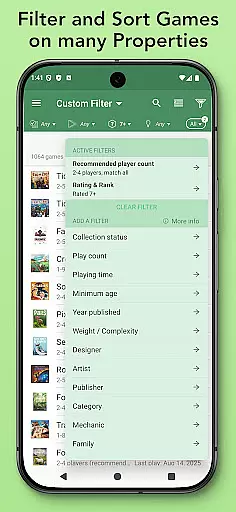
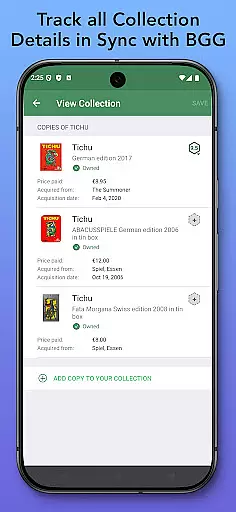
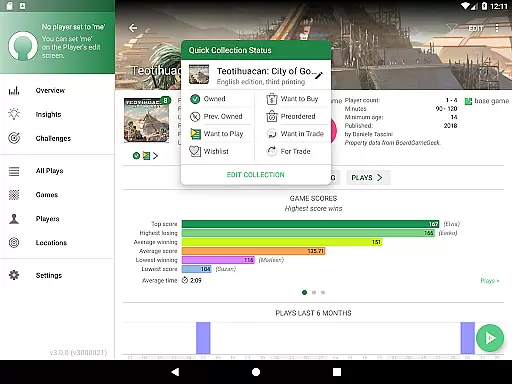
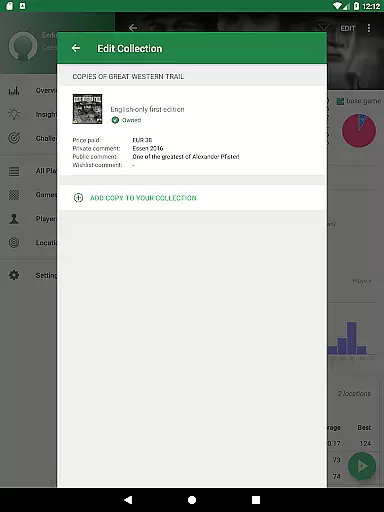
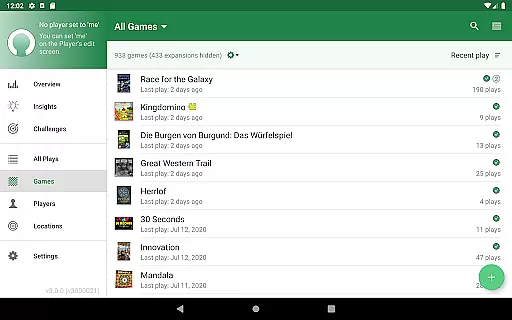
BG Stats stands out with its extensive collection management capabilities. Users can track every game they own or are interested in, complete with specific versions, images, and statuses such as Owned, Wishlist, or Want to Play. Detailed fields allow for comments, price tracking, and acquisition dates, while custom filters help organize games based on various criteria. The app's automatic syncing with BoardGameGeek ensures that your collection is always up-to-date.
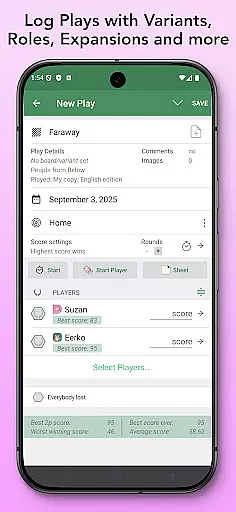
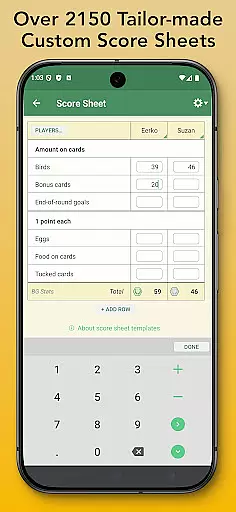
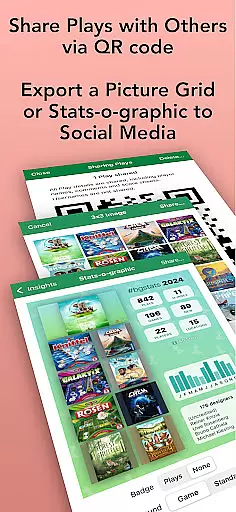
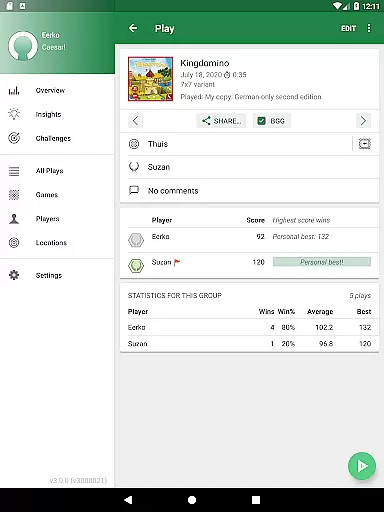
The play tracking functionality is equally impressive, allowing users to log plays with expansions, player details, locations, and scores. With support for over 2300 game-specific score sheets, real-time score calculations, and team setups, the app caters to diverse gaming scenarios. Advanced features include importing plays from platforms like Board Game Arena and sharing play data with other users. Additionally, the Power Expansion adds enhanced filtering, role-based stats, and heat maps, while Challenges let users create custom gaming goals.
Board Game Stats offers extensive coverage of the board gaming lifestyle category, providing users with a comprehensive tool to manage their board game collections and track plays. The app supports detailed collection management features, allowing users to keep track of games they own, wish to play, or are interested in. This includes setting statuses, entering acquisition details, and syncing with BoardGameGeek for an enriched experience.
The application goes beyond simple tracking by offering advanced play tracking features. Users can log plays, scores, and player details, including anonymous players and teams. With over 2300 game-specific score sheets, timers, and the ability to post plays to external platforms like BoardGameGeek, the app ensures that every aspect of the board gaming lifestyle is meticulously recorded and easily accessible.
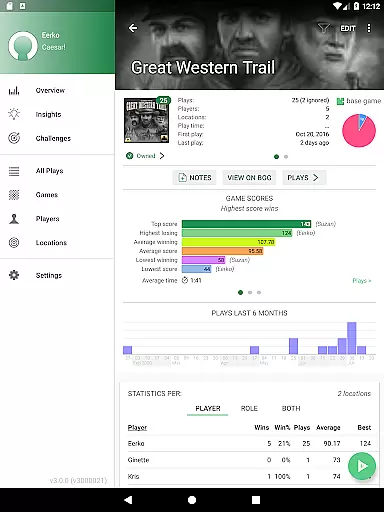
Statistics and insights further enhance the lifestyle coverage by providing pie charts, play duration graphs, and cost-per-play analysis. These features allow users to gain deeper insights into their gaming habits and preferences. Additionally, the Power Expansion adds extended filtering, role-based statistics, and heat maps, making it an indispensable tool for serious board gamers who want to optimize their gaming strategies and experiences.
Board Game Stats ensures content authenticity by integrating directly with BoardGameGeek, a trusted source in the board gaming community. This integration allows users to sync their collections and plays with BoardGameGeek, ensuring that all data is accurate and up-to-date. The app's ability to import plays from multiple sources such as Yucata, Board Game Arena, and ScorePal further reinforces its commitment to authentic and reliable content.
The app's credibility is bolstered by its detailed and tailor-made score sheets for over 2300 games, which have been crafted to match specific game rules and scoring systems. This level of detail ensures that users can trust the accuracy of their logged plays and scores. Furthermore, the inclusion of expert-reviewed statistics and insights provides users with authoritative information on their gaming performance and trends.
With additional expansions like the Power Expansion and Challenges Expansion, Board Game Stats offers even more depth and reliability. These expansions provide advanced filtering, custom tags, and challenge templates designed by experts to enhance gameplay tracking and strategy development. By continuously updating and expanding its features based on user feedback and industry standards, Board Game Stats maintains its position as a credible and essential tool for board game enthusiasts.
User-friendly interface
Comprehensive statistics
Offline functionality
Sync with BoardGameGeek
Customizable filters
Premium features require purchase
Complexity may overwhelm new users
Occasional BGG sync issues
Limited free export options
Subscription needed for cloud sync

Digital watch face design. Modern looking, hi-res & battery friendly.
 4.00
4.00
What is my face shape? Find out your face shape from picture, see fitting frames
3.90
Do you want to communicate with spirits?
3.80
Customize your Wear OS watch with festive Christmas figures and colors!
4.2
Discounts, savings, and rewards
4.20
Connect to your Shark ROBOT™ from anywhere using the SharkClean™ App.
3.60
Colorful minimal digital watch face for Wear OS
4.60
Have your Tehillim with you at all times
4.70
Control your Tapo smart devices from anywhere.
4.60
Daily lessons from A Course in Miracles with scheduled reminders
4.80
The App can control Roborock vacuum cleaners from anywhere with rich features.
4.60
Cute Adorable Animals now on your wrist with our Wear OS watch face!
4.40
Play fun games, complete quick surveys, and earn money. It's fun and easy!
4.40
BILT interactive 3D instructions help you get the job done right
3.50
Turn your watch into a key fob for your Tesla
2.90
Healthy eating timer app to track meal pace, improve habits, and eat slowly.
4.4
Immerse yourself in the serenity of lavender fields and white butterflies
4.1
A daily quote for success
4.0
A uniquely designed isometric digital watch face made for Wear OS
4.3


User Reviews