
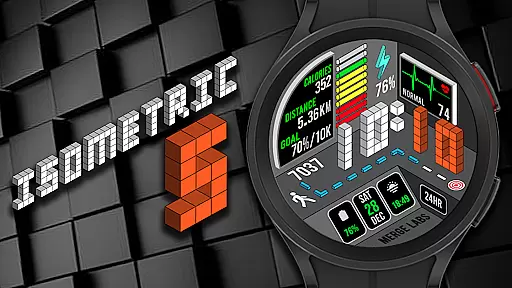
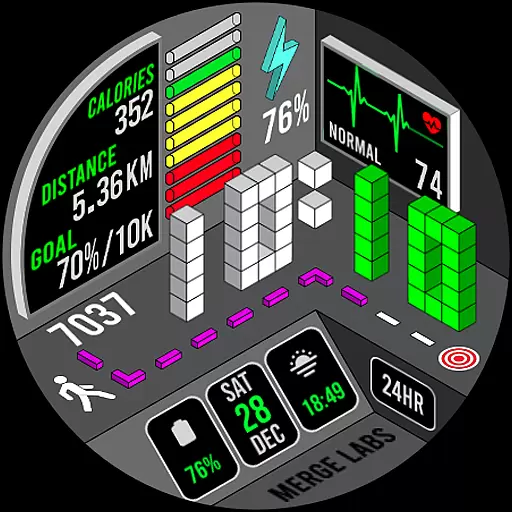
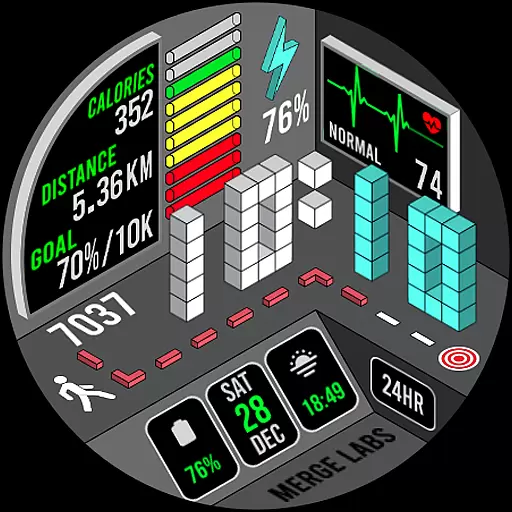
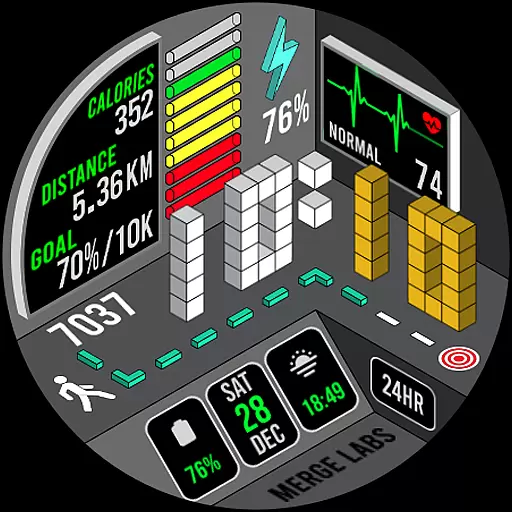
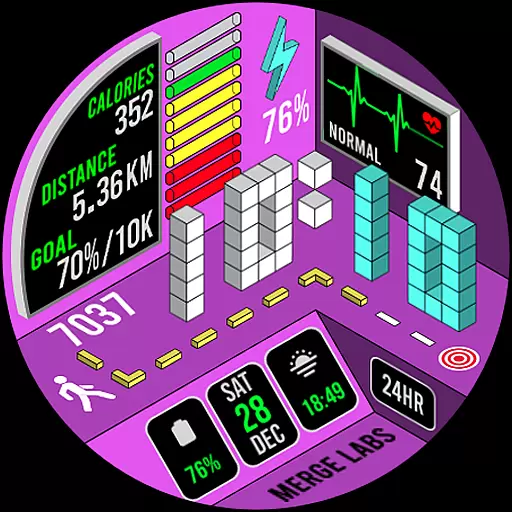
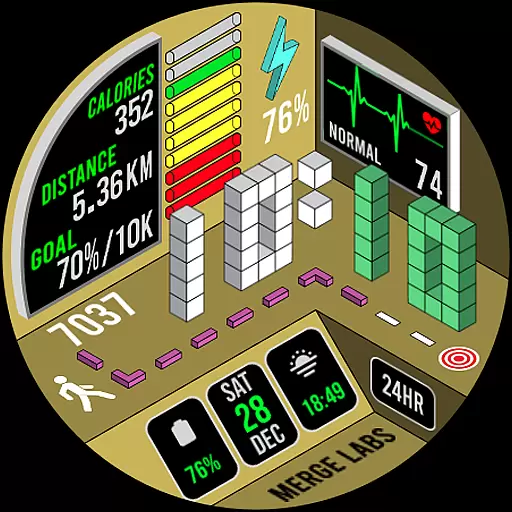
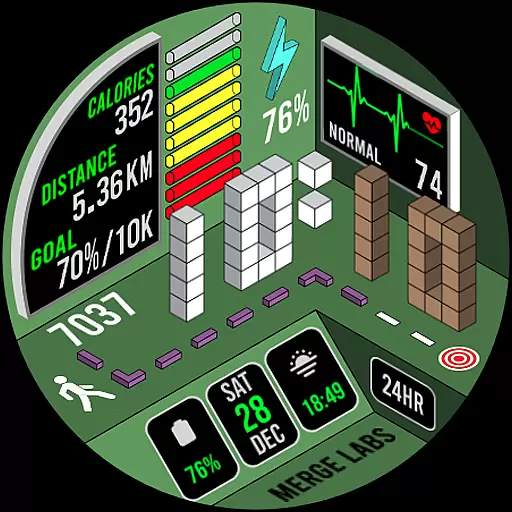
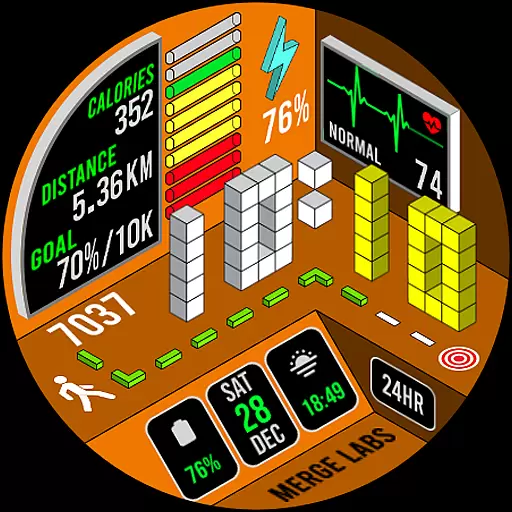
Merge Labs Isometric 5 is a unique smartwatch face designed for Wear OS, offering an innovative take on traditional watch elements. This app transforms standard features like heart rate, step count, and battery status into an isometric visual experience.
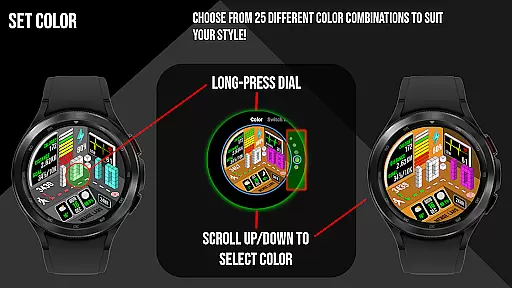
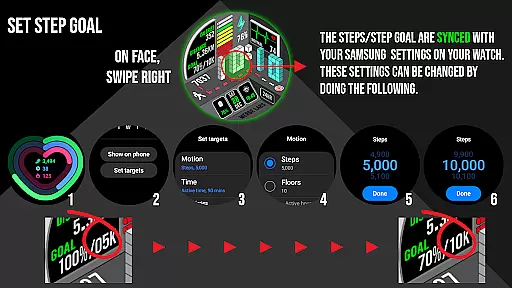
With 25 color combinations and customizable complications, users can personalize their watch face while accessing essential information. The app also provides detailed health tracking, including step goals synced with Samsung Health, heart rate monitoring with color-coded indicators, and multiple display options that adapt to the user's preferences and device settings.
This application is particularly valuable for health-conscious professionals who want both functionality and style in their wearable technology. The combination of aesthetic appeal with practical features makes it suitable for various occasions, from workouts to business meetings.
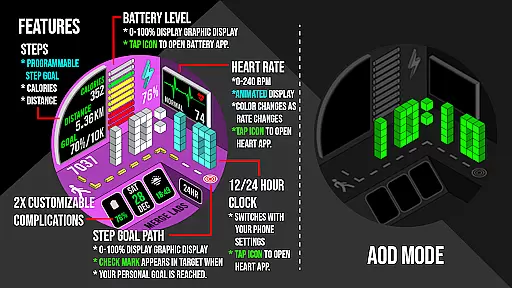
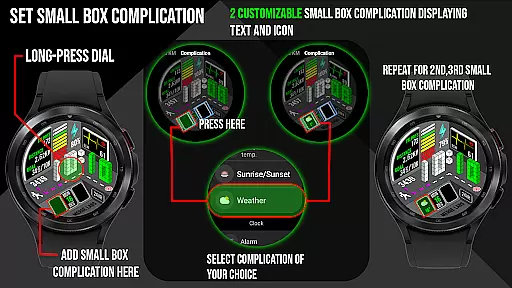
The app stands out with its comprehensive feature set tailored for Wear OS users. Its main advantage is the integration of isometric design principles into everyday watch functions. Users can choose from 25 color schemes and customize two small box complications to display preferred information using text and icons.
Health tracking features are robust, including a numerical and graphical battery indicator, daily step counter with goal syncing through Samsung Health, and heart rate monitoring with color-changing indicators based on activity levels. The app also displays calories burned and distance traveled, with metric or imperial units selectable through the customization menu.
Additional practical features include date and time display with tap-to-launch functionality for calendar and clock apps, 12/24 hour format support, and KM/Miles setting adjustment. These features collectively enhance user interaction while maintaining the watch's visual appeal.
In the realm of wearable technology, lifestyle applications play a pivotal role in enhancing user interaction and daily utility. Merge Labs Isometric 5 stands out by offering an exclusive smartwatch face for Wear OS that integrates isometric design into essential features like heart rate, steps, and battery power. This unique approach not only makes the information more visually appealing but also aligns with modern aesthetics sought by users.
The application provides comprehensive lifestyle coverage through its diverse features. With 25 color combinations and customizable complications, users can tailor their watch faces to display the information most relevant to them. Whether it's monitoring daily steps, tracking heart rate, or managing battery life, this app ensures that all critical lifestyle metrics are accessible at a glance. The ability to sync step goals with health apps further enriches the user experience by promoting an active lifestyle.
Moreover, the app goes beyond basic functionality by incorporating detailed health and activity tracking. Users can monitor their progress with graphical indicators for steps and heart rate, which adapt based on real-time data from the device. This level of detail supports users in maintaining a balanced lifestyle by providing actionable insights into their daily routines. Overall, Merge Labs Isometric 5 delivers a sophisticated blend of style and substance, making it an indispensable tool for those seeking to enhance their digital lifestyle.
Authenticity and credibility are crucial factors when evaluating lifestyle applications, especially those dealing with health and fitness data. Merge Labs Isometric 5 excels in these areas by ensuring that all displayed information, such as heart rate, step count, and battery levels, is derived from reliable sources within the device itself. This commitment to accuracy builds trust with users who rely on this data to make informed decisions about their health and daily activities.
The app's integration with established platforms like Samsung Health App underscores its dedication to content authenticity. By syncing step goals and other metrics with these trusted services, Merge Labs Isometric 5 reinforces its reliability. Furthermore, the inclusion of features like color-changing heart rate graphics and incremental step path indicators demonstrates a thoughtful approach to presenting data in a meaningful way. These elements are designed to provide users with clear, actionable insights rather than just raw numbers.
Expertise is evident in the app's design and functionality, which cater to both casual users and fitness enthusiasts. The ability to customize complications and choose from multiple color schemes reflects a deep understanding of user preferences and needs. Additionally, the app's compatibility with various Wear OS devices ensures a seamless experience across different hardware configurations. In summary, Merge Labs Isometric 5 combines authentic content with expert design to deliver a credible and valuable lifestyle companion.
Unique isometric design
Extensive customization options
Comprehensive health tracking
Intuitive interface
Wide color selection
Limited Wear OS compatibility
Premium price point
Complex initial setup
Battery intensive features
Learning curve for new users

The Work of Byron Katie— the mobile app for inner peace.
 4.40
4.40
Design and brew great homebrewing beer, mead, cider and wine recipes on the go!
3.60
Unique Dark Analog style for Wear OS watches.
4.5
Use your device sensors to detect energy and convert it into spoken words.
4.10
Smart & Healthy Living
4.60
SmartHQ: Your Connected Home Command Center
4.10
My Diary - Daily Journal with lock: Diary journal app and secret diary with lock
4.80
Colorful selection floral watch face with gyro for Wear OS
4.60
Going above and beyond known spirit communication
3.60
A unique and customizable watch face which rotates its layout every minute.
4.80
Tap to the beat with interactive videos — warm up your reflexes & have fun
4.70
Made To Order Faves
4.70
Colorful minimal digital watch face for Wear OS
4.60
A smart Siddur with halachic times
4.50
PARAVOX 4 is a professional ITC paranormal research application.
4.50
Earn points with every purchase with Moe Rewards.
4.20
Unique Dual Colors with 6 Custom Complications for Wear OS watches!
3.40
Designed to delight, impress and energize your festive spirit every single day
4.0
Bring the warm colors of fall directly to your wrist with Autumn Leaves!
4.4


User Reviews