
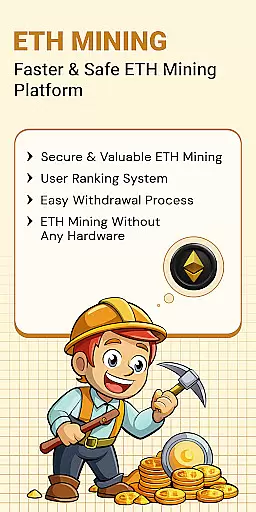
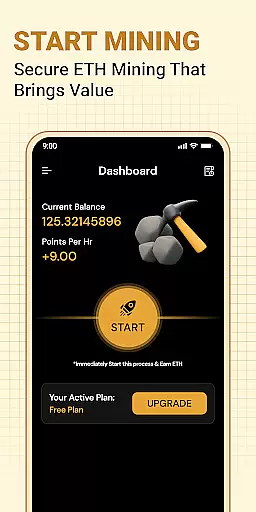
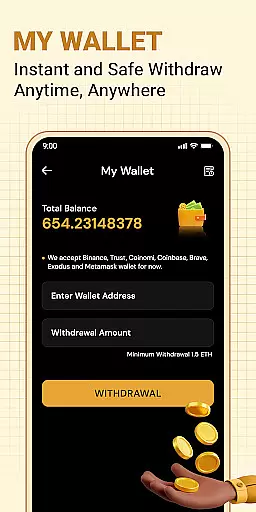


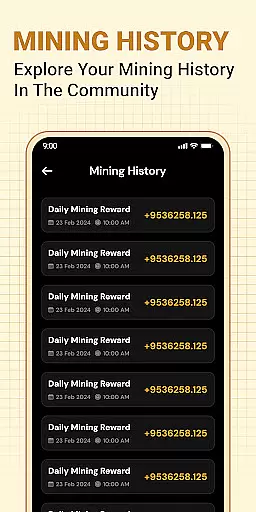
ETH Cloud Miner is a convenient mobile application designed for users engaged in cloud-based Ethereum mining. The app's primary function is to provide real-time monitoring of your Ethereum mining activities, allowing you to track essential metrics such as hashrate, uptime, and estimated daily rewards without using your device's CPU or GPU.
This app connects to third-party cloud mining providers, enabling you to view all relevant mining data directly from your smartphone. Whether you're an experienced crypto miner or just starting out, ETH Cloud Miner offers an accessible way to stay updated on your mining performance through an intuitive dashboard interface.
The true value of this app lies in its ability to simplify the monitoring process. By delivering live updates and stats from remote servers, it ensures that you can manage your cloud mining investments efficiently while avoiding the technical complexities typically associated with Ethereum mining.
One of the standout features of ETH Cloud Miner is its seamless integration with supported cloud mining providers. Once logged in, users can sync their accounts to access detailed mining session data, including hashrate, uptime, and reward estimations. This functionality eliminates the need for constant web-based tracking.
The app also emphasizes user convenience by offering a streamlined dashboard. Here, users can quickly review key performance indicators without navigating complex menus. Additionally, the app is lightweight, ensuring minimal impact on your device’s battery life or processing power since no actual mining occurs on the phone itself.
Another notable feature is the app's commitment to transparency. It clearly states that it does not mine Ethereum locally but instead displays public data tied to your cloud mining account. This approach makes it an ideal tool for those who want reliable insights into their mining operations without worrying about hardware limitations or excessive resource consumption.
Task creation and detail customization are essential features for users who need to manage their Ethereum mining activities effectively. The ETH Cloud Miner app allows users to create specific tasks that align with their cloud mining strategies, ensuring they can monitor and adjust their mining operations as needed.
The app provides a detailed dashboard where users can customize various aspects of their mining tasks. This includes setting up notifications for changes in hashrate, uptime alerts, or reward estimations. Such customization ensures that miners stay informed about significant changes or potential issues in their mining performance.
By leveraging these features, users gain the ability to tailor their monitoring experience according to their unique requirements. Whether focusing on optimizing mining efficiency or troubleshooting unexpected downtimes, the level of detail available empowers users to make data-driven decisions.
Ultimately, task creation and customization capabilities enhance user engagement by providing tools that help maintain optimal mining performance. This functionality not only simplifies the management process but also contributes to achieving better outcomes in Ethereum mining endeavors.
Reminder settings play a crucial role in keeping Ethereum miners updated on their cloud-based mining activities. With ETH Cloud Miner, users can configure reminders to ensure they never miss important updates regarding their mining stats, such as hashrate fluctuations, session data, or estimated rewards.
The app offers flexible options for setting up reminders based on different triggers. Users can choose to receive alerts when there is a drop in mining efficiency, an interruption in uptime, or when daily rewards fall below a certain threshold. These timely notifications enable miners to respond quickly to any anomalies and take corrective actions.
Customizable reminder settings contribute significantly to maintaining consistent mining performance. By staying informed through automated alerts, users can focus on other priorities without worrying about missing critical information related to their mining operations.
In summary, reminder settings within ETH Cloud Miner provide peace of mind by ensuring continuous awareness of key mining metrics. This proactive approach helps users maximize their mining output while minimizing downtime, ultimately leading to more successful Ethereum mining experiences.
User-friendly dashboard
Real-time mining stats
No device resource usage
Lightweight design
Third-party service support
Limited to cloud miners
No local mining option
Requires provider login
Premium features may cost extra
Dependent on third-party services

Buy event tickets easily with our user-friendly App. Stay updated on hot events
 4.0
4.0
Purchase line-skip passes, drinks, cover, and more at bars and clubs
3.50
TV Garden is a video player to play your own TV streams from around the world!
4.3
Rocket Monkey - Space rocket launch schedule for launch sites around the world
4.20
Clubs, Festivals, Discounted Tickets, Guest Lists & VIP Tables
4.90
Find EDM shows near you! See your favorite artists live, and discover new music.
4.90
Events, Meetings, Photo Shoots
4.50
Octrober 2025: We've updated the MyGenMobile App with a new look and feel!
4.40
TodayTix is the easiest way to get tickets to the best shows in your city.
4.90
The Ultimate Tournament Hub
4.70
Discover events & experiences in NYC, LA, Chicago, DC, Miami and more!
4.70
For weddings, parties & events
4.60
Text message invitations for birthday party, wedding, graduation, baby shower +
4.60
PheedLoop Go! is the mobile event app for events powered by PheedLoop.
4.40
The Official App
3.70
Audio guide companion APP for SEE's Michelangelo's Sistine Chapel
3.50
Create Birthday Cards in Birthday Invitation Maker and Birthday Card Creator App
3.00
Community for Mods, Addons, Melsaves, Melmods for Melon Playground
4.3
The Official Football Ticketing App for Fans in Qatar
4.1


User Reviews