
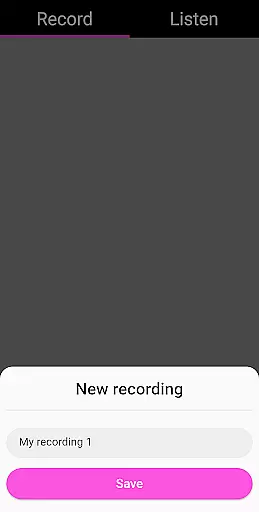
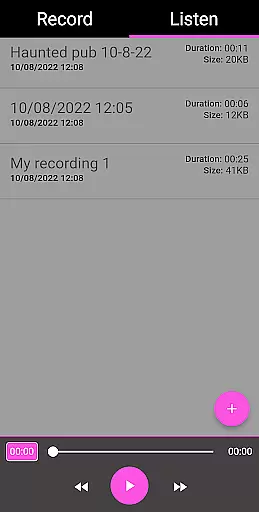
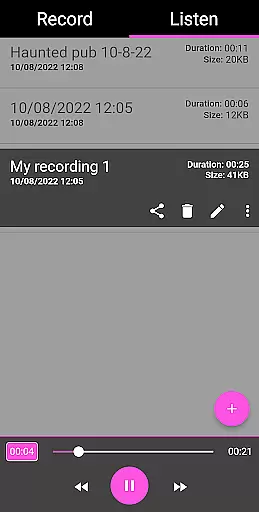
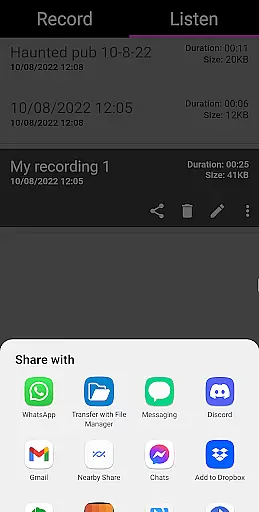
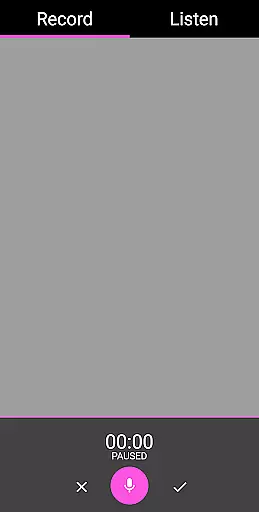
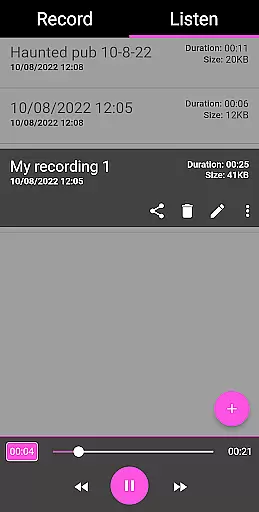
EVP Recorder is a specialized application designed for paranormal enthusiasts who are interested in ghost hunting. The app leverages the device's built-in microphone to capture Electronic Voice Phenomena (EVP), which are believed to be responses from spirits. It has been rigorously tested by experienced ghost hunting teams, ensuring its effectiveness and reliability.
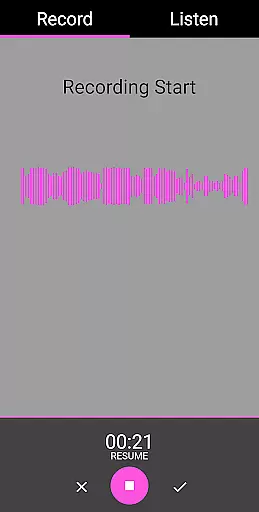
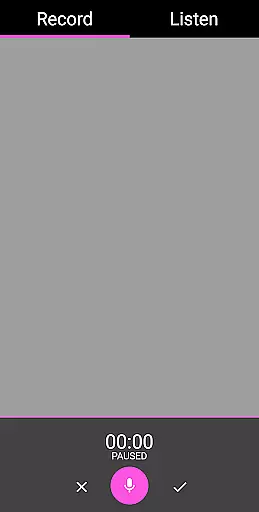
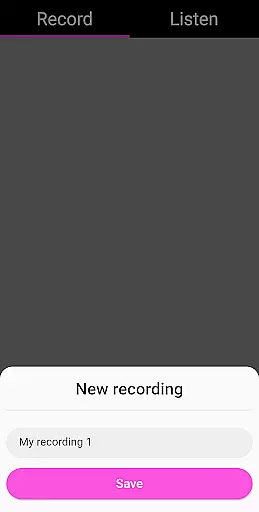
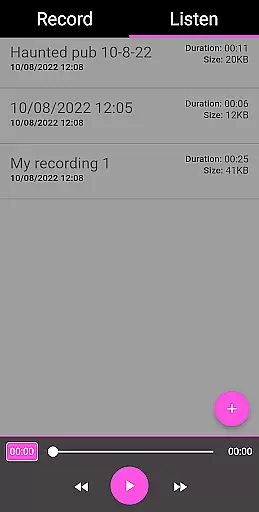
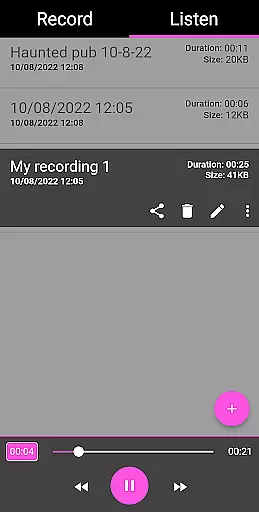
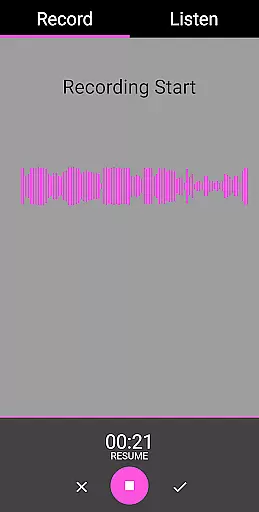
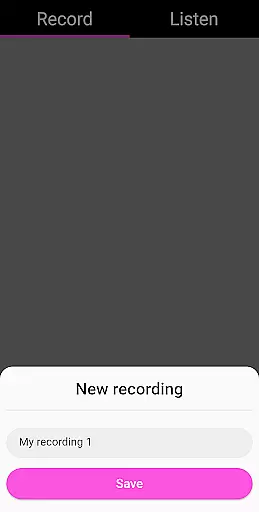
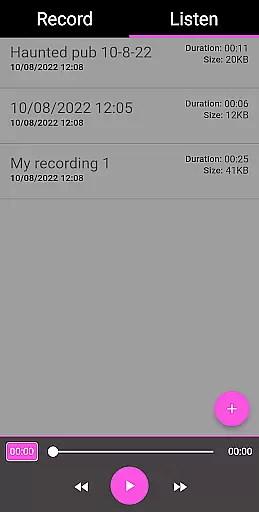
With features such as EVP recording, pause functionality during sessions, and the ability to save and playback recordings, users can easily document their supernatural encounters. Additionally, the app provides audio visualization tools that allow users to see potential responses visually, enhancing the overall experience. Its user-friendly interface ensures ease of use while offering advanced functionalities like renaming, deleting, and loading existing recordings.
This app is ideal for both amateur and professional ghost hunters looking to explore haunted locations and communicate with the spirit world. By providing essential tools for capturing and analyzing EVPs, it serves as an indispensable resource for those seeking evidence of the paranormal.
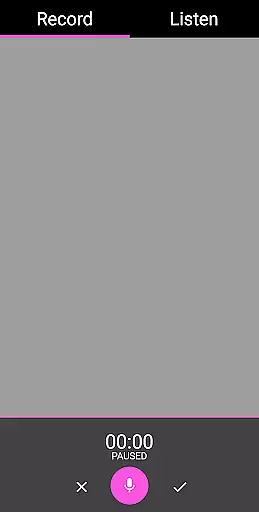
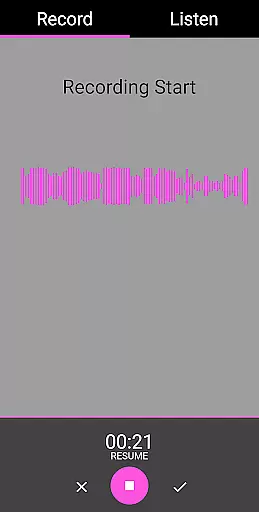
EVP Recorder stands out due to its comprehensive set of features tailored specifically for ghost hunting. One of the key highlights is the ability to record EVP sessions seamlessly. Users can start and stop recordings with a simple tap, allowing them to focus on asking questions and listening for responses without any technical distractions.
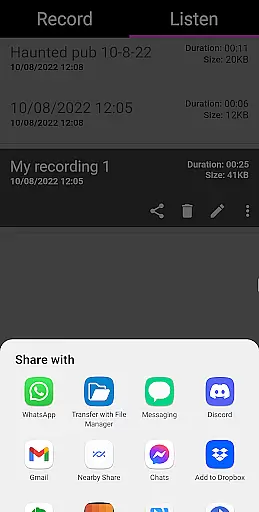
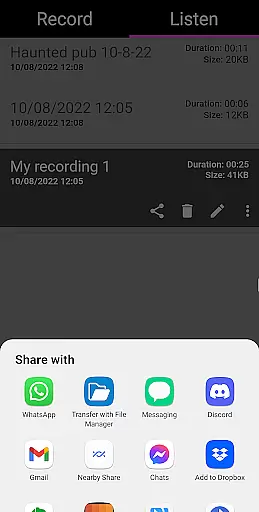
The app also includes advanced functionalities such as pausing during recording, which is crucial for organizing sessions effectively. After capturing EVPs, users can utilize the playback feature to review their recordings carefully. For convenience, the app allows sharing via social media platforms like Facebook and WhatsApp, making it easy to collaborate with fellow investigators or share findings with the community.
Another notable aspect is the audio visualization tool, which provides a visual representation of sound waves. This feature helps users identify potential EVPs more easily by correlating auditory cues with visual patterns. With additional options for managing files—such as renaming, deleting, and importing existing recordings—the app offers a complete solution for anyone serious about exploring the mysteries of the paranormal.
In the realm of ghost hunting and paranormal exploration, content variety and freshness are crucial for maintaining user engagement. EVP Recorder offers a comprehensive suite of features that cater to both novice and experienced ghost hunters. With functionalities ranging from basic recording to advanced audio visualization, the app ensures users have multiple ways to interact with potential electronic voice phenomena.
The application allows for seamless integration of existing recordings, enabling users to manage and explore their entire library within a single platform. This feature not only enhances content variety but also encourages users to revisit past sessions, potentially uncovering new insights with fresh perspectives.
Moreover, regular updates and new feature rollouts guarantee that the app remains current with technological advancements and user expectations. By providing tools such as renaming, deleting, and sharing options, EVP Recorder empowers users to curate their collections effectively, ensuring that their experience remains dynamic and engaging over time.
User engagement duration and retention are pivotal metrics in evaluating an entertainment app's success. EVP Recorder excels in these areas by offering an intuitive interface coupled with essential features that encourage prolonged usage. The app's straightforward functionality, highlighted by its 'Record' and 'Listen' tabs, simplifies navigation and promotes extended interaction.
By incorporating elements like pause functions during recording and fast forward/reverse options during playback, the app caters to detailed analysis sessions where users meticulously review their recordings. These capabilities foster deeper involvement, as enthusiasts spend considerable time analyzing subtle audio cues that may indicate paranormal activity.
Additionally, the ability to share recordings via social media platforms extends the user's reach beyond the app itself, creating opportunities for community building and collaborative exploration. Such interactions not only enhance retention rates but also cultivate a dedicated user base invested in continuous discovery and learning through EVP Recorder.
User-friendly interface
Advanced audio visualization
Comprehensive EVP recording tools
Free from ads and in-app purchases
Lifetime free updates
Limited to paranormal use
No real-time analysis
Requires quiet environments
Dependent on device microphone quality
Not scientifically proven

Watch whatever you want, whenever you want, wherever you want.
 3.30
3.30
Music visualizer and party effects for your Nanoleaf devices
4.0
Live TV, sports & holiday movies — stream on phone, tablet & TV
4.60
Stream Online TV - Watch Live IPTV Playlist & Channel with Built-In Player
4.50
The Xbox app keeps you connected to your gaming community.
4.50
Build and Share AI
4.20
Necrophone is spirit box ghost hunting app made for spirit communication.
3.70
Catch the latest episodes of The Voice or live stream NFL games with The NBC App
4.20
Watch New Episodes & Live TV
3.80
Fetch money rewards all just for playing games. Cash out for gift cards in app.
4.50
Geooh GO is the most feature rich geocaching app available today.
4.50
Everything FOX in one place. Watch FOX News, NFL, MLB, TV shows and more.
4.50
Browser for Chromecast to stream webvideos, online movies, IPTV & HD livestreams
4.40
Come and watch short dramas, reels with diverse genres!
4.40
Practice and master your ESP and intuition with five mode trainer.
4.20
Start EVP/Spirit Box tonight: real EMF, offline, recording. One-time purchase.
4.10
Create your Songs. Cover Maker with any Voice, Song Generator
3.30
Stream videos to VIDAA & VEWD TVs from Hisense, Sharp, Skyworth, Vestel & TiVo
3.00
Collaboration with popular VTubers
4.3


User Reviews