
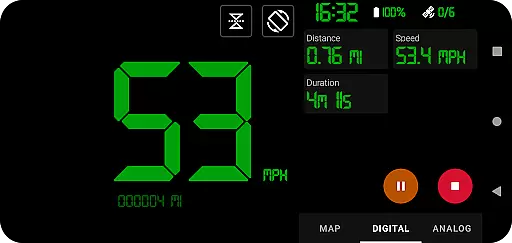
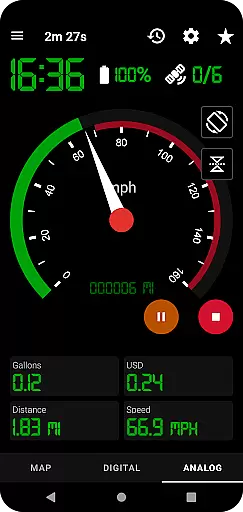
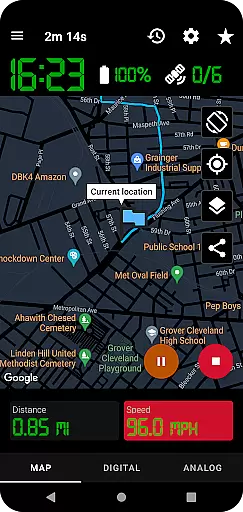
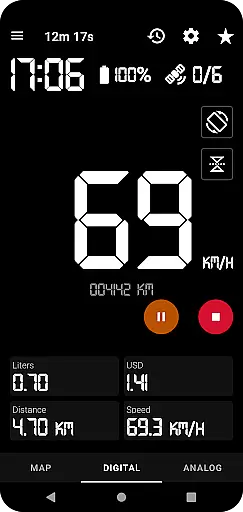
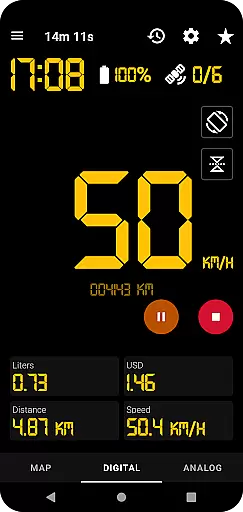
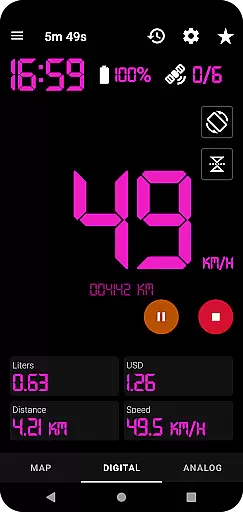
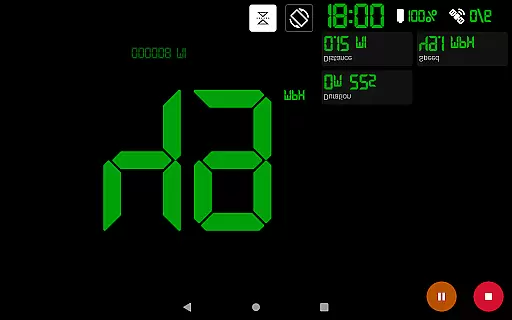
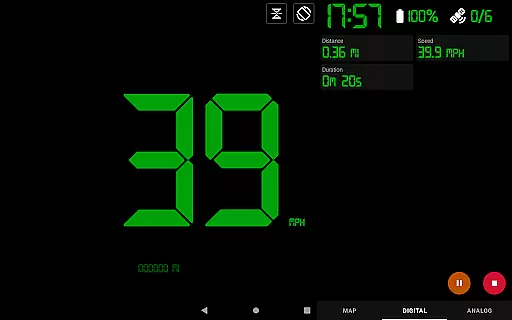
GPS Speedometer Pro is a comprehensive navigation and tracking application designed to help users monitor their speed, distance, and routes using the phone's built-in GPS. The app offers multiple display modes including analog, digital, and head-up display (HUD) options, making it versatile for various activities such as driving, running, or cycling.
One of its standout features is the ability to operate seamlessly in the background, allowing users to multitask on their phones without interrupting the tracking process. Additionally, the app provides practical tools like fuel cost estimation, over-speed alerts, and odometer readings, ensuring both convenience and safety during travel.
Whether you're commuting or engaging in outdoor activities, GPS Speedometer Pro serves as an all-in-one solution for real-time tracking and post-trip analysis, delivering valuable insights through downloadable .gpx files and detailed maps.
GPS Speedometer Pro stands out with its rich feature set tailored for accurate tracking and user convenience. The app utilizes your phone's GPS to record routes and speeds with precision, while offering flexible display options such as analog, digital, and HUD modes to suit different preferences.
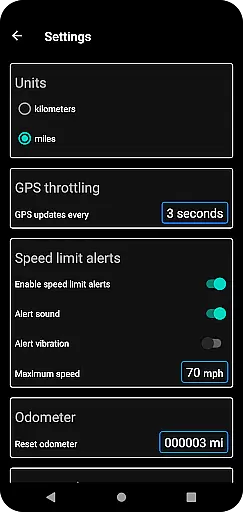
Advanced functionalities include fuel cost estimation, which helps users budget their trips effectively, and an odometer that tracks total distance covered. Users can also set speed limits and receive alerts if they exceed the threshold, even when the app runs in the background. Furthermore, the app supports downloading routes in .gpx format, enabling integration with third-party software for deeper analysis.
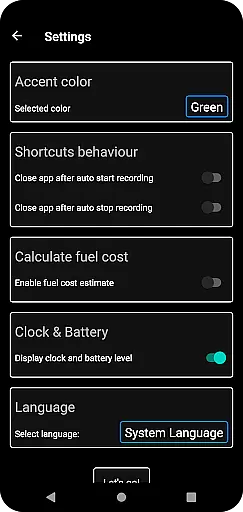
The inclusion of light and dark themes, along with customizable map types and orientation settings, ensures a personalized and comfortable user experience across various environments.
Map accuracy is crucial for any navigation or tracking application, and GPS Speedometer Pro excels in this area. The app leverages your phone's built-in GPS to provide precise location data, ensuring that the routes you record are accurate and reliable.
With features like setting maximum speed alerts and receiving notifications even when the app runs in the background, users can trust the precision of the map data provided. This ensures safety and compliance with speed limits on any given route.
The app also allows switching between different map types such as light, dark, or terrain views, enhancing visibility and user preference. This flexibility in map display contributes to a more tailored and accurate mapping experience.
Furthermore, the ability to download recorded routes in .gpx file format means that users can view their tracked paths in third-party software, verifying the accuracy of the GPS data independently. This feature reassures users about the reliability of the mapping functionalities within GPS Speedometer Pro.
Effective route planning is essential for optimizing travel time and ensuring a smooth journey. GPS Speedometer Pro offers robust tools for planning and managing your routes efficiently. Users can switch between map, digital, or analog speedometer views to best suit their navigational preferences.
The pause, stop, and resume functionality allows users to manage their tracking effectively, adapting to changes in their journey seamlessly. This flexibility ensures that route planning isn't just about finding the shortest path but also accommodating real-time adjustments.
Additionally, the app provides an odometer and fuel cost estimation, which are integral parts of comprehensive route planning. These features help users understand the total distance traveled and estimate costs, contributing to better trip management.
Sharing options for current locations and recorded routes further enhance the route planning process. Whether sharing as an image or text, users can communicate their plans and progress with others, making collaborative travel or tracking activities more coordinated and efficient.
Accurate GPS tracking
User-friendly interface
Customizable display modes
Background operation
Privacy-focused design
Limited offline functionality
Occasional GPS inaccuracies
High battery consumption
No social sharing
Premium features locked

Start your next adventure confidently using our Accurate Compass App
 3.70
3.70
Explore a light pollution map to find suitable dark sky locations for observing.
4.30
Find EV & Tesla charging stations with PlugShare
4.70
GPS Speedometer & Odometer: Track car, bike, truck speed & distance in real-time
4.70
LIRR and Metro-North tickets and trips
4.80
Navigate via GPS Maps of GPS Voice Navigation, driving directions to find routes
3.60
Explore Live Earth Map with 3D World Map & locate cites, mountains real time.
3.80
Route Planner is travel map to get turn by turn navigation & driving directions
3.90
Get matched with a nearby driver — you’ll be on your way in minutes.
4.30
This app is military GPS coordinate systems helper. (MGRS, UTM & DMS Maps)
4.80
Find trails, organize your locations and navigate with offline maps.
4.60
Complete offline 1:50k South Island topo map including DOC Hunting Permit Areas
4.60
Affordable rides and food delivery with incredible discounts in just one app.
4.50
Plan routes, share locations, and set custom alert zones
4.40
GPS phone tracker, family locator, secure location sharing app
4.20
Find routes fast with GPS Maps, GPS Navigation & driving directions.
4.10
Use GPS Maps and GPS Voice Navigation to find your way and get directions
4.10
Avoid delays. Get real-time GPS navigation, safety alerts and live traffic.
4.10
Ride CTA, Metra & Pace: Manage your fares, buy Metra tickets, get arrivals.
3.00


User Reviews