
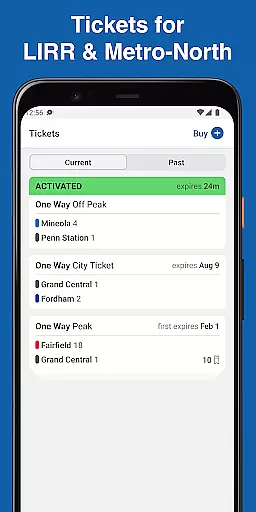
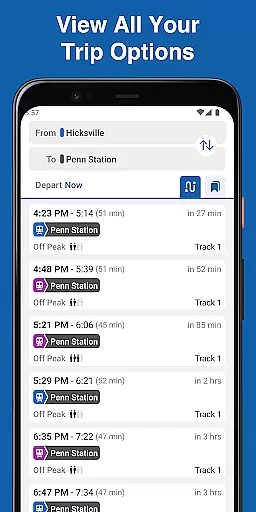
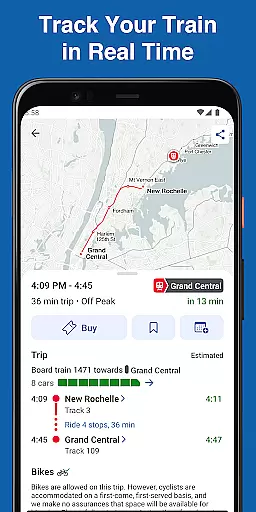
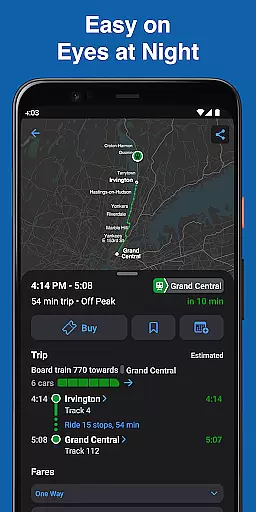
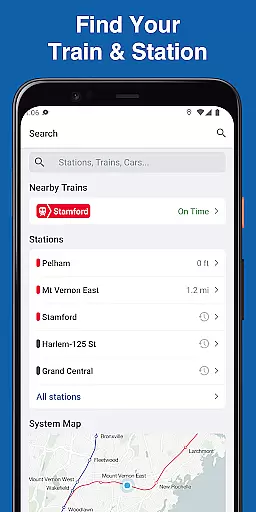
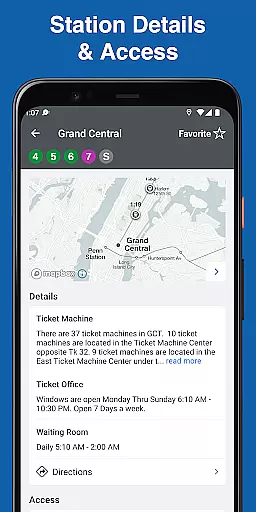
MTA TrainTime is a comprehensive travel companion app designed specifically for Long Island Rail Road and Metro-North Railroad commuters. This all-in-one solution allows users to purchase and manage tickets, plan detailed trips with departure times and transfer information, and track train locations in real-time.
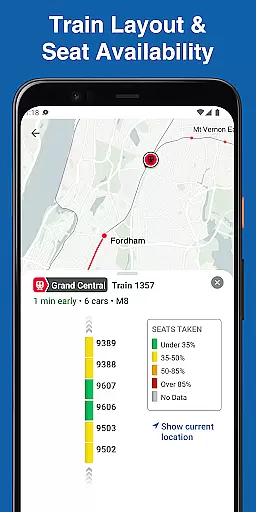
The app's standout feature is its ability to provide live GPS tracking of trains every few seconds, giving riders precise arrival estimates and peace of mind. Additionally, users can view train car layouts and crowding levels, enabling them to make informed decisions about their travel experience. Whether you're a daily commuter or an occasional traveler, MTA TrainTime streamlines your rail journey from start to finish.
MTA TrainTime offers an impressive array of features that enhance the rail commuting experience. The app supports multiple payment methods including Google Pay and traditional credit/debit cards, even allowing users to split payments between two different cards. Its advanced trip planning tool lets riders search using multiple origin and destination stations simultaneously.
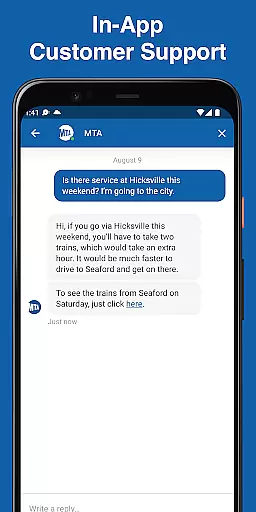
For frequent travelers, the app provides convenient options such as saving regularly used trains for quick access and sharing trip details with contacts. The real-time train tracking system updates every few seconds, while the unique train layout visualization shows car crowding levels. Users can also connect with customer service representatives directly through the app for both LIRR and Metro-North lines.
Map accuracy is crucial for any navigation app, and MTA TrainTime excels in this area by providing precise train tracking and station information. The application uses real-time GPS data to ensure that the location of trains is updated every few seconds, giving users reliable and accurate information about their journeys.
The app's detailed maps display not only the current position of the train but also its route, upcoming stops, and transfer points. This level of detail allows commuters to plan their trips with confidence, knowing exactly where they are and where they need to go. Furthermore, the ability to see the layout of your train adds another layer of accuracy, ensuring you can find the best place to board.
For Long Island Rail Road and Metro-North Railroad customers, having access to such accurate mapping means less time spent worrying about missed trains or incorrect platforms. It enhances the overall travel experience by reducing uncertainty and wait times, making daily commutes smoother and more predictable.
Route planning is a core feature of the MTA TrainTime app, designed to make trip preparation seamless and efficient. With the ability to plan trips using departure times and receive detailed transfer information before traveling, users can strategize their journeys down to the minute. Additionally, the option to search for two origin and/or destination stations at once offers flexibility for those with complex travel needs.
Users can save their frequent trains for easy access, which simplifies the planning process for regular commutes. Sharing trips with family and friends becomes straightforward, allowing others to track your journey and meet you at the right time and place. These features collectively contribute to an intuitive and user-friendly route planning experience.
Ultimately, the robust route planning capabilities of MTA TrainTime empower users to navigate the rail system with ease. Whether it's for daily commutes or occasional travel, the app ensures that riders have all the necessary tools to plan their trips effectively, saving both time and effort while enhancing their overall transit experience.
User-friendly interface
Real-time train tracking
Multiple payment options
Detailed trip planning
Train crowding information
Limited to rail systems
Occasional GPS delays
No bus integration
Account setup required
Internet connection needed

Compass is an accurate compass and a great tool for any outdoor activities
 4.0
4.0
Navigate with your watch and keep the phone in your pocket!
4.60
America’s largest public fast charging network, with over 500 charging stations.
4.50
Get route, find shortest path, near by places and weather update
3.90
Route Planner is travel map to get turn by turn navigation & driving directions
3.90
Use GPS Maps and GPS Voice Navigation to find your way and get directions
4.10
Avoid delays. Get real-time GPS navigation, safety alerts and live traffic.
4.10
Get matched with a nearby driver — you’ll be on your way in minutes.
4.30
Rideshare, taxi cabs, and more for your airport travels and everyday trips.
4.50
GPS Speedometer & Odometer: Track car, bike, truck speed & distance in real-time
4.70
Navigate confidently with our precise Digital Compass app & Direction Compass!
4.70
Navigate MTA, NJ Transit, MBTA, SEPTA, BART, MARTA, CTA & 900+ cities
4.60
Instant diesel discounts - save big with each fill up!
4.40
Route schedules, maps, and real-time tracking of MTA buses in New York City.
4.20
Number locator, real connection map
4.10
Start your next adventure confidently using our Accurate Compass App
3.70
Get route map navigation with 3D satellite view, and live earth camera streaming
3.70
Live Satellite view app for find GPS navigation Direction and live location map
3.70
Ride CTA, Metra & Pace: Manage your fares, buy Metra tickets, get arrivals.
3.00


User Reviews