

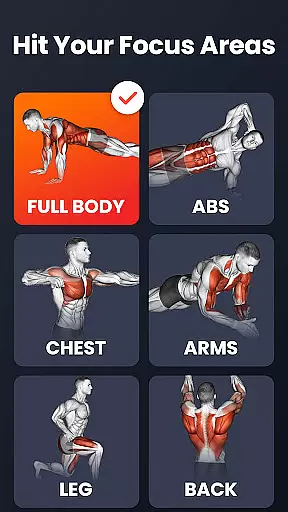
Home Workout is a comprehensive fitness application designed to provide users with daily workout routines that target all major muscle groups. The app enables you to build muscle and maintain fitness at home, eliminating the need for gym visits or equipment. With workouts crafted by experts, it caters to various muscle groups including abs, chest, legs, arms, and the full body.
The app features warm-up and stretching routines, automatic progress tracking, weight trend charts, customizable reminders, and detailed video guidance. These elements ensure a scientific approach to exercise while helping users achieve their fitness goals efficiently. Whether you're looking to burn fat, gain strength, or simply stay active, Home Workout offers a versatile solution tailored to your needs.
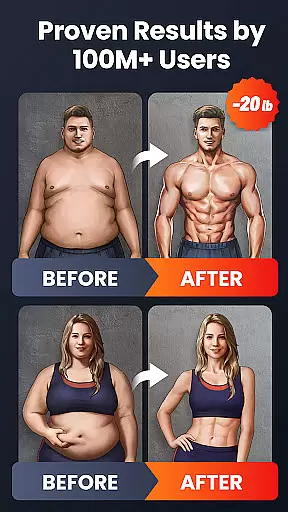
By committing to the program, noticeable physical changes can be achieved within weeks. Its accessibility and expert design make it an ideal choice for those seeking effective home-based fitness solutions without the constraints of equipment or coaching.
Home Workout distinguishes itself through a variety of specialized features aimed at enhancing user experience and effectiveness. One key aspect is its structured warm-up and stretching routines, which prepare users physically and mentally for exercise sessions, reducing injury risk and improving performance.
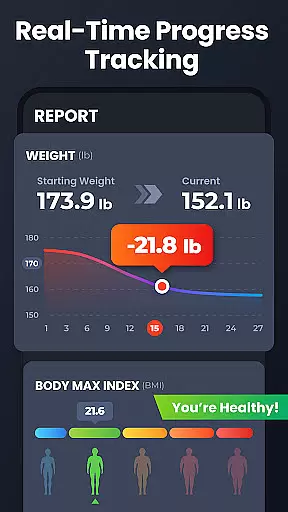
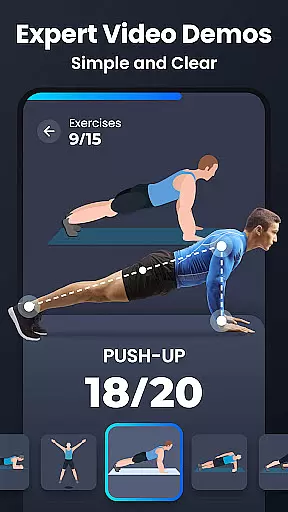
The app automatically records training progress and visualizes weight trends via charts, empowering users to monitor their journey and stay motivated. Customizable workout reminders further enhance adherence to fitness plans. Additionally, the inclusion of detailed video and animation guides ensures proper form during exercises, mimicking the presence of a personal trainer.
With options for sharing achievements on social media and a focus on multiple exercise types like HIIT and strength training, Home Workout not only promotes individual growth but also fosters community engagement. This blend of personalized support and professional design establishes it as a premier fitness tool.
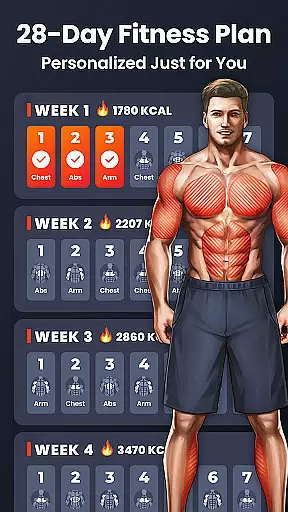
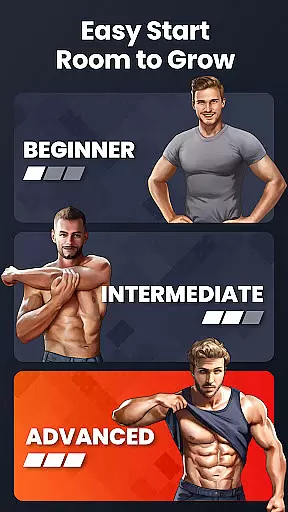
Personalized planning in fitness applications refers to the ability to tailor workout routines based on individual user needs and goals. This feature is crucial as it ensures that users engage in exercises that are best suited for their fitness levels and objectives.
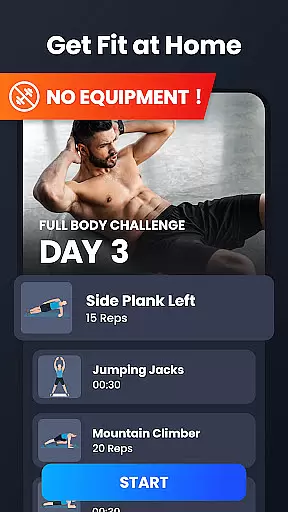
Home Workout provides personalized planning by offering a variety of workouts targeting different muscle groups. The app's design focuses on home-based exercises that require no equipment, making it accessible for users regardless of their access to gym facilities. Each workout plan can be customized with reminders, ensuring users maintain consistency in their fitness journey.
Users benefit from this feature through optimized workouts that adapt to their progress automatically. The app tracks weight trends and adjusts routines accordingly, which enhances the effectiveness of each session. With animations and video guidance, users learn the correct form for each exercise, reducing the risk of injury.
The true value of personalized planning in Home Workout lies in its comprehensive approach to fitness. By integrating warm-up and stretching routines, detailed video guides, and social sharing options, the app fosters an engaging and scientific workout experience. Users can achieve their fitness goals efficiently, whether they aim for fat burning, strength training, or overall body toning.
Progress visualization in fitness apps involves presenting users' achievements and advancements in an easily digestible format, typically through charts or graphs. This feature is essential as it motivates users by providing tangible evidence of their improvements over time.
Home Workout excels in progress visualization by incorporating features that track and display users' training progress automatically. The app charts weight trends and logs completed workouts, enabling users to see their development patterns clearly. Such tracking helps maintain motivation and encourages adherence to workout routines.
For users, the benefits of progress visualization are manifold. It allows them to monitor their fitness journey, adjust their efforts based on visible results, and celebrate milestones. The app's ability to record and present data seamlessly means users can focus on their workouts without manual tracking hassles.
Ultimately, Home Workout's progress visualization tools contribute significantly to user engagement and satisfaction. By showcasing achievements through clear visuals and maintaining records of personal bests, the app not only boosts motivation but also enhances commitment to fitness goals. This strategic approach aids users in achieving better body shape and health outcomes effectively.
User-friendly interface
Expert-designed workouts
No equipment required
Detailed video guidance
Automatic progress tracking
Limited advanced options
Occasional ads
Premium subscription needed
Basic nutritional advice
Social features could improve

SportWerks - Workout Tracker for Wear OS Watches
 3.90
3.90
Text notifications, button control, heart monitor & more for your Amazfit.
2.40
Chair Workout: Women's Edition for safe, flexible, and personalized fitness.
4.40
Weight loss app: home workout for women to lose weight & burn calories.
4.80
Meditation app, head space app provides calm music to help you meditate & sleep
5.00
Measure real-time wrist & ambient temperature with your Galaxy Watch (Wear OS)
3.20
The Crunch Mobile app - Find a gym, manage favorites, reserve & cancel classes.
4.60
Your Health Assistant
3.90
Mood journal, habits, self-care tracker, self-love
4.90
Power-lifting, weightlifting and Wendler 531 app to track your workout program.
4.90
Wall Pilates at home & Pilates workout for beginners for core and weight loss.
4.80
Build Healthy Habits!
4.60
For Absolute Novices to Strength Training. Simple. Effective.
4.40
The most accurate heart rate app to monitor and track your heart rate & pulse.
4.40
This is an application that serves as a companion app for smart watch.
4.20
“Overcoming pain based on EMDR” helps you to alleviate chronic pain and stress.
4.10
Your personal BP tracking companion, focus on helping you achieve wellness goal.
4.10
Use your watch as a bike computer, heart rate monitor and cycling power meter
2.50
Optimization for TRT & Enhanced Athletes
4.1


User Reviews