
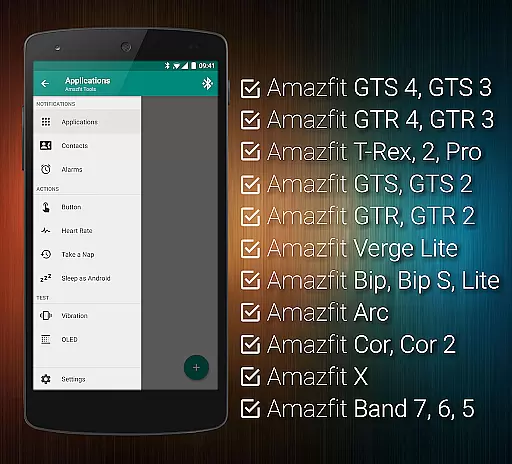
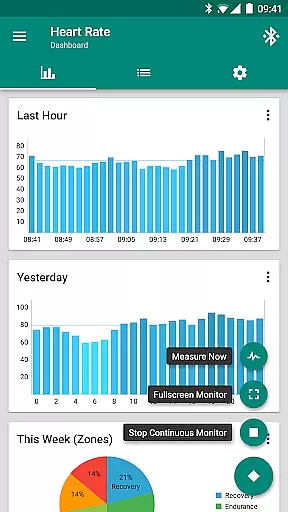
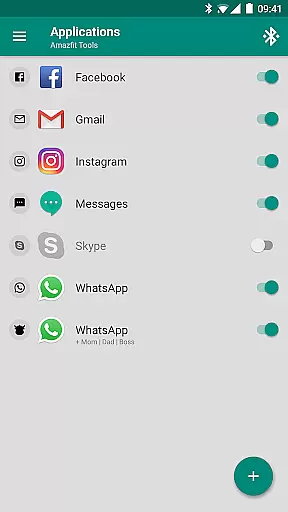
Tools & Amazfit is a comprehensive utility application designed to maximize the functionality of your Amazfit smart bracelet. This app allows users to set up highly customizable notifications for calls and apps, configure unique vibration patterns, and fine-tune content filters. It also features advanced health monitoring tools such as continuous heart rate monitoring and sleep tracking integration.
One standout feature is the Power Nap mode, which intelligently wakes you up after a short rest. The app supports a wide range of Amazfit devices and works seamlessly with Android versions from 4.3 to 13+. Whether you're looking to enhance productivity or monitor health metrics, Tools & Amazfit provides powerful tools tailored to optimize your wearable experience.
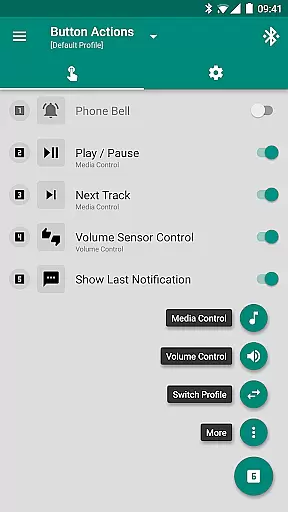
Tools & Amazfit offers an extensive array of features that cater to both customization and health monitoring needs. Users can enjoy Display Text Support, showing full notification contents directly on their Amazfit device. Button Control and Sensor Control allow for personalized actions through button presses or hand movements.
The app includes Continuous Heart Rate Monitoring, Sleep as Android Integration, and Idle Alerts to ensure comprehensive health tracking. Additionally, it supports Tasker and Automagic, providing advanced automation capabilities. With support for multiple Amazfit models and various Android versions, Tools & Amazfit ensures broad compatibility and rich functionality for all users.
Personalized planning in health and fitness applications refers to the ability to create tailored workout and wellness routines based on individual user data. This feature is crucial for maintaining user engagement and ensuring that fitness goals are met effectively.
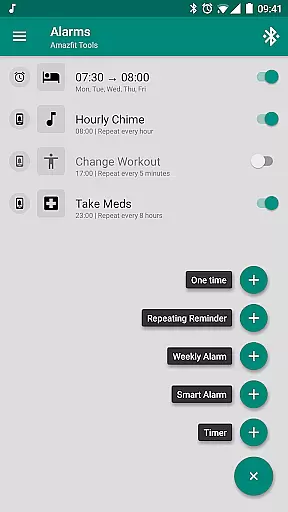
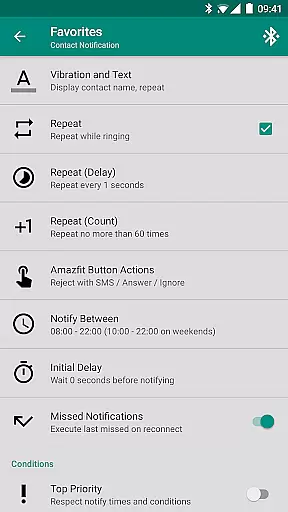
Amazfit Tools offers advanced personalized planning by leveraging continuous heart rate monitoring, sleep tracking, and activity data. The application allows users to configure custom patterns for notifications, set up repeating reminders for workouts or medication, and even activate a power nap feature for short rests during the day.
Users benefit from this feature by receiving customized alerts and recommendations that align with their daily routines and fitness objectives. For instance, the app can notify you to take a break after prolonged inactivity or remind you to hydrate based on your tracked activities.
The true value of personalized planning in Amazfit Tools lies in its adaptability and precision. By fine-tuning content filters and notification settings, users can ensure they only receive relevant and timely information, enhancing both their productivity and overall well-being.
Progress visualization is an essential component of any health and fitness app, providing users with clear insights into their achievements and motivating them to continue their fitness journey. Visual representations such as charts and graphs make it easier to comprehend complex data quickly.
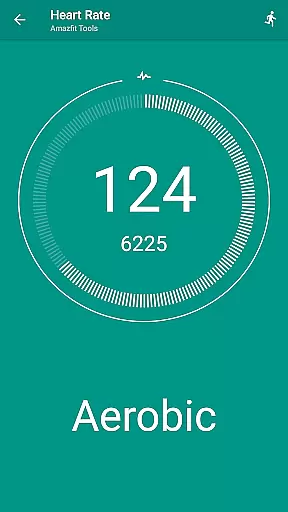
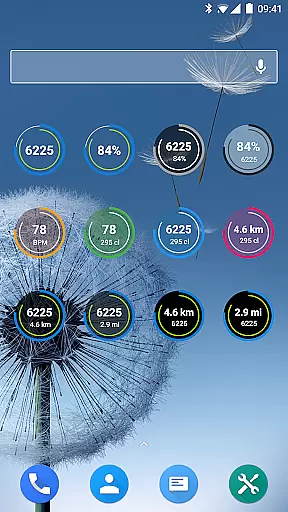
In Amazfit Tools, progress visualization is implemented through configurable heart rate dashboard charts, fully customizable widgets for daily fitness goals, and detailed sleep analysis provided by Sleep as Android Integration. These visual tools help users track their heart rate trends, monitor their progress towards fitness goals, and understand their sleep patterns.
By offering these visual aids, Amazfit Tools empowers users to make informed decisions about their health. Whether it's observing improvements in heart rate variability or noting increased activity levels over time, the app provides tangible evidence of progress.
Ultimately, the strength of progress visualization in Amazfit Tools is its ability to transform raw data into actionable insights. Users can easily identify areas for improvement, celebrate milestones, and maintain motivation through visually engaging and informative displays.
User-friendly interface
Extensive customization options
Advanced health monitoring
Broad device compatibility
Powerful automation support
Requires compatible device
Some features may be complex
Premium version needed
Occasional bugs reported
Limited iOS support

Your plan in your pocket 24/7
 3.00
3.00
Protect your healthy sleep
4.80
Turn your steps into cash, gift cards & rewards with our step counting pedometer
3.80
Medbridge GO gets you moving - get back to doing what you love, faster!
4.90
Monitor, analyze, track, and convert blood sugar & help you control diabetes.
4.10
Track sleep cycle, relax with white noise, sleep sounds & smart alarm clock
3.80
GloryFit is a companion app for the smart bracelet.
3.60
Focus on BP & Health
3.80
Scan food & cosmetic products and evaluate their impact on your health
4.80
a fun app full of surprises :)
4.70
The Official Blood Type Diet® App - know your categorized foods anytime.
4.50
Personal step counter for you, private and accurate
4.50
Find Paid Clinical Trials In Your Area
3.70
Dexcom G7 Continuous Glucose Monitoring
3.70
Enjoy the Gluten Free living with the best app. SCAN the barcodes & SEARCH.
3.60
Use your watch as a bike computer, heart rate monitor and cycling power meter
2.50
Insanity blocks of intense physical activity, short breaks of 30 seconds.
4.2
Optimization for TRT & Enhanced Athletes
4.0
Using Recognise™ has been shown to reduce pain and improve performance
4.3


User Reviews