
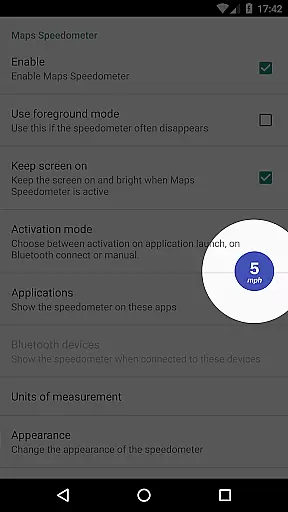
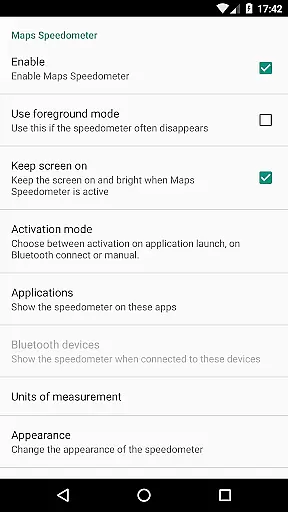
Maps Speedometer is a versatile travel companion that displays your current speed in real-time as an elegant overlay on your device. This innovative app automatically activates when you launch a selected app or connect to a Bluetooth device, ensuring you always have access to your speed information without interruption. Designed with flexibility in mind, it offers customizable display options including size, position, transparency, and measurement units.
The application's intelligent detection system ensures the speedometer appears only when needed, optimizing your user experience. Whether you're navigating with Google Maps or listening to music through Bluetooth, this app seamlessly integrates into your routine. Its lightweight design requires no internet connection, respects your privacy by not sharing data, and provides a smooth performance that enhances any travel scenario without compromising device resources.
Maps Speedometer stands out with its comprehensive feature set tailored for modern travelers. The app's core functionality lies in its ability to intelligently detect active apps and Bluetooth connections, displaying a customizable speedometer overlay exactly when needed. Users can choose their preferred speed measurement unit from mph, km/h, or knots, catering to both land and marine navigation needs.
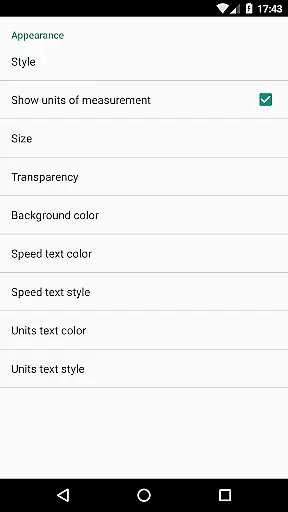
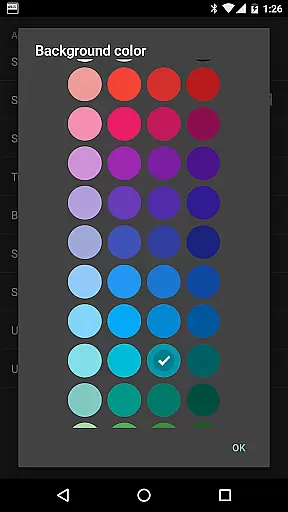
Customization is at the heart of this app's design. You can adjust the overlay's transparency, resize it, and position it anywhere on the screen. The touch-to-hide feature allows temporary concealment for 10 seconds, while various color schemes and styles ensure it matches your visual preferences. Unlike other apps, Maps Speedometer operates completely offline, guarantees no advertisements, and maintains strict privacy standards by avoiding unnecessary internet access or data sharing.
Booking authenticity is a crucial aspect for any travel-related application, ensuring that all reservations and bookings made through the app are legitimate and trustworthy. Maps Speedometer, while not a booking app per se, provides reliable data overlay features that can be used alongside navigation apps to enhance your travel experience.
This app automatically detects when your chosen navigation app is active and displays an elegant speedometer overlay, providing real-time speed information without interfering with your booking processes. The use of Accessibility services ensures that the app accurately identifies the active navigation app, maintaining the integrity of your travel plans.
Users benefit from having constant access to their current speed, which can be crucial when adhering to traffic rules or ensuring timely arrivals. This feature adds a layer of safety and reliability to your journeys, making sure you stay informed and in control.
The transparency and accuracy provided by Maps Speedometer reinforce the authenticity of your travel experience. By offering adjustable settings for transparency, size, position, and style, users can customize the overlay to suit their preferences, ensuring minimal distraction while maintaining essential speed information visibility.
Price transparency in travel applications refers to the clear display of costs associated with bookings and services, allowing users to make informed decisions. Although Maps Speedometer does not deal with monetary transactions, it excels in providing transparent and customizable features that enhance user experience without hidden costs or advertisements.
This app offers a variety of adjustable settings such as speed units (mph, km/h, kn), transparency levels, size, position, and color schemes. These features ensure that users have full control over how the speedometer overlay appears on their screen, promoting a seamless and transparent interaction with the app.
By eliminating advertisements and the need for internet access, Maps Speedometer guarantees that there are no hidden fees or data-sharing backdoors. Users can trust that their private information remains secure, enhancing the overall reliability and transparency of the app.
Additionally, the ability to show or hide the speedometer based on Bluetooth connections or specific app usage demonstrates a commitment to user-centric transparency. This flexibility allows users to tailor the app's functionality to their unique needs, ensuring a transparent and hassle-free experience.
Real-time speed tracking
Customizable display options
No internet connection required
Automatic app detection
Privacy-focused design
Limited Android Auto support
Requires Accessibility permission
Bluetooth detection may vary
Overlay might interfere with some apps
Initial setup can be complex

Navigate your world faster and easier with voice navigation & street view map
 4.20
4.20
Book rooms at any of 4.2M properties worldwide. Find flight deals every day!
4.60
Plan where to stand and shave minutes off your trip!
4.80
View US public land boundary maps on your device.
3.70
Bus tickets at unbeatable prices with routes across the US. All aboard FlixBus!
4.70
Tickets, hotels, wait times, maps, mobile ordering, Disney PhotoPass & more
4.50
Everything you need for your trip in one place with the Volaris app.
3.60
Flight booking, hotel booking & more - all in one place with the Southwest App!
4.50
Manage your travel on Delta with access to boarding passes, flight info & more.
4.80
Find the perfect vacation rental. Search from over 2 million properties.
4.80
Get faster fuel rewards, exclusive offers, and helpful tools!
4.70
Meet Allyz®, your ultimate travel companion
4.70
Earn hotel and travel rewards, find hotel offers, and access your Digital Key.
4.50
Get the app that knows where you’re going - view your flight, check in & more
4.50
The mobile panorama panel. Works offline - worldwide!
4.40
The Official Freedom Trail Foundation app.
4.30
A tool for outdoor activities.
4.30
View delays, closures, and weather-related conditions on Missouri state roads.
3.30
Every Diners, Drive-in & Dives location in one place! Your guide to Flavortown!
3.00


User Reviews