
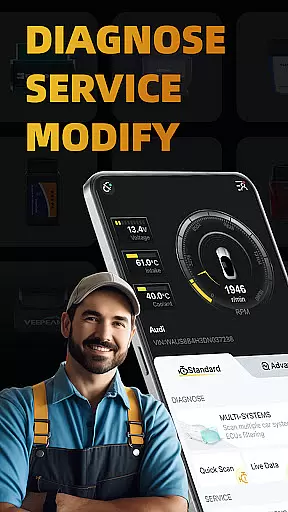
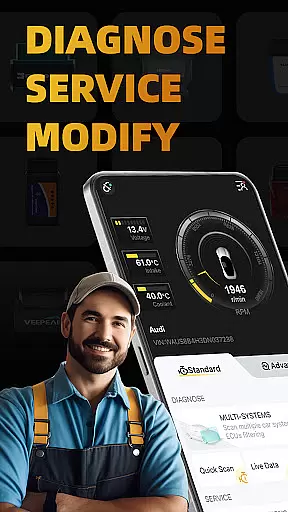
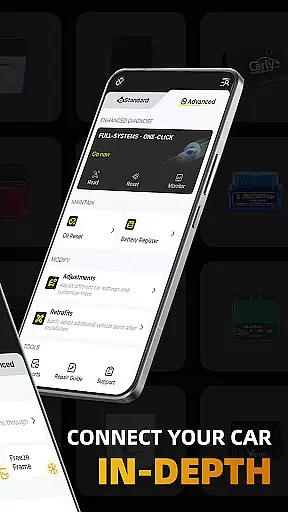
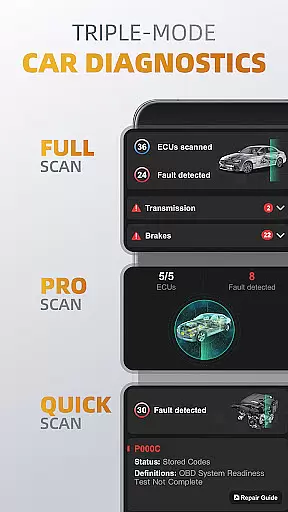
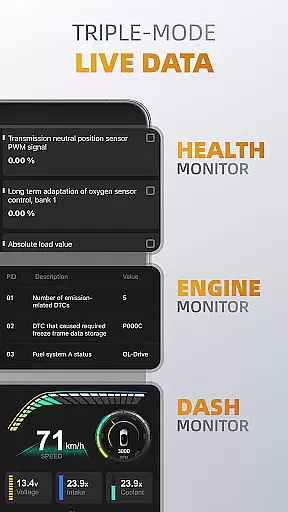
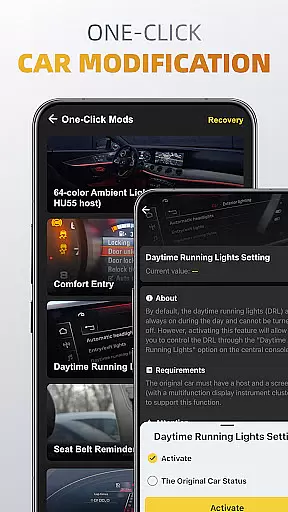
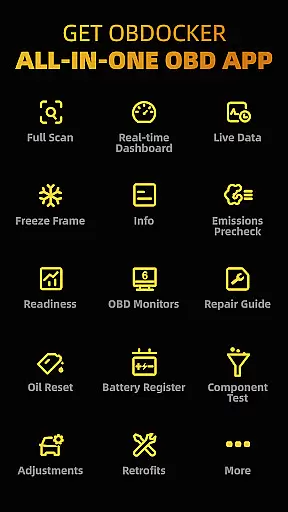
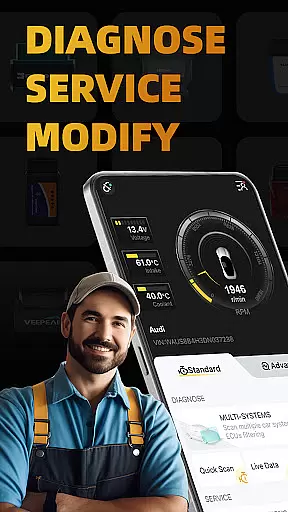
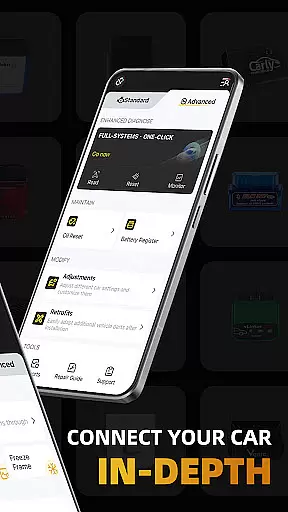
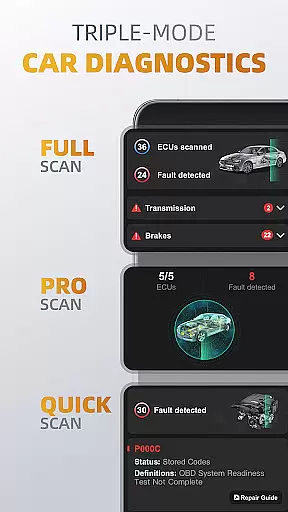
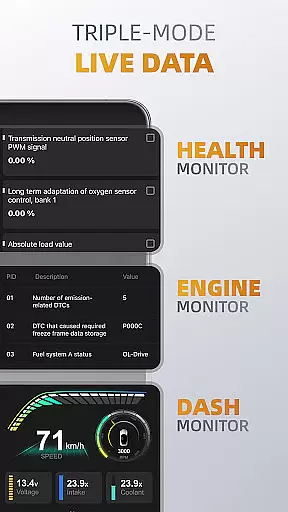
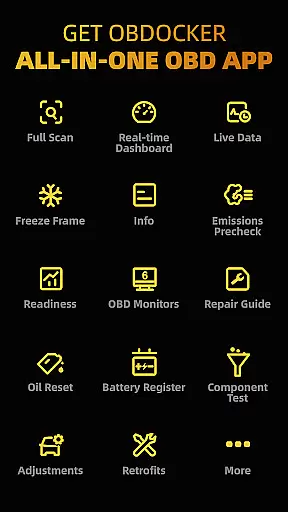
OBDocker is a professional OBD2 car scanner app designed for vehicle diagnostics, service, and customization. It offers triple-mode diagnostics including full-systems, multi-systems, and quick scans, allowing users to efficiently identify and resolve issues across various vehicle systems. The app also provides real-time monitoring of vehicle performance through its triple-mode live data feature.
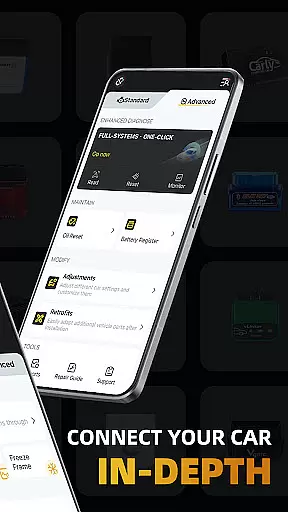
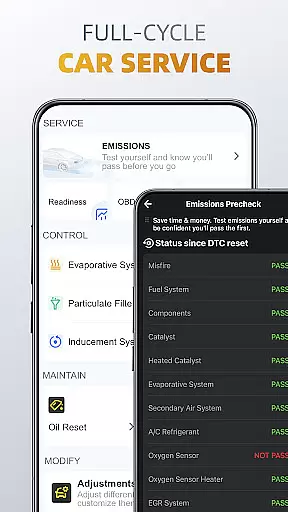
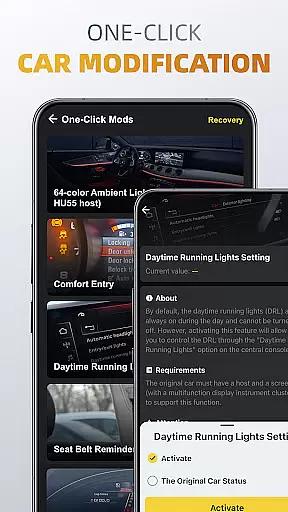
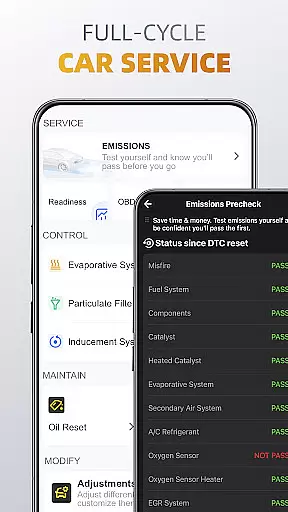
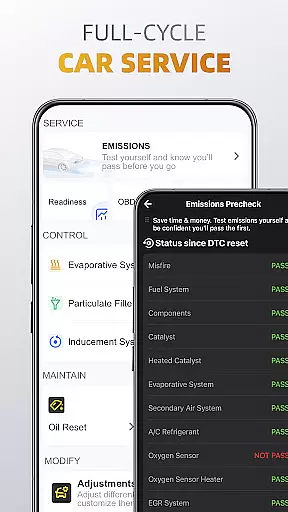
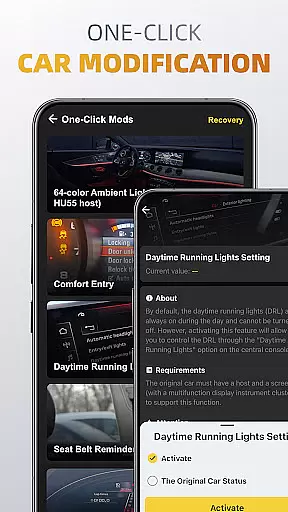
In addition to diagnostics, OBDocker supports a full-cycle service model that includes emissions pre-checks, control tests, oil reset, and battery registration. Its one-click modification feature enables users to adjust car settings and retrofit additional parts with ease. To ensure optimal performance, the app recommends using high-performance OBD adapters from trusted brands.
This application is suitable for both personal and professional use, providing compatibility with a wide range of vehicles worldwide. Whether performing routine maintenance or advanced modifications, OBDocker delivers precise and reliable solutions for vehicle management.
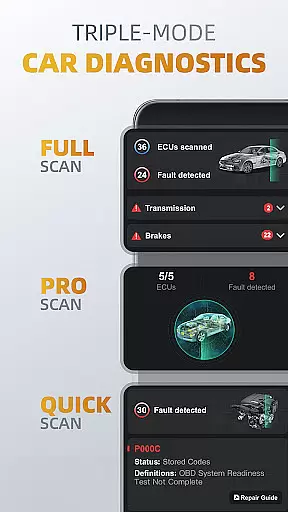
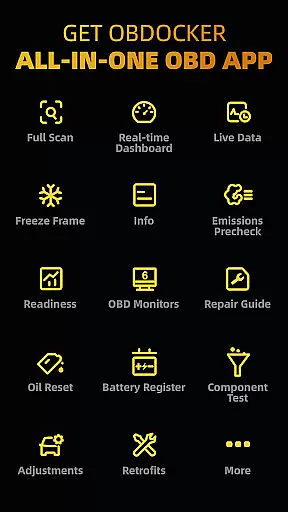
OBDocker stands out with its comprehensive diagnostic capabilities. The triple-mode diagnostics allow users to perform full-system checks, scan multiple ECUs like TMS, SRS, ABS, and conduct quick engine fault code scans. This versatility ensures thorough vehicle analysis and issue resolution.
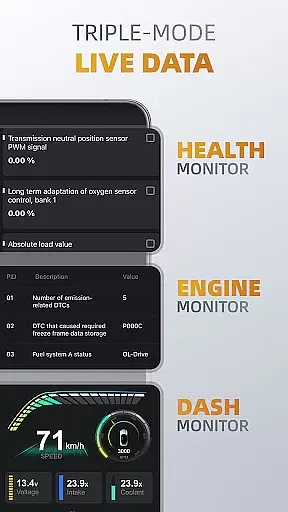
The triple-mode live data feature provides real-time monitoring of vehicle health, engine performance, and dashboard metrics. Users can track system parameters, visualize vehicle metrics, and maintain optimal driving conditions. The app's full-cycle service functionality includes essential maintenance features such as EVAP leak tests, DPF reinitialization, oil reset, and battery registration.
One of OBDocker's most innovative aspects is its one-click modification capability. This feature allows users to easily adjust various car settings and integrate new vehicle components. The app supports both standard OBD2/EOBD vehicles and offers advanced compatibility with major automotive brands, making it a versatile tool for vehicle customization and maintenance.
Accessing detailed vehicle information is crucial for effective diagnostics and maintenance. OBDocker provides comprehensive data across multiple systems, enabling users to understand their vehicle's condition in depth.
The app offers triple-mode diagnostics that cover full-system scans, multi-system filtering, and quick engine fault code checks. This ensures users can pinpoint issues within specific ECUs such as TMS, SRS, ABS, TCM, and BCM, offering a granular view of vehicle performance.
With features like real-time parameter tracking through Health Monitor, Engine Monitor, and Dash Monitor, users gain insights into system performance metrics. These tools help preemptively identify potential problems before they escalate, ensuring optimal vehicle health.
By supporting a wide range of vehicles and offering advanced compatibility with brands like Toyota, Lexus, Nissan, and more, OBDocker empowers users with precise and actionable vehicle information.
Price transparency in automotive tools ensures users understand the costs involved in maintaining their vehicles. OBDocker addresses this by providing clear subscription plans alongside its robust diagnostic capabilities.
The app offers a free trial period, allowing users to explore all features without initial investment. For extended use, users can choose between Pro or Pro Max subscriptions, each clearly outlining the benefits and limitations.
OBDocker recommends specific OBD adapters for optimal performance, categorizing them into high, middle, and low-performance tiers. This classification helps users make informed decisions based on adapter quality and cost.
By detailing both software subscription options and hardware requirements, OBDocker maintains transparency, empowering users to manage expenses while accessing professional-grade vehicle diagnostics.
User-friendly interface
Comprehensive diagnostic tools
Real-time vehicle monitoring
Wide vehicle compatibility
One-click modification feature
Requires compatible OBD adapter
Premium features need subscription
Advanced mode has limited brand support
Performance depends on vehicle sensors
Some features may overwhelm beginners

ODB2 based monitoring application for the Chevy Bolt (2017-2021)
 4.00
4.00
The Smarter Way Forward
3.30
Listings of Tesla's with FSD - Included package
4.60
myAudi offers users services and Audi connect services for Audi drivers
4.10
Control maps, media and messaging, with the Google Assistant while you drive
4.10
BlueDriver® is a Premium Diagnostic OBD2 Scan Tool. www.BlueDriver.com
3.90
Mobile Phone Parking - So easy to park
3.70
1M+ high-quality auto parts at your fingertips. Fitment guaranteed.
4.70
Find Your Local Store or Shop Online for the Car, Truck, or SUV Parts You Need
4.70
Shop, finance, or sell today.
4.80
Browse millions of cars, track vehicle listings or sell your car today
4.70
CVT diagnostics with ELM327 for Nissan-based vehicles
4.40
AI Powered - Automotive Mechanic Assistant
4.30
Your car is talking. Start listening.
4.30
PayByPhone: A quick and easy way to pay for parking.
3.80
Read and delete OBD codes with any ELM327 OBD scanner. Coding functions included
3.40
Easily notify car owners in urgent situations, safe, fast, multilingual.
4.1
Theme for Car Launcher
4.4
Theme for Car Launcher
4.4


User Reviews