
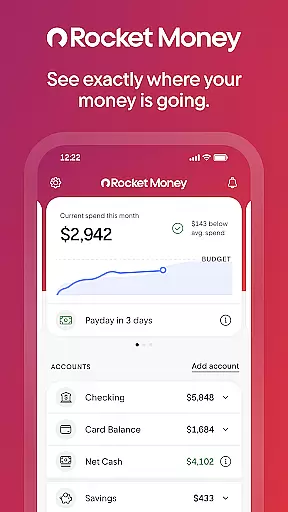
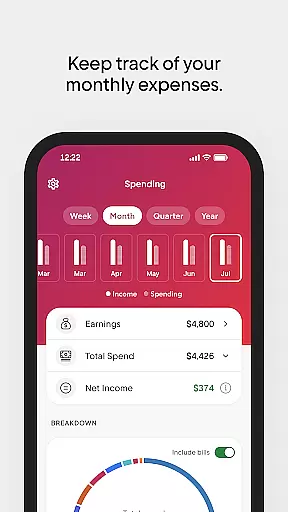
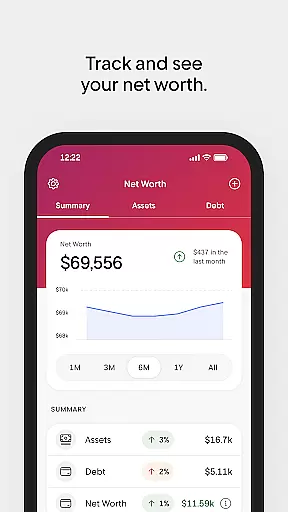
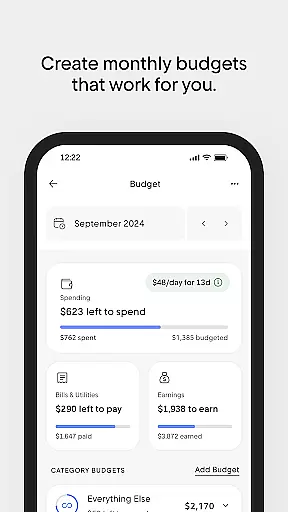
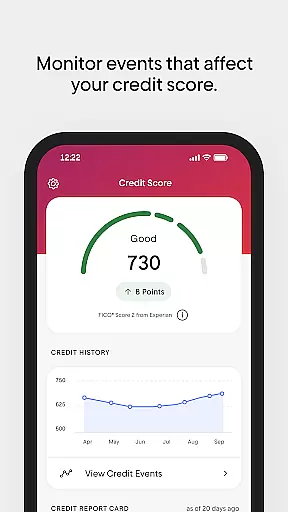
Rocket Money is a comprehensive personal finance application designed to help users take control of their financial lives. With over 5 million members, it offers tools for subscription management, bill negotiation, expense tracking, budgeting, automated savings, net worth monitoring, and credit score checking. The app provides bank-level security and privacy, ensuring that your financial data remains safe.
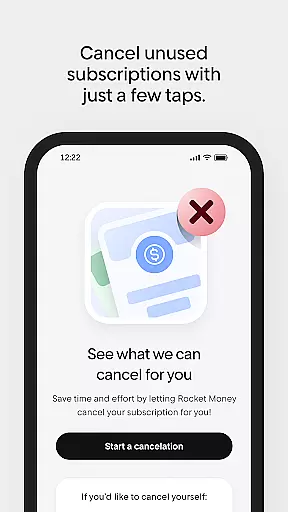
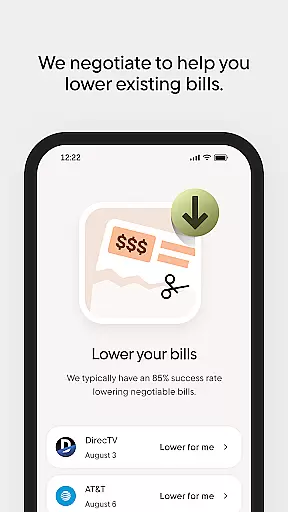
One of the standout features of Rocket Money is its ability to find and cancel forgotten subscriptions, helping you save money effortlessly. Additionally, the app's concierge service can negotiate better rates on your existing bills, potentially saving you even more. Whether you're looking to manage your subscriptions, lower your monthly expenses, or grow your net worth, Rocket Money provides an all-in-one solution to simplify your financial management.
Rocket Money stands out with its robust set of features tailored to optimize personal finance management. One key feature is its subscription management tool, which automatically detects and helps you cancel unnecessary subscriptions directly from the app. This ensures you never pay for services you no longer use.
The app also includes a bill negotiation service where dedicated concierges work on your behalf to lower your bills. By analyzing your current expenses, Rocket Money identifies potential savings and negotiates better rates, providing significant value. Moreover, the app allows you to create customized budgets that monitor your spending by category, helping you stay aligned with your financial goals.
Another innovative feature is the automated savings plan. Users can set specific savings goals and choose how frequently and how much they want to save. Rocket Money then handles the rest, making saving effortless. Additionally, the app tracks your net worth by consolidating all your assets, debts, and investments in one place, offering a holistic view of your financial health.
Account and fund security is a critical aspect of any financial application, ensuring that users' personal and financial information is protected from unauthorized access. Rocket Money employs bank-level security measures to safeguard your data, providing peace of mind while managing subscriptions, bills, and savings.
The app utilizes advanced encryption protocols to protect sensitive information, such as account details and transaction history. This ensures that only authorized individuals have access to your financial data, maintaining confidentiality and integrity at all times.
In addition to encryption, Rocket Money incorporates privacy protection features that comply with industry standards. The app's privacy policy outlines its commitment to user data protection, detailing how information is collected, used, and shared. This transparency allows users to understand and control their data, enhancing trust in the platform.
By prioritizing account and fund security, Rocket Money empowers users to take back control of their financial life with confidence. The robust security framework not only prevents unauthorized transactions but also monitors for suspicious activities, providing an additional layer of protection against potential threats.
A seamless transaction experience is essential for any finance app, enabling users to manage their subscriptions, lower bills, and track expenses efficiently. Rocket Money offers a user-friendly interface that simplifies these tasks, allowing users to focus on saving more and spending less without the hassle of navigating complex systems.
The app provides real-time notifications for transactions, ensuring users are always aware of their financial activities. This feature helps avoid overdrafts and keeps users informed about their spending habits, promoting better financial decision-making. By receiving instant updates, users can quickly respond to any discrepancies or unexpected charges.
Rocket Money's comprehensive transaction history allows users to review past activities easily. This transparency not only aids in budgeting but also helps users identify areas where they can cut costs. With all financial information accessible in one place, managing personal finances becomes a straightforward and efficient process.
Moreover, the app's ability to automate savings and negotiate bill reductions enhances the overall transaction experience. Users can set savings goals and let Rocket Money handle the rest, putting their financial growth on autopilot. This hands-off approach streamlines money management, making it easier than ever to achieve financial stability.
User-friendly interface
Comprehensive financial tools
Effective bill negotiation
Automated savings plans
Bank-level security
Premium subscription costs
Limited international support
Occasional syncing issues
Advanced features require upgrade
Customer support delays

Manage your account, make a payment, and redeem your rewards on the go.
 4.50
4.50
Over 180 currencies conversion rates with live exchange rates and offline mode.
4.60
Expenses, Bills, Budget and Accounts - All seamlessly integrated in one app!
3.80
Manage your Discover account conveniently from anywhere.
4.80
Get a cash advance instantly. File taxes & cover unexpected bills in minutes.
4.60
The Citi Mobile® App lets you manage your accounts virtually anytime, anywhere
4.80
Earn cash back. Build credit.
4.60
Easy budgeting planning on a calendar!
4.80
SuperQi, Your all-in-one Super App.
1.30
Loan Calculator, Mortgage Calculator, Compound Interest Calculator
4.70
Early payday cash advance up to $150 a day with a max of $1,000 per pay period
4.70
Military retirement pay estimation calculator
4.70
Pay, bank & build credit.
4.70
Get up to 500, get paid early, earn interest and find work with no hidden fees.
4.40
Mine Bitcoin in the cloud! Earn BTC daily with high-speed mining power.
4.30
Venmo is the fun and easy way to pay and get paid.
4.10
Your insurance, anytime, anywhere
4.00
NFC mobile payment app Use your phone as a contactless bank card
4.00
View BSC Transactions for multiple accounts
3.90


User Reviews