
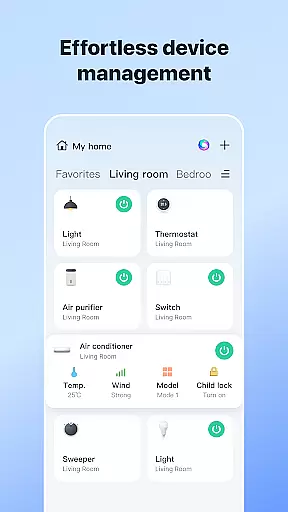
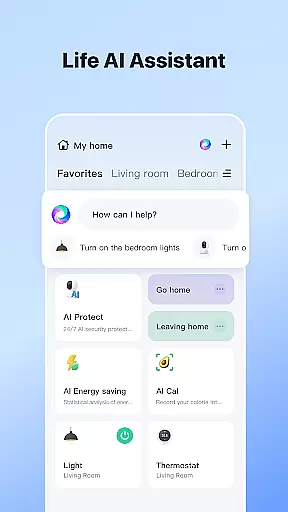


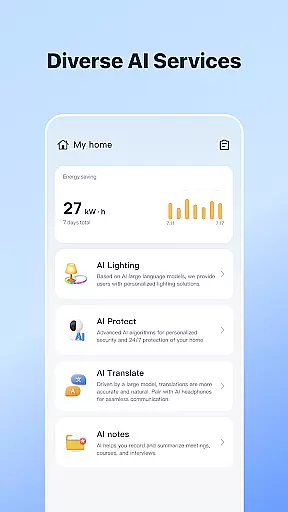
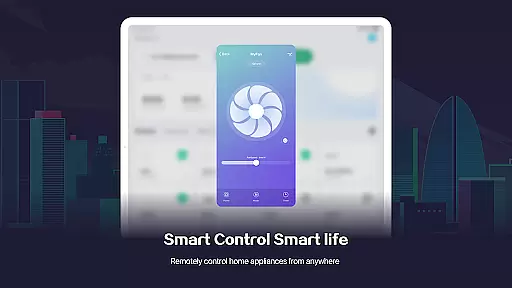
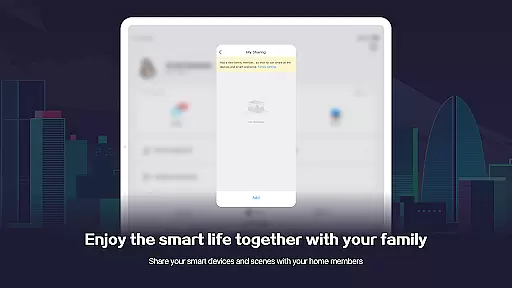
SmartLife is a comprehensive lifestyle application designed to simplify the management of smart home devices. The app allows users to seamlessly connect and control a wide range of smart devices from their mobile phones, creating an interconnected home environment that enhances comfort and security.
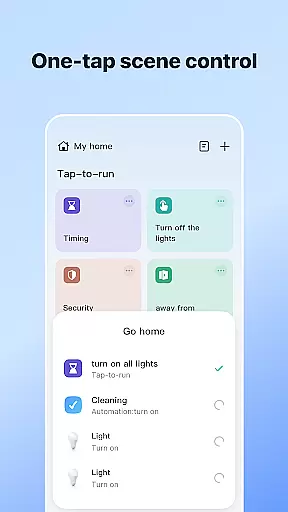
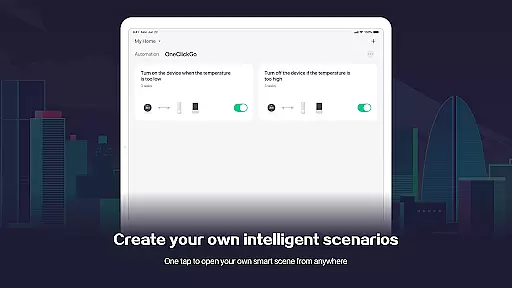
One of the standout features of SmartLife is its ability to automate home processes based on various triggers such as location, schedules, and weather conditions. This ensures that your home is always operating at optimal efficiency without manual intervention. Additionally, the app supports voice control through smart speakers, making it even easier to interact with your devices.
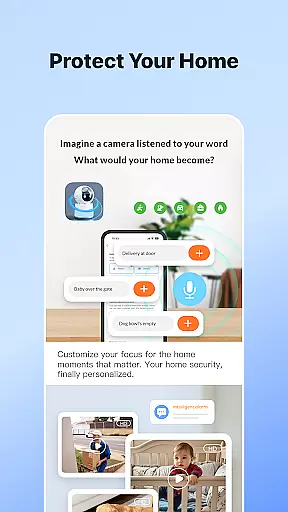
Whether you're looking to enhance your home's security system or simply want to automate daily tasks, SmartLife provides a user-friendly interface that brings convenience and peace of mind to your everyday life.
SmartLife offers a rich set of features that cater to modern smart home enthusiasts. The app enables users to effortlessly connect to and manage a full range of smart devices, including lights, thermostats, cameras, and more. Each device can be customized to function according to specific schedules or environmental conditions, providing unparalleled control over your home environment.
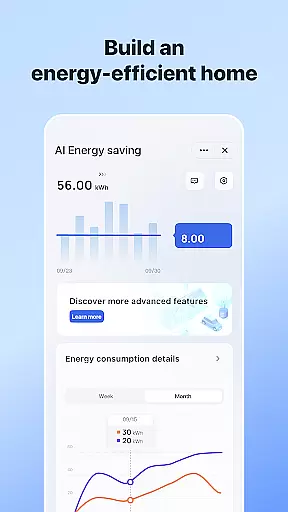
In addition to device management, SmartLife excels in home automation. The app can trigger actions based on various factors such as your location, time of day, or even the weather. For instance, you can set your lights to turn on automatically when you arrive home or adjust your thermostat based on the current temperature. This level of automation not only enhances convenience but also contributes to energy savings.
Another notable feature is the app's support for voice commands through smart speakers. Users can interact with their devices hands-free, making it easier than ever to manage their smart homes. With timely notifications and the ability to invite family members to access shared devices, SmartLife ensures that everyone in the household can enjoy a connected and comfortable living space.
SmartLife offers extensive coverage across various lifestyle categories, ensuring that users can manage multiple aspects of their daily lives through a single, unified platform. The app supports a full range of smart devices, from home automation systems to smart speakers, allowing for seamless integration and interaction.
One of the key strengths of SmartLife is its ability to adapt to different environments and conditions. Whether it's adjusting settings based on location, schedules, or even weather conditions, the app provides a personalized experience tailored to the user's needs. This flexibility ensures that whether you're at home or away, your smart devices are always working to enhance your comfort and convenience.
In addition to device control, SmartLife also emphasizes communication and community within the home. Users can invite family members to join the app, creating a shared space where everyone can contribute to managing the household. This collaborative approach not only simplifies home management but also fosters a sense of community among household members.
The content provided by SmartLife is both authentic and credible, drawing on expertise from professionals in the field of smart home technology. The app's features are designed with input from engineers and designers who understand the intricacies of smart device ecosystems, ensuring that users receive accurate and reliable information.
SmartLife goes beyond basic device management by offering advanced functionalities such as voice control and scene automation. These features are developed with precision, leveraging the latest advancements in AI and machine learning to provide users with an intuitive and responsive experience. The app's commitment to innovation is reflected in its continuous updates and improvements, which are guided by user feedback and technological advancements.
Furthermore, SmartLife places a strong emphasis on security and privacy. With optional access permissions for location, notifications, and storage, users have control over what data is shared and how it is used. This transparency builds trust and reassures users that their personal information is handled responsibly, reinforcing the app's reputation as a credible source for smart living solutions.
User-friendly interface
Wide device compatibility
Advanced automation options
Voice control integration
Timely event notifications
Requires stable internet connection
Some features are premium-only
Occasional connectivity issues
Limited offline functionality
Dependent on third-party devices

Big bold weather watch face with dynamic backgrounds and 3 complications
 4.4
4.4
Smart controls for your Ember Smart Mugs
4.10
Discover the "To Be a Christian" App: Your Guide to Deepening Faith!
5.00
Customize your Wear OS watch with festive Christmas figures and colors!
4.2
Play. Earn. Repeat. Get rewarded for playing mobile games. Welcome to Mobius!
4.80
Play fun games, complete quick surveys, and earn money. It's fun and easy!
4.40
Creativity and savings for kids, beginners and experts in arts and crafts
3.50
PARAVOX 4 is a professional ITC paranormal research application.
4.50
DailyGift can help you record your habits and get rewards along the way!
4.60
My Diary - Daily Journal with lock: Diary journal app and secret diary with lock
4.80
Retro animated weather with hourly forecast Watch Face for Wear OS
4.60
Chat, meet genuine singles in your area. Real connections start with being real.
4.30
Fly your Solo like a boss.
4.10
Digital watch face design. Modern looking, hi-res & battery friendly.
4.00
Spirit Communicator is a real paranormal ghost hunting app with many fun modes.
3.90
An Eerie Musical Trigger Toy for Spirits to Play with!
3.50
Discover how to help puppies stay calm around noise with this helpful app.
4.1
Unique Dark Analog style for Wear OS watches.
4.1
A daily quote for success
4.0


User Reviews