
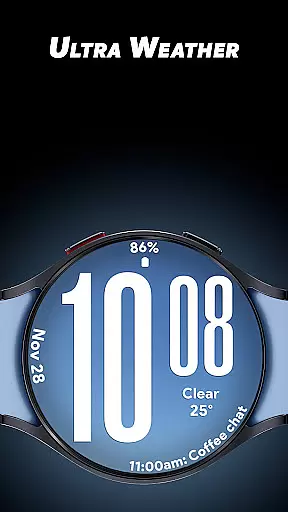
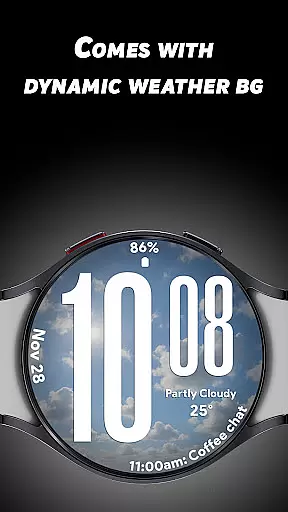
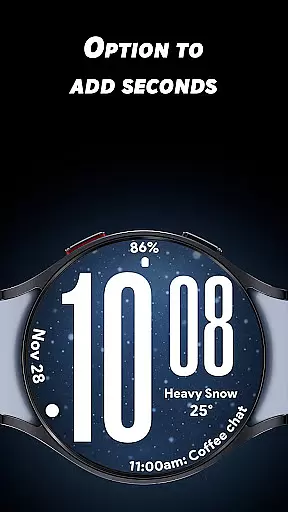
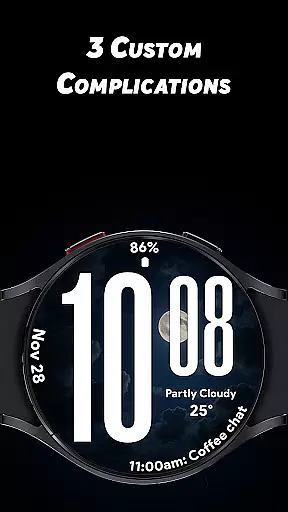
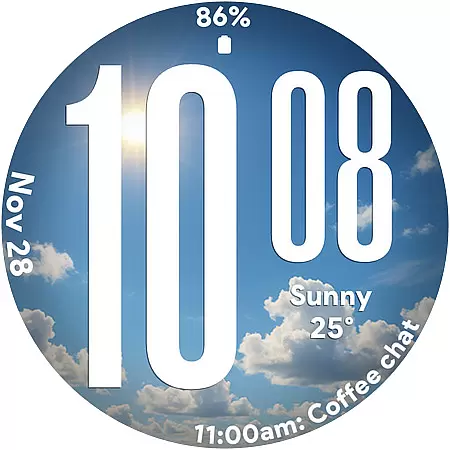
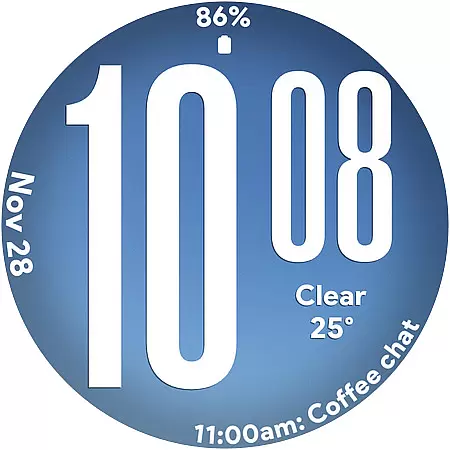
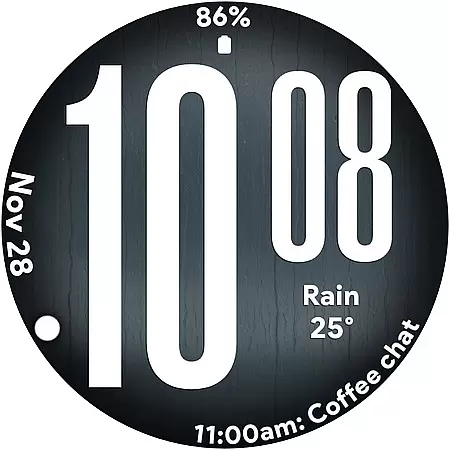
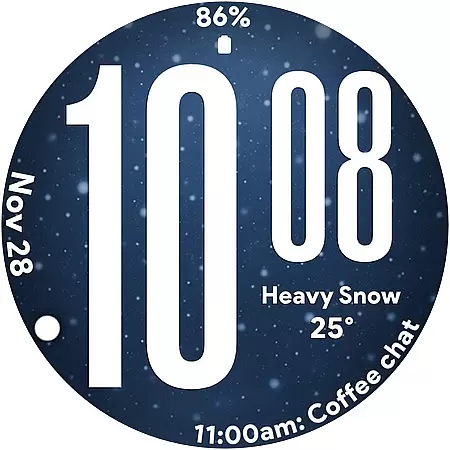
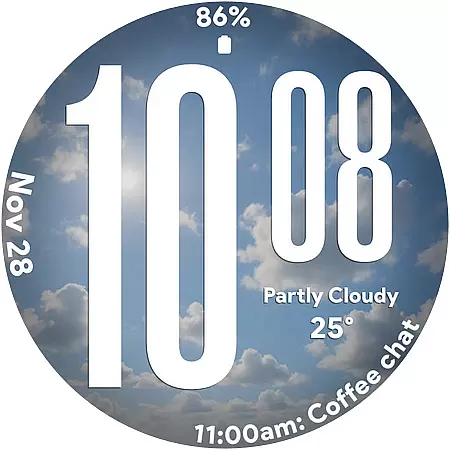
Ultra Weather is a dynamic Wear OS watch face that combines bold design with real-time weather updates. Its standout feature is the automatic adjustment of visuals based on current weather conditions, ensuring your smartwatch always reflects the environment around you. With oversized digital time digits and customizable complications, it offers both style and functionality.
This app is perfect for users seeking a visually striking yet practical watch face. Whether you're monitoring weather changes, tracking fitness metrics, or simply appreciating sleek design, Ultra Weather enhances your smartwatch experience by delivering clear information at a glance.
Ultra Weather stands out with its innovative features tailored for Wear OS users. The Big Bold Digital Time ensures instant readability, while Dynamic Weather Backgrounds provide live updates based on real-time weather data. This creates an immersive experience as the watch face transforms to match sunny, cloudy, rainy, or foggy conditions.
Customization is key with three optional complications, allowing users to display additional details like steps, battery life, heart rate, and more. Supporting both 12-hour and 24-hour formats, this app caters to global preferences. Additionally, its Battery-Friendly Always-On Display (AOD) ensures efficient performance throughout the day without compromising aesthetics.
Ultra Weather - Watch face offers extensive lifestyle category coverage by integrating real-time weather visuals that change automatically based on current conditions. This dynamic feature ensures that whether it's sunny, cloudy, rainy, or foggy, the watch face transforms instantly to reflect the sky outside.
The application goes beyond just weather updates by providing users with oversized time digits, smooth readability, and three customizable complications. These include options to display weather details, steps, battery status, calendar events, heart rate, and more, making it a versatile companion for various lifestyle needs.
With support for both 12-hour and 24-hour time formats, Ultra Weather caters to individual preferences while maintaining a sleek design. Its bold typography ensures maximum clarity, which is essential for everyday use, fitness tracking, travel, and users who appreciate visually dynamic watch faces.
The content provided by Ultra Weather - Watch face is authentic and credible, as it pulls real-time weather data to create live backgrounds that update based on current weather conditions. This ensures that users receive accurate and timely information directly on their smartwatch.
Designed with input from experts in design and usability, Ultra Weather brings together style and functionality seamlessly. The optimized Always-On Display (AOD) guarantees efficient all-day performance without compromising battery life, showcasing an understanding of user needs and technical constraints.
Furthermore, the inclusion of customizable complications allows users to tailor their experience with trusted metrics such as step counts, heart rates, and calendar notifications. By focusing on these core features, Ultra Weather establishes itself as a reliable tool endorsed by those who value both aesthetics and practicality in wearable technology.
Real-time weather sync
Bold typography design
Customizable complications
Optimized AOD mode
Dynamic backgrounds
Limited to Wear OS
Requires constant connectivity
No analog option
Premium features locked
High battery usage

Healthy eating timer app to track meal pace, improve habits, and eat slowly.
 4.0
4.0
Pay your rent, submit work orders and much more with the RentCafe Resident App.
4.70
Paranormal EVP, Ghost Box, Spirit box, ITC, Haunted, Spirit communication device
3.70
Discounts, savings, and rewards
4.20
Communicate with your vehicles and Powerwalls anytime, anywhere
3.60
The cutest Autumn watchface featuring the adorable Mr. Squirrel
4.0
Colorful minimal digital watch face for Wear OS
4.60
The App can control Roborock vacuum cleaners from anywhere with rich features.
4.60
No more juggling multiple apps, now you can control everything in one place!
4.60
A unique and customizable watch face which rotates its layout every minute.
4.80
Vehicle ownership simplified. Get the myChevrolet® app today.
4.60
Premium floor cleaning robots
4.50
The go to app for taking unlimited notes!
4.50
Paranormal Spirit Bell Trigger Device
4.30
Smart controls for your Ember Smart Mugs
4.10
Connect to your Shark ROBOT™ from anywhere using the SharkClean™ App.
3.60
Unique Dual Colors with 6 Custom Complications for Wear OS watches!
3.40
Discover how to help puppies stay calm around noise with this helpful app.
4.3
Designed to delight, impress and energize your festive spirit every single day
4.5


User Reviews