
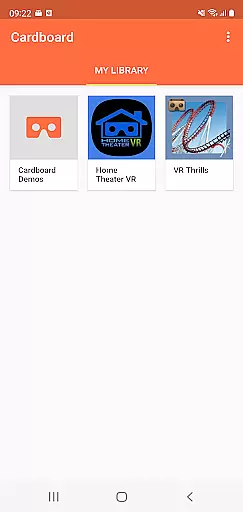
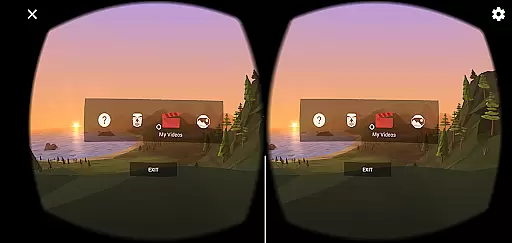
Cardboard is an innovative app that brings virtual reality experiences to your smartphone. Developed by Google, this application serves as the gateway to a world of immersive VR content. It allows users to launch their favorite virtual reality apps, discover new ones through recommendations, and set up their Cardboard viewer for optimal performance.
The app is designed to work seamlessly with Google's Cardboard viewers, making it easy to enjoy VR experiences anytime, anywhere. Whether you're exploring 360-degree videos or interactive games, Cardboard provides an accessible entry point into the world of virtual reality. Its user-friendly interface ensures that even beginners can easily navigate and enjoy high-quality VR content.
For those interested in VR development, Cardboard also offers resources and community support through its Google+ community. This makes it not only a tool for experiencing VR but also a platform for creators to share their work and collaborate with others. With its combination of accessibility, functionality, and community engagement, Cardboard stands out as a valuable resource for both VR enthusiasts and developers alike.
Cardboard boasts several key features that enhance the virtual reality experience on smartphones. First and foremost, it acts as a central hub for launching various VR applications, providing users with quick access to their favorite immersive content. The app's intuitive interface makes it simple to browse and discover new VR experiences, ensuring that users always have fresh content to explore.
Another notable feature is the built-in viewer setup tool, which guides users through the process of calibrating their Cardboard viewer for optimal performance. This ensures that every VR experience is as immersive and comfortable as possible. Additionally, the app supports a wide range of Cardboard-compatible viewers, making it versatile and adaptable to different devices and preferences.
For developers and enthusiasts, Cardboard offers integration with Google's VR development resources. This includes access to technical documentation, sample code, and a vibrant community of VR creators. These features combine to create a comprehensive VR ecosystem that caters to both casual users and serious developers, fostering innovation and growth in the virtual reality space.
Functionality completeness refers to the range of features and capabilities that an app offers to ensure it meets its intended purpose. For Cardboard, this means providing users with all the necessary tools to launch VR experiences, discover new apps, and set up their viewer efficiently.
The Cardboard app excels in offering a comprehensive suite of functionalities. It allows users to easily configure their VR viewers, ensuring a seamless transition into virtual reality. Additionally, the app provides access to a diverse library of VR content, enhancing user engagement and exploration.
Users benefit from this completeness by enjoying a one-stop solution for their VR needs. Whether setting up a new viewer or diving into immersive experiences, the app's extensive feature set ensures that users have everything they need at their fingertips.
This level of functionality coverage not only enriches the user experience but also positions Cardboard as a versatile tool in the VR ecosystem, catering to both beginners and experienced users alike.
Usability is a critical factor in determining how easily users can interact with an application, while operational smoothness refers to the fluidity and reliability of its performance. For Cardboard, usability is enhanced through intuitive design and straightforward navigation, allowing users to effortlessly explore VR content.
The app achieves operational smoothness by optimizing performance for various smartphone models, ensuring consistent frame rates and minimizing latency during VR sessions. This optimization results in a more immersive and comfortable experience, reducing the risk of motion sickness often associated with VR.
By focusing on these aspects, Cardboard delivers a superior user experience. Users can expect responsive interactions and reliable performance, making their journey into virtual reality both enjoyable and hassle-free.
Ultimately, the combination of usability and operational smoothness establishes Cardboard as a leading choice for mobile VR, setting a benchmark for other applications in the Libraries & Demo category.
User-friendly interface
Wide device compatibility
Rich VR content library
Active developer community
Free to use
Limited advanced features
Requires separate viewer
Basic graphics quality
No offline support
Occasional performance issues

Collection of high-quality, trendy skins and outfits!
 4.3
4.3
Block and secure the microphone and protect from secret listening and recording.
4.50
A great tool help you to format Micro SD memory Card
3.10
An essential GFX utility developed for specific FPS mobile games
4.50
You can remote control and play much easier.
4.10
A Pydroid Quick Install repository provider.
4.00
Mobile Connect To TV - HDMI USB & WiFi Screen Mirroring
3.70
Mirror phone to TV effortlessly! Stream, share & connect with Airplay ease.
3.60
The best PS2 games from your childhood come to life in their mobile version!
4.00
SmartCast mirrors Android phone to TV screen With Cast Screen, Chromecast.
4.80
Demo for Key Attestation feature of the Android system.
4.80
Read Holy Quran Feel Like Real Quran & Listen Al Quran Mp3 Audio Online Offline.
4.70
TV USB connector app provides you a seamless cast option from your phone to tv.
4.70
Tune your game graphics with our GFX optimizer for optimal gaming experience
4.50
Game Booster GFX for smoother gaming experience. Enjoy 120 FPS and 4x Game Space
4.20
Android secret code for smart phone, mobile codes, with secret codes app
4.20
Demo version of the mcpro24fps manual video camera. Try and buy a full version!
4.00
Use your Phone as Drone Controller.
3.70
Mobs maker Minecraft help MCPE creators make their own mob by using Blockbench
3.50


User Reviews