
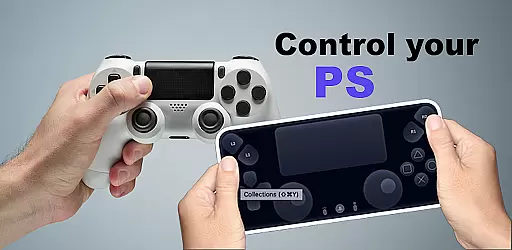
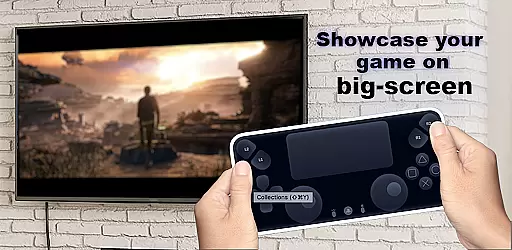
The Ps Controller for PS4 PS5 is a powerful tool that allows gamers to remotely control their PlayStation consoles from a separate location using a mobile device. This app transforms your smartphone into a virtual Dualshock controller, providing full access to your PS5 or PS4 console without the need for physical hardware.
One of its standout features is the ability to stream gameplay directly to your device with minimal latency, making it ideal for multiplayer gaming sessions. Whether you're looking to play with friends or simply want the convenience of controlling your console from another room, this app delivers a seamless experience. Its support for third-party controllers and physical devices ensures compatibility across various Android smartphones.
The Ps Controller for PS4 PS5 offers an impressive range of features designed to enhance your gaming experience. First and foremost, it enables users to utilize their mobile devices as virtual Dualshock controllers, replicating all the functions of a traditional gamepad directly on your smartphone screen.
In addition to acting as a controller, the app supports low-latency streaming, allowing you to play games on your PS5 or PS4 with minimal delay. The second-screen functionality further enriches gameplay by turning your mobile device into an interactive display. Moreover, the app supports third-party controllers, including DualSense and DualShock models, ensuring broad compatibility with different devices and setups.
Functionality completeness refers to the extent to which an application successfully provides all the features necessary for its intended purpose. For Ps Controller for PS4 PS5, this means offering users full control over their PlayStation consoles from a remote location. The app excels in this area by providing a virtual Dualshock controller, enabling gamers to play multiplayer games without needing a physical second controller.
The app covers essential functionalities such as streaming gameplay with low latency, ensuring that users experience minimal delay while playing. This feature is crucial for maintaining an immersive gaming experience. Additionally, it supports third-party and physical controllers, making it versatile for different types of Android devices.
Users benefit significantly from this comprehensive functionality. They can enjoy seamless interaction with their PlayStation 4 or 5 using just their mobile device, regardless of location. Whether at home or on the go, gamers have the flexibility to engage with their favorite titles without being tethered to their console physically.
Overall, the Ps Controller for PS4 PS5 demonstrates excellent functionality completeness by addressing various user needs and scenarios, enhancing convenience and accessibility in gaming.
Usability and operational smoothness are critical factors that determine how easily users can interact with an application. In the case of Ps Controller for PS4 PS5, usability is enhanced through intuitive design and responsive controls. The app allows users to transform their smartphones into virtual Dualshock controllers, simplifying the process of engaging with PlayStation consoles remotely.
Operational smoothness is evident in the app's ability to stream gameplay with low latency. This ensures that actions performed on the mobile device are accurately reflected on the console without noticeable delays. Such performance is vital for maintaining the integrity of fast-paced gaming sessions where timing is crucial.
Moreover, the support for both third-party and physical controllers adds another layer of usability. Gamers can choose their preferred method of interaction, whether itu2019s via touch screen or external hardware, ensuring a personalized and comfortable experience.
By focusing on these aspects, Ps Controller for PS4 PS5 delivers a user-friendly interface combined with reliable operation, ultimately leading to higher satisfaction among its users who seek convenience and efficiency in remote gaming.
Remote access to PS5/PS4
Low-latency streaming
Supports third-party controllers
Multiplayer gaming enabled
Second-screen functionality
Requires stable internet connection
Mobile data charges may apply
Limited to Android devices
Dependent on network conditions
Potential latency issues

Tune your game graphics with our GFX optimizer for optimal gaming experience
 4.50
4.50
Enjoy Minecraft Mod Scary Neighbor Granny for Minecraft PE.
4.30
Connect your phone to any endoscope camera, USB camera, or borescope with ease.
3.70
With Endoscope Camera Connector you can connect your phone with endoscope cam
3.70
An essential GFX utility developed for specific FPS mobile games
4.50
use your smartphone as Remote control drones .
4.20
Recite Quran Majeed القران with special 16 line real Kuran page in hand
4.30
Al QURAN-القرأن الكريم app to read Quran offline just like an actual Quran book
4.30
A Pydroid Quick Install repository provider.
4.00
Explore The Holy Quran Majeed for Muslim. Listen to MP3 Quran & Al Quran Kareem.
4.80
MirrorLink for connecting your Android phone to your car’s infotainment screen.
4.50
Phone Software Update Quick Checker helps you to keep your phone apps up to date
4.50
View your cameras anywhere and anytime
4.20
Android secret code for smart phone, mobile codes, with secret codes app
4.20
Sad ringtones full of feeling, sad music ringtones
3.90
Use your Phone as Drone Controller.
3.70
A great tool help you to format Micro SD memory Card
3.10
Read Quran pak offline & listen online mp3 Quran in Al Quran Majeed app
4.1
Mirror Link Car Display to share your screen with car dashboard wirelessly
4.4


User Reviews