

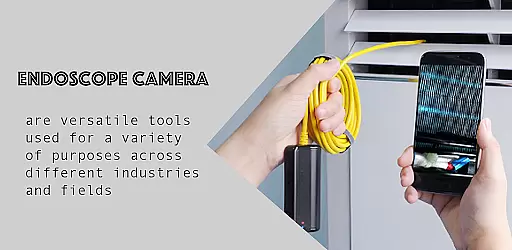
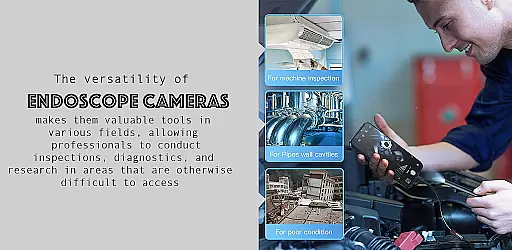
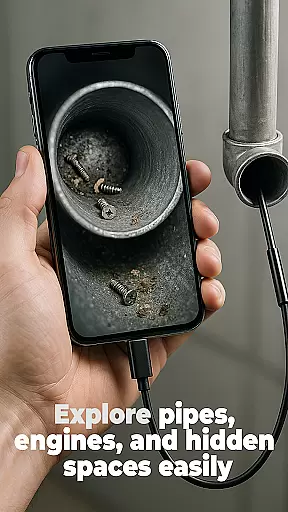
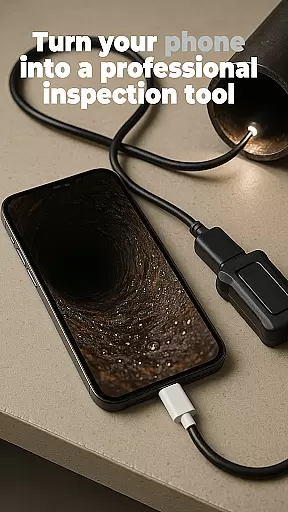
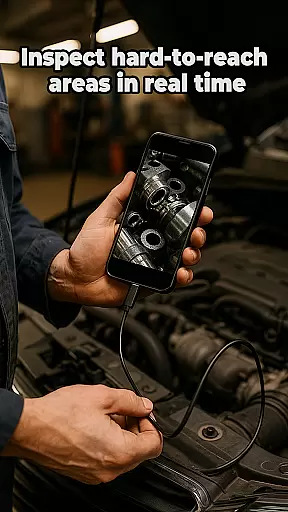
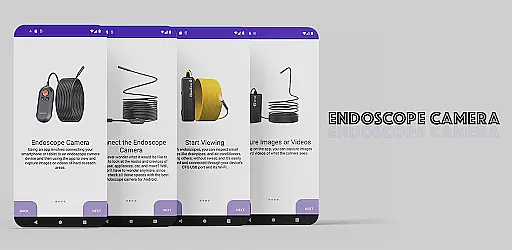
The Endoscope Camera app is a versatile tool designed to connect your smartphone with various external camera devices, including endoscopes, USB cameras, borescopes, and sewer inspection cameras. This functionality makes it an ideal choice for anyone needing to inspect hard-to-reach areas such as blocked drains or pipes without the need for costly professional equipment.
With its user-friendly interface, the app allows users to quickly set up their devices using OTG USB technology. Once connected, users can capture high-quality photos and videos, making it easier than ever to diagnose issues in plumbing or other tight spaces. The built-in gallery feature provides seamless management of captured media, allowing users to view, delete, and organize files effortlessly.
This app is particularly beneficial for homeowners, DIY enthusiasts, and professionals in plumbing or inspection services who require a reliable and portable solution for visual inspections. By providing clear visuals of blockages or damages, the Endoscope Camera app helps save time and money on repairs and maintenance.
The Endoscope Camera app boasts a range of features that enhance its usability and effectiveness. One of the standout capabilities is its broad compatibility with various external camera devices, including endoscopes, USB cameras, and borescopes. This versatility ensures that users can employ the app across different scenarios, from home repairs to professional inspections.
Another key feature is the app's intuitive setup process. With support for OTG USB connections, users can swiftly connect their devices and begin capturing high-quality images and videos within seconds. The app also includes a robust gallery function, enabling users to manage their media files efficiently. This built-in gallery allows for easy viewing, deletion, and organization of photos and videos, streamlining the inspection process.
Additionally, the app's ability to provide clear visuals of otherwise inaccessible areas adds significant value for users. Whether inspecting blocked drains or examining intricate machinery, the Endoscope Camera app delivers precise and actionable insights, empowering users to make informed decisions regarding necessary repairs or maintenance.
Functionality completeness is a critical aspect of any application, especially for tools like the Endoscope Camera app. This app offers comprehensive support for various external camera devices, including endoscopes, USB cameras, borescopes, and sewer inspection cameras. The ability to connect seamlessly with these devices using OTG USB technology ensures that users can quickly set up and start their inspections without hassle.
The app's functionality extends beyond just connecting to external cameras. It allows users to capture high-quality photos and videos, which are essential for detailed inspections. Whether it's blocked drains, pipes, or hard-to-reach areas, the Endoscope Camera app provides the necessary tools to document findings accurately. This level of functionality coverage ensures that users have all they need within a single platform.
Moreover, the built-in gallery feature adds another layer of utility by enabling users to manage their captured media efficiently. With options to view, delete, and organize photos and videos, users can maintain an orderly record of their inspections. This complete suite of features makes the Endoscope Camera app a versatile tool for both professional and personal use.
Usability is a key factor in determining the overall user experience of an application. The Endoscope Camera app excels in providing a user-friendly interface that simplifies complex tasks such as connecting to external cameras and capturing media. By following straightforward stepsu2014opening the app, connecting the camera via USB, and clicking to activateu2014the process becomes accessible even to those who may not be tech-savvy.
Operational smoothness is evident in how the app handles media capture and management. Users can effortlessly take photos and record videos, relying on the app's intuitive controls. The transition from capturing media to viewing it in the gallery is seamless, enhancing the overall workflow efficiency. Such operational fluidity ensures that users can focus more on their inspection tasks rather than navigating through complicated menus.
In addition to its ease of use, the app maintains a high standard of performance. Quick response times and reliable connectivity contribute to a frustration-free experience. These elements combine to create an environment where users can trust the app to perform consistently well, making inspections faster and easier than ever before.
User-friendly interface
Wide device compatibility
High-quality image capture
Efficient media management
Cost-effective inspection solution
Limited advanced editing tools
Requires compatible hardware
No cloud storage integration
Basic video recording options
Occasional connectivity issues

Do you want to drive easy ? do you wanna full mirror link Mobile with your car
 4.10
4.10
Tune your game graphics with our GFX optimizer for optimal gaming experience
4.50
Sad ringtones full of feeling, sad music ringtones
3.90
Android secret code for smart phone, mobile codes, with secret codes app
4.20
charging your phone by other phone easly
4.00
Study Bible King James Version: the correct way to learn the Bible with audio
4.80
Demo version of the mcpro24fps manual video camera. Try and buy a full version!
4.00
Looking to connect your phone to your car screen? Mirror Link is the solution.
3.20
Game booster GFX may reduce interruptions and improve gaming experience.
4.50
Explore The Holy Quran Majeed for Muslim. Listen to MP3 Quran & Al Quran Kareem.
4.80
Barcode scanning made simple!
4.40
use your smartphone as Remote control drones .
4.20
Easily evaluate the performance of Scandit's barcode and ID scanning SDK
4.10
You can remote control and play much easier.
4.10
Mirror link car connector to share your screen with car dashboard
3.80
Connect and find your Smart Tag 2 devices through our app.
3.60
Simulator of real black light
3.50
Experience virtual reality on your smartphone with Cardboard.
3.50
Zlink Carplay Android a mirror link app with a Carplay interface style
4.0


User Reviews