
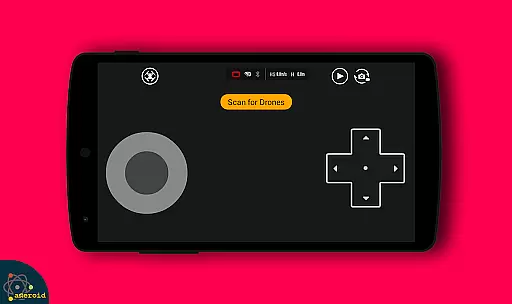
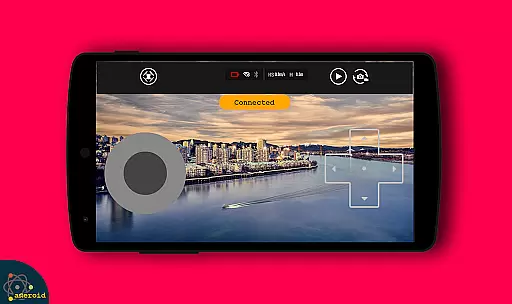
Drone Remote Control is an innovative application that transforms your Android smartphone into a powerful remote control for drones. Designed for drone enthusiasts, this app allows users to seamlessly control their drones directly from their mobile devices. The app supports core functionalities such as flight planning, live video streaming, and camera controls, making it a versatile tool for both recreational and professional drone pilots.
One of the standout features of Drone Remote Control is its compatibility with the latest drone models, enabling users to automate takeoff, flight paths, image capture, and landing. Additionally, the app provides real-time First Person View (FPV) streaming, giving users an immersive piloting experience. Whether you're looking to manage your drone's camera functions or execute precise flight plans, this app offers a comprehensive solution.
The app is particularly useful for those who want to replace their physical drone remote controls with a more flexible digital alternative. With intuitive controls and easy configuration, Drone Remote Control ensures that users can focus on enjoying their drone flying experience without any hassle.
Drone Remote Control boasts an impressive array of features tailored to enhance the drone flying experience. One of its primary capabilities is the ability to create detailed flight plans on any device, allowing users to predefine routes and actions for their drones. This feature is complemented by automated functions such as takeoff, flight execution, image capture, and landing, which can be managed with minimal user intervention.
In addition to flight automation, the app offers live First Person View (FPV) streaming, providing users with a real-time video feed from their drone's camera. This functionality is crucial for precision flying and capturing high-quality aerial footage. Users also have the option to disable auto-flight mode and regain manual control with a single tap, ensuring flexibility during operation.
Another notable feature is the app's compatibility with WiFi camera devices, enabling users to receive live camera views, capture images, record videos, and control drone movements directly from their smartphones. These capabilities make Drone Remote Control an indispensable tool for anyone looking to maximize their drone's potential while enjoying a seamless and intuitive user experience.
Functionality completeness in a drone remote control app is crucial for ensuring that users can fully operate their drones without limitations. Drone Remote Control offers an extensive range of features, including the ability to make flight plans, automate takeoff and landing, and live stream First Person View (FPV). This comprehensive functionality allows users to execute precise drone operations with ease.
The app's compatibility with the latest drones showcases its wide coverage. It supports advanced capabilities such as disabling auto-flight and resuming manual control with a single tap, which is essential for both amateur and professional drone pilots. With these features, users can confidently undertake complex tasks like mapping large areas without interruptions.
Drone Remote Control also includes video functionalities, enhancing the user experience by allowing pilots to capture footage and images directly through the app. The inclusion of FPV streaming and camera controls within the app demonstrates its thoroughness in covering all aspects of drone operation. Users benefit from a seamless integration of flight control and media capture, making it an all-in-one solution for drone enthusiasts.
Usability and operational smoothness are key factors in determining the effectiveness of a drone remote control application. Drone Remote Control excels in providing an intuitive interface that simplifies the configuration process, making it accessible even to beginners. Its similarity to traditional RC drone controls ensures that users can transition smoothly without a steep learning curve.
The app's design emphasizes ease of use, enabling users to quickly adapt to controlling their drones with their smartphones. By converting an Android phone into a drone remote, it eliminates the need for physical controllers, thus offering a more modern and convenient approach to drone piloting. This transformation not only declutters the flying setup but also leverages the processing power of current smartphones.
Operational smoothness is further enhanced by the app's ability to maintain stable connections with WiFi camera devices, facilitating live video feeds and media control. Users can effortlessly manage their drone's camera, capturing photos and recording videos while in flight. Such streamlined operations ensure that users remain focused on the flying experience rather than being distracted by technical difficulties.
User-friendly interface
Live FPV streaming
Automated flight modes
Wide drone compatibility
Free to use
Not compatible with older hardware
Limited physical controls
Requires stable internet
Advanced features need new drones
Occasional connectivity issues

View your cameras anywhere and anytime
 4.20
4.20
Tune your game graphics with our GFX optimizer for optimal gaming experience
4.50
Block and secure the microphone and protect from secret listening and recording.
4.50
Connect and find your Smarttag devices through our app.
4.00
Connect your phone to any endoscope camera, USB camera, or borescope with ease.
3.70
Collection of Maps and Mods for Dmod
3.30
Test DPC is a sample device policy controller for use with Android Enterprise.
4.20
a wireless controller that provides a seamless and gaming experience for players
3.80
Simulator of real black light
3.50
Demo for Key Attestation feature of the Android system.
4.80
Game booster GFX may reduce interruptions and improve gaming experience.
4.50
Recite Quran Majeed القران with special 16 line real Kuran page in hand
4.30
Do you want to drive easy ? do you wanna full mirror link Mobile with your car
4.10
The best PS2 games from your childhood come to life in their mobile version!
4.00
Use your Phone as Drone Controller.
3.70
With Endoscope Camera Connector you can connect your phone with endoscope cam
3.70
Experience virtual reality on your smartphone with Cardboard.
3.50
Looking to connect your phone to your car screen? Mirror Link is the solution.
3.20
Collection of high-quality, trendy skins and outfits!
4.3


User Reviews