
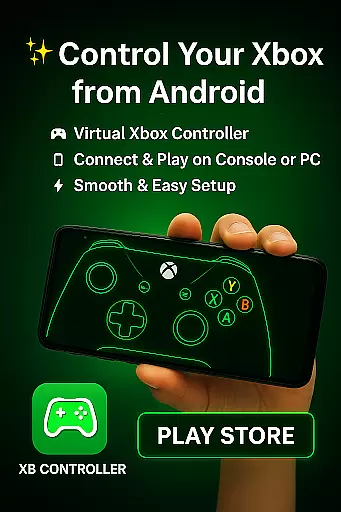
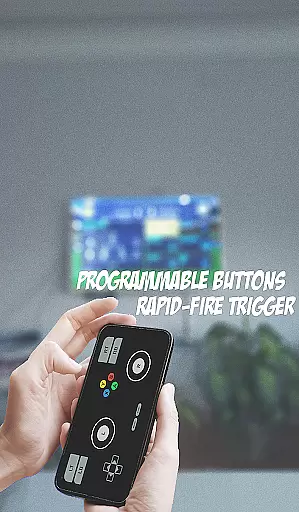
XB CONTROLLER is a specialized gaming input device designed for Xbox consoles, including the Xbox One and Xbox Series X/S. This wireless controller offers an ergonomic design with two thumbsticks, a directional pad, four action buttons (A, B, X, Y), shoulder buttons (LB, RB), triggers (LT, RT), and a menu button. These controls are strategically placed to provide seamless and intuitive gameplay.
The thumbsticks manage character movement or camera angles, while the directional pad allows quick navigation through menus and in-game options. Action buttons enable various in-game actions such as jumping, shooting, or interacting with objects. The shoulder buttons and triggers offer additional input options like secondary actions or aiming in shooting games. With vibration feedback, the controller enhances immersion by providing tactile sensations corresponding to in-game events.
Beyond its wireless functionality, XB CONTROLLER can connect via USB for a wired experience, ensuring uninterrupted gameplay and minimizing input lag. Its latest iteration includes enhanced haptic feedback and an improved D-pad for more precise inputs, making it a reliable and versatile gaming solution.
XB CONTROLLER boasts several features that enhance the gaming experience. Its comfortable and ergonomic design ensures prolonged gaming sessions without discomfort. The familiar layout includes two thumbsticks, a directional pad, four action buttons (A, B, X, Y), two shoulder buttons (LB and RB), two triggers (LT and RT), and a menu button, all strategically placed for easy access and precise control during gameplay.
The controller incorporates vibration feedback, adding realism and helping players feel more connected to the game world. It supports both wireless and wired connections, allowing users to enjoy gaming from a distance or ensure uninterrupted gameplay with minimal input lag. The latest version of the controller, introduced with the Xbox Series X/S consoles, includes enhanced haptic feedback and an improved D-pad for more precise inputs.
These features collectively contribute to a seamless and immersive gaming experience, catering to a wide range of gaming genres and providing comfort and precision for Xbox console players.
The XB CONTROLLER app offers a comprehensive set of functionalities that mirror the capabilities of a physical Xbox controller. It includes all essential buttons such as A, B, X, Y, LB, RB, LT, RT, and a directional pad, ensuring users can perform every action available on a real controller.
One of the standout features is its support for both thumbsticks, which are crucial for character movement and camera control in games. This makes the app suitable for a wide range of gaming genres, from first-person shooters to open-world adventures.
In addition to basic controls, the app also incorporates advanced features like vibration feedback. This tactile response enhances the gaming experience by providing real-time feedback during gameplay, making it more immersive and engaging for the user.
Furthermore, the app supports both wireless and wired connectivity options, offering flexibility in how users connect to their gaming consoles. Whether you prefer the freedom of wireless play or the reliability of a wired connection, this app ensures minimal input lag and uninterrupted gameplay sessions.
XB CONTROLLER excels in delivering a seamless and intuitive user experience. The app's interface is designed to be user-friendly, allowing gamers to easily navigate through its various settings and options without any steep learning curve.
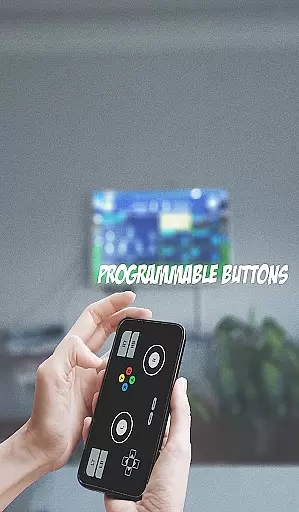
Its ergonomic design translates well into the digital format, ensuring that virtual buttons and controls are placed optimally for easy access and precise control during intense gaming sessions. This thoughtful layout minimizes accidental touches and maximizes operational efficiency.
Performance-wise, the app runs smoothly with minimal latency, providing an almost instantaneous response to user inputs. This operational smoothness is critical for maintaining immersion and ensuring competitive gameplay where every millisecond counts.
Additionally, regular updates and improvements have been made to enhance overall usability. Features such as enhanced haptic feedback and an improved D-pad demonstrate the developers' commitment to refining the app based on user feedback and technological advancements.
Comfortable Design
Precise Controls
Vibration Feedback
Wireless Functionality
Enhanced Haptics
Limited Compatibility
Battery Dependent
Costly
No Custom Buttons
Standard Layout

Collection of high-quality, trendy skins and outfits!
 4.5
4.5
SmartCast mirrors Android phone to TV screen With Cast Screen, Chromecast.
4.80
Use your Phone as Drone Controller.
3.70
With Endoscope Camera Connector you can connect your phone with endoscope cam
3.70
Test DPC is a sample device policy controller for use with Android Enterprise.
4.20
Demo version of the mcpro24fps manual video camera. Try and buy a full version!
4.00
Turn your phone into a wireless Xbox controller – play, stream & control anytime
4.1
Mirror phone to TV effortlessly! Stream, share & connect with Airplay ease.
3.60
Experience virtual reality on your smartphone with Cardboard.
3.50
Read Holy Quran Feel Like Real Quran & Listen Al Quran Mp3 Audio Online Offline.
4.70
TV USB connector app provides you a seamless cast option from your phone to tv.
4.70
Block, disable and secure phone camera from secretly taking photos by spyware.
4.50
Manage apps & elevate your gaming experience with Game Launcher: Gaming Hub app.
4.30
Game Booster GFX for smoother gaming experience. Enjoy 120 FPS and 4x Game Space
4.20
You can remote control and play much easier.
4.10
CloudEye 365 is a easy-handling APP
3.60
Looking to connect your phone to your car screen? Mirror Link is the solution.
3.20
Record with Double Camera Video Recording using Dual Camera Front and Back Video
3.00
Mirror Link Car Display to share your screen with car dashboard wirelessly
4.5


User Reviews