
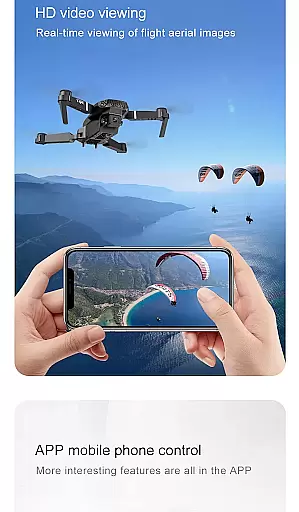
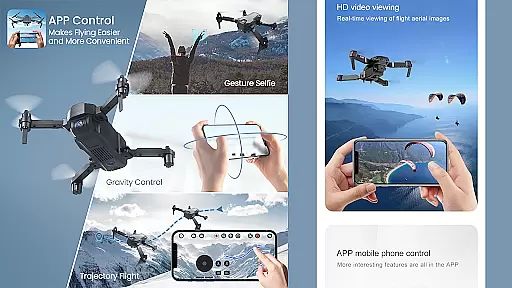
Drone Remote Controller is an innovative application that transforms your Android phone into a powerful drone control system. Designed for both hobbyists and professional drone operators, this app provides comprehensive control over various drone models.
The app's core functionality lies in its ability to replace traditional physical remote controls with a smartphone interface. Users can easily configure flight parameters, control camera functions, and manage drone operations through an intuitive touch-based UI. The application supports live streaming of First Person View (FPV) footage, making it ideal for both recreational flying and professional aerial photography.
One of the key advantages of Drone Remote Controller is its compatibility with modern drone models while offering advanced features like automated flight planning, one-touch takeoff and landing, and seamless image capture. Whether you're mapping large areas or capturing dynamic video footage, this application streamlines drone operation through your mobile device.
The application boasts an impressive array of features that enhance drone operation capabilities. Its primary advantage is the universal compatibility with most modern drones, allowing users to control multiple devices through a single interface.
Advanced functionalities include automated flight path creation, precise camera control with adjustable FPS settings, and real-time video streaming capabilities. The app enables users to create detailed flight plans on their mobile devices, automate complex operations like takeoff and landing sequences, and maintain manual override options for maximum flexibility.
Additional notable features include integrated WiFi camera connectivity, enabling direct video feed reception and media management. Users can record videos, capture images, and adjust camera settings directly through the application interface. The touch-based control system mirrors traditional RC controllers while offering enhanced precision and accessibility, making it suitable for both beginners and experienced drone operators.
Functionality completeness is a crucial aspect of any application, especially for a drone remote controller app. This app offers an extensive range of features that cover various aspects of drone control.
With the ability to make flight plans, automate takeoff and landing, and live stream First Person View (FPV), this app ensures users have full command over their drones. The inclusion of video and capture FPS functionalities further enhances the user experience by allowing real-time monitoring and recording.
The app's compatibility with the latest drones and its capability to connect to WiFi camera devices for receiving live feeds, taking pictures, and recording videos adds another layer of utility. These comprehensive features ensure that users can perform a wide array of tasks without needing additional tools or applications.
By providing such a complete suite of functionalities, the Drone Remote Controller app empowers users to fully utilize their drones for both recreational and professional purposes, making it an indispensable tool for drone enthusiasts.
Usability and operational smoothness are vital for ensuring a seamless user experience, particularly in applications like the Drone Remote Controller. This app excels in delivering an intuitive and efficient interface that simplifies drone operations.
The straightforward configuration process allows users to quickly set up and start controlling their drones. Its similarity to traditional RC drone controls reduces the learning curve, enabling even beginners to operate drones confidently.
Features such as single-tap disabling of auto-flight and resuming manual control highlight the app's focus on operational ease. Additionally, the ability to continue non-interrupted flights for mapping large areas demonstrates the appu2019s commitment to uninterrupted performance.
Overall, the Drone Remote Controller app provides a smooth and reliable operational experience, making drone control accessible and enjoyable for users of all skill levels. This dedication to usability ensures that users can focus on enjoying their drone activities without being hindered by complex controls.
User-friendly interface
Wide drone compatibility
Advanced camera controls
Automated flight features
Real-time video streaming
Not compatible with older drones
Requires stable internet connection
May drain phone battery quickly
Limited physical controls
Learning curve for beginners

Wireless reverse charging using phone now is possible
 4.30
4.30
Connect and find your Smarttag devices through our app.
4.00
Android secret code for smart phone, mobile codes, with secret codes app
4.20
A great tool help you to format Micro SD memory Card
3.10
Block, disable and secure phone camera from secretly taking photos by spyware.
4.50
Recite Quran Majeed القران with special 16 line real Kuran page in hand
4.30
a wireless controller that provides a seamless and gaming experience for players
3.80
Experience virtual reality on your smartphone with Cardboard.
3.50
Now Available on Android ™
3.40
SmartCast mirrors Android phone to TV screen With Cast Screen, Chromecast.
4.80
Demo for Key Attestation feature of the Android system.
4.80
Expo is a free & open source platform to build apps using JavaScript and React.
4.70
Block and secure the microphone and protect from secret listening and recording.
4.50
Easily evaluate the performance of Scandit's barcode and ID scanning SDK
4.10
You can remote control and play much easier.
4.10
Demo version of the mcpro24fps manual video camera. Try and buy a full version!
4.00
A Pydroid Quick Install repository provider.
4.00
Mirror Link Car Display to share your screen with car dashboard wirelessly
4.4
Turn your phone into a wireless Xbox controller – play, stream & control anytime
4.3


User Reviews