
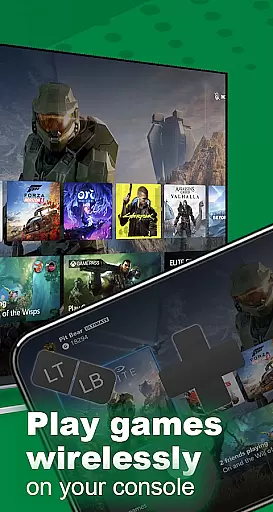
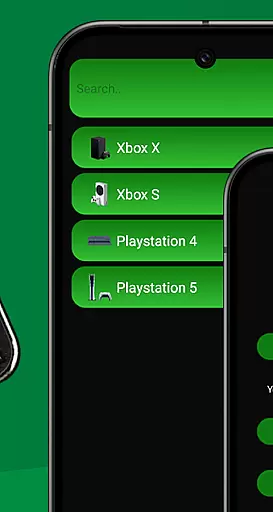
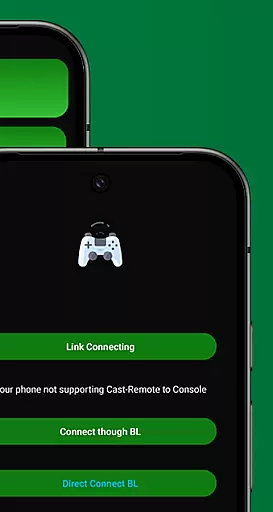
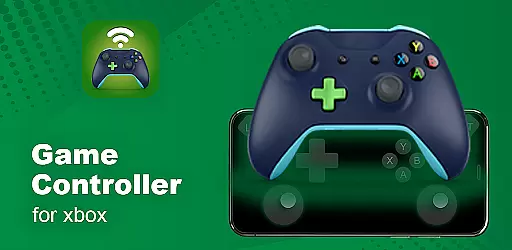
XB Game Controller is a powerful tool that transforms your smartphone into a wireless Xbox remote, enabling you to control your Xbox Series X/S or Xbox One directly from your phone. With its advanced features, the app allows for seamless streaming and gameplay over Wi-Fi or mobile data, ensuring ultra-low latency and smooth performance.
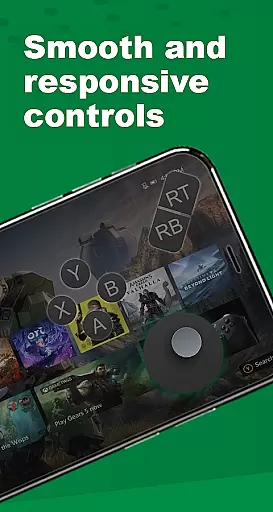
The app offers an intuitive gamepad mode, mapping every button, trigger, and joystick just like a physical Xbox controller. It also supports multiplayer gaming sessions, making it perfect for local co-op or party games. Additionally, users can enjoy integrated audio and chat support, enhancing their overall gaming experience.
Whether you're at home or on the go, XB Game Controller provides a versatile solution for remote play, offering customizable buttons, 1080p streaming, and compatibility with Bluetooth devices. Its quick setup process ensures you can start playing in no time, making it an essential tool for any Xbox gamer.
XB Game Controller boasts a range of impressive features designed to enhance your gaming experience. The app's Remote Play functionality allows you to stream Xbox games in real-time, providing a high-quality 1080p resolution with minimal lag. This ensures that you can enjoy your favorite games without being tethered to your console.
In addition to its streaming capabilities, the app includes a comprehensive gamepad layout that mirrors the original Xbox controller. Every button, trigger, and joystick is meticulously mapped, giving you complete control over your gameplay. The app also supports customizable buttons, allowing you to tailor the controls to your preferences.
Another standout feature is the app's support for multiplayer gaming sessions. You can invite friends to join you in co-op or party games, with each player using their own phone as a controller. Furthermore, the app integrates audio and chat support, enabling you to communicate with teammates without interrupting your game. These features make XB Game Controller a versatile and indispensable tool for any avid gamer.
Functionality completeness refers to the extent to which an application provides features that meet user needs across various use cases. For XB Game Controller, this means offering a comprehensive suite of tools that allow users to fully interact with their Xbox consoles remotely.
The app excels in delivering key functionalities such as remote play and gamepad mode. Users can stream Xbox games in real time on their phones, enjoying ultra-low latency and smooth gameplay. The inclusion of customizable buttons ensures that every aspect of the traditional Xbox controller is replicated, providing a familiar experience for gamers.
XB Game Controller also supports multiplayer gaming sessions, allowing friends to connect and play together using their phones as controllers. This feature significantly enhances the social gaming experience, making it ideal for local co-op or party games.
By covering essential aspects like audio and chat support, the app ensures that users can engage in voice chats and control in-game audio seamlessly. This level of functionality completeness not only meets but exceeds user expectations, making XB Game Controller a versatile tool for all Xbox enthusiasts.
Usability and operational smoothness are critical factors that determine how easily users can navigate and utilize an application. For XB Game Controller, these elements are crucial in ensuring that users can efficiently control their Xbox consoles without any hassle.
The app boasts a simple and modern interface that makes navigation intuitive. With quick setup steps, users can connect their Xbox and phone to the same Wi-Fi network, log in to their Xbox account, and start streaming within minutes. This ease of use is further enhanced by the app's seamless device switching capabilities, allowing users to transition between different devices effortlessly.
Operational smoothness is evident in the app's ability to deliver 1080p streaming with low latency. Whether playing games or navigating menus, users will experience minimal delays, ensuring a responsive and enjoyable interaction with their Xbox console.
Additionally, the app's compatibility with Bluetooth keyboards and headsets adds another layer of convenience, enabling users to customize their setup according to their preferences. Overall, XB Game Controller stands out for its exceptional usability and operational efficiency, making it a reliable choice for remote Xbox control.
User-friendly interface
High-quality streaming
Customizable controls
Multiplayer support
Integrated audio and chat
Requires stable Wi-Fi
Limited offline functionality
Dependent on Xbox services
Potential latency issues
No official Microsoft affiliation

Sad ringtones full of feeling, sad music ringtones
 3.90
3.90
Connect and find your Smarttag devices through our app.
4.00
use your smartphone as Remote control drones .
4.20
TV USB connector app provides you a seamless cast option from your phone to tv.
4.70
Connect and Find your smart tag via our app.our app is compatible with smarttag.
3.30
DamonSx2 is the open Source LGPL Emulator
3.20
Manage apps & elevate your gaming experience with Game Launcher: Gaming Hub app.
4.30
Experience virtual reality on your smartphone with Cardboard.
3.50
Expo is a free & open source platform to build apps using JavaScript and React.
4.70
Explore The Holy Quran Majeed for Muslim. Listen to MP3 Quran & Al Quran Kareem.
4.80
Popular mods fnaf mods for melon playground
4.50
An impressive collection of tools, characters, weapons, skins and more!
4.30
Test DPC is a sample device policy controller for use with Android Enterprise.
4.20
Easily evaluate the performance of Scandit's barcode and ID scanning SDK
4.10
Demo version of the mcpro24fps manual video camera. Try and buy a full version!
4.00
Ps2 plugins for 64 bit artitechture
3.70
Connect and find your Smart Tag 2 devices through our app.
3.60
A great tool help you to format Micro SD memory Card
3.10
Collection of high-quality, trendy skins and outfits!
4.1


User Reviews