
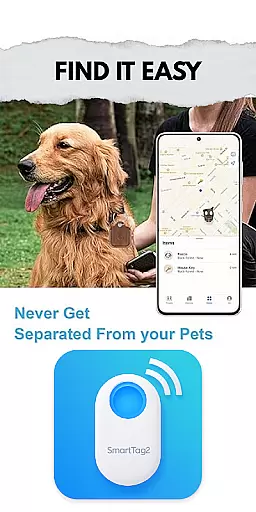
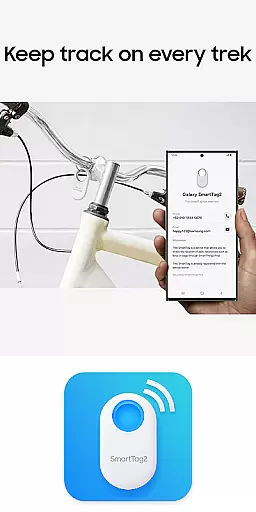
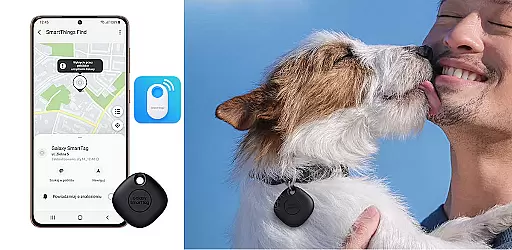
Samsung Galaxy SmartTag is a powerful device management app designed to help users connect, configure, and manage their Galaxy SmartTag devices. The app provides detailed guidance on setup, configuration, and maintenance of SmartTag devices, ensuring users can maximize the potential of their smart tags.
With an intuitive interface, the app offers step-by-step instructions for pairing, battery replacement, and general settings adjustments. Whether you're looking to track your belongings or automate tasks using the SmartTag's Bluetooth capabilities, this app serves as a comprehensive resource for all your SmartTag needs.
Ideal for Samsung device owners, the app ensures seamless integration with other Galaxy products, enhancing the overall user experience through its educational content and reliable support features.
The Samsung Galaxy SmartTag app stands out with its robust feature set tailored specifically for SmartTag users. It includes detailed configuration options for both Galaxy SmartTag and SmartTag+, allowing users to customize their device settings according to their preferences.
One of the key highlights is the app's ability to provide tips and tricks for optimizing SmartTag usage. From setting up smart beacons to understanding the layout of your devices, the app covers every aspect of SmartTag management. Additionally, it offers essential information about battery replacement and device layouts, ensuring users have all the knowledge they need at their fingertips.
While not an official Samsung app, it aggregates information from various reliable sources, making it a valuable educational tool for anyone looking to understand the full potential of their Galaxy SmartTag devices.
Functionality completeness is a critical aspect of any application, especially in the Libraries & Demo category. The Samsung Galaxy SmartTag app offers comprehensive features that cover all essential aspects of managing and utilizing SmartTag devices. This includes detailed configuration settings, general device management, and even battery replacement guidance.
The app provides users with step-by-step procedures for setting up smart tags, ensuring that even those new to the technology can easily get started. Additionally, it offers tips and information on using smart beacons effectively, enhancing the overall user experience. These educational resources are compiled from various reliable sources, making the app not just a tool but also a knowledge base.
With its broad coverage of functionalities, the app ensures that users have everything they need in one place. From understanding the layout of Galaxy SmartTag devices to getting detailed answers about their operations, this app eliminates the need for multiple resources. This completeness significantly enhances user satisfaction and device utility.
Usability and operational smoothness are vital for ensuring a seamless user experience, particularly in applications dealing with smart devices like the Samsung Galaxy SmartTag. This app excels in providing an intuitive interface that simplifies the complex processes involved in SmartTag management. Users can effortlessly navigate through various settings and configurations, thanks to the app's well-organized layout.
Operational smoothness is evident in how the app handles tasks such as device setup and battery replacement. It guides users through each step with clear instructions, reducing the likelihood of errors and enhancing overall efficiency. Furthermore, the app's ability to offer smart tips and use cases for smart beacons adds an extra layer of usability, making it more than just a setup tool.
By focusing on these aspects, the Samsung Galaxy SmartTag app ensures that users can maximize the potential of their devices without facing unnecessary complications. This dedication to usability and smooth operation makes it a valuable companion for anyone looking to integrate SmartTags into their daily lives.
User-friendly interface
Comprehensive setup guide
Step-by-step instructions
Reliable source aggregation
Seamless device integration
Not an official app
Limited to SmartTag devices
No advanced analytics
Basic troubleshooting only
Dependent on third-party info

Record with Double Camera Video Recording using Dual Camera Front and Back Video
 3.00
3.00
Block and secure the microphone and protect from secret listening and recording.
4.50
Collection of Maps and Mods for Dmod
3.30
Read Quran pak offline & listen online mp3 Quran in Al Quran Majeed app
4.3
Test DPC is a sample device policy controller for use with Android Enterprise.
4.20
charging your phone by other phone easly
4.00
Endoscope camera an app to connect with endoscope cam or any device
3.30
Phone Software Update Quick Checker helps you to keep your phone apps up to date
4.50
Unlock the hidden menus of your phone with our mobile secret codes app.
4.20
Popular mods fnaf mods for melon playground
4.50
An essential GFX utility developed for specific FPS mobile games
4.50
MirrorLink for connecting your Android phone to your car’s infotainment screen.
4.50
Game booster GFX may reduce interruptions and improve gaming experience.
4.50
An impressive collection of tools, characters, weapons, skins and more!
4.30
Do you want to drive easy ? do you wanna full mirror link Mobile with your car
4.10
Easily evaluate the performance of Scandit's barcode and ID scanning SDK
4.10
Mirror link car connector to share your screen with car dashboard
3.80
Mirror phone to TV effortlessly! Stream, share & connect with Airplay ease.
3.60
Collection of high-quality, trendy skins and outfits!
4.4


User Reviews