
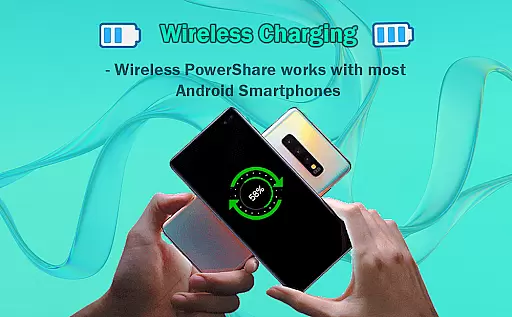
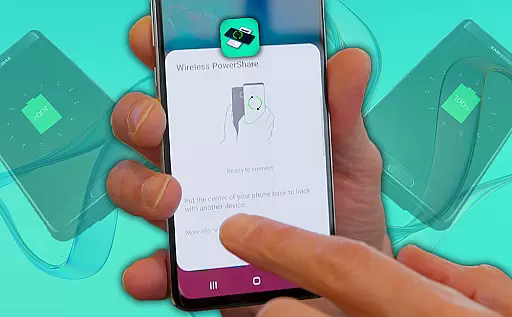
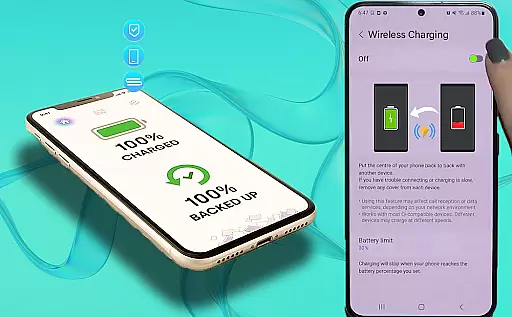
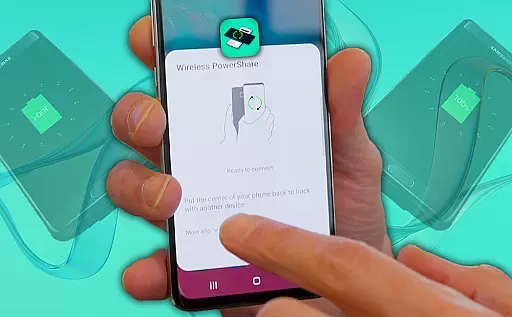
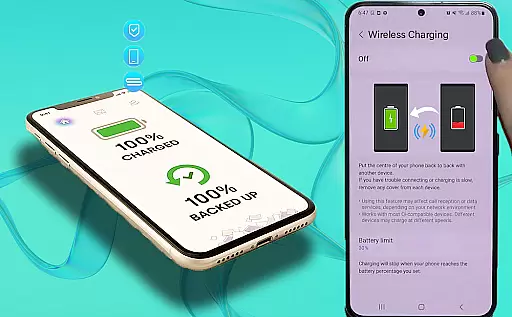
Wireless Reverse Charging is an innovative app that allows users to wirelessly charge their phones by exchanging power with another compatible device. This unique solution enables you to transfer and receive electric power simply by placing your phone on the rear face of another smartphone, initiating the charging process seamlessly.
The app not only provides wireless charging capabilities but also includes a Wireless Charging Checker feature to ensure compatibility between devices. With easy-to-follow steps, this app offers a glimpse into the future of mobile charging solutions, making it ideal for tech enthusiasts who are interested in exploring new possibilities within Libraries & Demo apps.
Wireless Reverse Charging stands out with its practical features designed to enhance user experience. The primary function allows users to check wireless charging compatibility between devices, ensuring a smooth power exchange process. By utilizing the Wireless Charging Checker ability, users can confirm whether their devices support this cutting-edge technology.
In addition to these core functionalities, the app promises even more features in future updates, aiming to expand its capabilities and provide users with an increasingly versatile tool for managing their device's power needs. This focus on continuous improvement highlights the app's commitment to delivering value beyond just basic wireless charging functions.
Wireless Reverse Charging offers a comprehensive solution for wireless power exchange between compatible devices. This app ensures that users can both transfer and receive electric power seamlessly.
The functionality is designed to cover various aspects of wireless charging, including compatibility checks and the ability to initiate the charging process by simply placing one phone on the rear face of another smartphone. This straightforward approach eliminates the need for cables or additional hardware.
Users benefit from the app's extensive coverage of features, such as the Wireless Charging Checker, which confirms whether their devices support wireless charging capabilities. This ensures a smooth and efficient charging experience without any guesswork.
By focusing on functionality completeness, Wireless Reverse Charging guarantees that users have access to all necessary tools for managing their device's power needs conveniently and efficiently.
Usability is at the core of Wireless Reverse Charging, ensuring that users can operate the app with minimal effort. The app provides an intuitive interface that simplifies the process of initiating and managing wireless charging sessions.
Operational smoothness is achieved through streamlined steps that guide users from checking compatibility to starting the charge transfer. Each feature is crafted to enhance user interaction, making it easy to understand and execute the required actions.
With upcoming features on the horizon, the app aims to further refine its operational capabilities, offering even more convenience and reliability. Users can look forward to enhancements that will make power management between devices effortless and quick.
This focus on usability and operational efficiency ensures that Wireless Reverse Charging remains a reliable tool for anyone looking to manage their smartphone's battery life effectively.
User-friendly interface
Unique charging solution
Compatibility checker included
Promising future updates
Innovative concept
Limited device compatibility
Dependent on other devices
Battery drain concerns
Feature set still growing
Requires physical contact

Connect and find your Smart Tag 2 devices through our app.
 3.60
3.60
Tune your game graphics with our GFX optimizer for optimal gaming experience
4.50
The Free Catholic Latin American Bible in complete Spanish
4.60
Enjoy hours of entertainment with our Roblox mobile games app
4.2
Study Bible King James Version: the correct way to learn the Bible with audio
4.80
Mobs maker Minecraft help MCPE creators make their own mob by using Blockbench
3.50
The best PS2 games from your childhood come to life in their mobile version!
4.00
Expo is a free & open source platform to build apps using JavaScript and React.
4.70
Unlock the hidden menus of your phone with our mobile secret codes app.
4.20
Demo for Key Attestation feature of the Android system.
4.80
Game booster GFX may reduce interruptions and improve gaming experience.
4.50
Barcode scanning made simple!
4.40
Enjoy Minecraft Mod Scary Neighbor Granny for Minecraft PE.
4.30
Test DPC is a sample device policy controller for use with Android Enterprise.
4.20
A Pydroid Quick Install repository provider.
4.00
Mirror link car connector to share your screen with car dashboard
3.80
With Endoscope Camera Connector you can connect your phone with endoscope cam
3.70
Looking to connect your phone to your car screen? Mirror Link is the solution.
3.20
Read Quran pak offline & listen online mp3 Quran in Al Quran Majeed app
4.0


User Reviews