
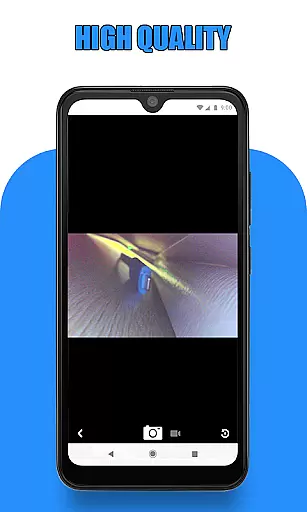
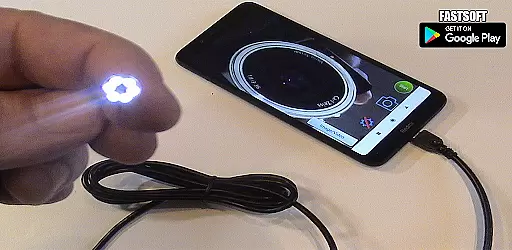
Endoscope Camera Connector is a specialized app designed to connect Android devices with external cameras such as endoscopes, USB cameras, or Borescope cameras. This app functions similarly to an OTG viewer, enabling users to access and control their external cameras directly from their smartphones. By using USB OTG or Type-C connections, the app allows you to view live feeds, record videos with sound, and manage captured media through an integrated gallery feature.
Before using the Endoscope Camera Connector, it's important to ensure that your device supports USB OTG technology and that your camera is UVC-compatible. The app provides a built-in USB OTG checker to verify compatibility. Once connected, users can easily capture photos and record videos, accessing them later through the app’s gallery. This functionality proves particularly useful in professional fields like plumbing, where inspecting blocked drains or sewer lines becomes significantly easier without needing additional drain unblocking tools or plumbing cameras.
The Endoscope Camera Connector offers several notable features that enhance its usability and functionality. Firstly, the app provides seamless integration with various external cameras, supporting both USB OTG and Type-C connections. This versatility ensures that a wide range of devices can be used, including inspection cameras for sewers and Borescopes. Additionally, the app includes a USB OTG checker tool, allowing users to confirm their device's compatibility before proceeding.
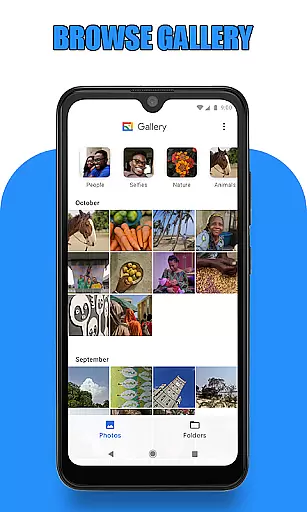
Another key feature is the ability to capture high-quality photos and record videos with sound directly through the connected camera. These media files are then stored and can be accessed via the app’s built-in gallery. The gallery supports easy navigation, viewing, and deletion of captured content. Users can swipe through images and videos, select their preferred media player for video playback, and manage their files efficiently. This comprehensive functionality makes the Endoscope Camera Connector an invaluable tool for professionals requiring reliable and accessible inspection equipment.
Endoscope Camera Connector offers a comprehensive solution for connecting your mobile device with various external cameras, including endoscopes, USB cameras, and Borescope cameras. The app's functionality is designed to ensure broad compatibility, supporting devices like Depstech and sewer inspection cameras.
The app works as an OTG viewer, allowing users to connect their external devices via USB OTG or Type-C connections. Once connected, the app facilitates reading from and writing to these devices, enabling video recording with sound and image capture. This makes it versatile for both casual and professional use, such as plumbing inspections or blocked drain investigations.
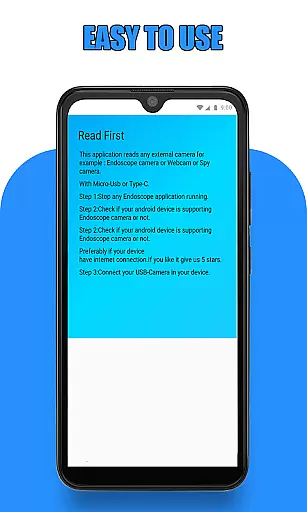
Before using the app, users are guided to check two critical aspects: whether their device supports USB OTG technology and if their USB camera is UVC-compatible. These preliminary steps ensure that the app functions correctly across different devices and use cases, enhancing its reliability and effectiveness.
By providing these detailed functionalities, Endoscope Camera Connector ensures that users can fully leverage their external cameras' capabilities directly from their smartphones, offering a complete and robust solution for various inspection needs.
Usability is a core focus of Endoscope Camera Connector, ensuring that users can easily navigate and utilize its features. Upon opening the app and connecting an endoscope camera via USB, users simply click the camera icon and select 'OK' to start viewing live footage. This straightforward process allows for immediate utilization of the endoscope camera without complex setup procedures.
The app includes intuitive options for capturing photos and recording videos. Users can access all captured media through the integrated gallery feature, which organizes pictures and videos efficiently. By sliding left in the gallery, users can seamlessly switch between viewing images and watching recorded videos, choosing their preferred media player for playback.
Additional user-friendly features include easy deletion of unwanted media. Within the gallery, a long press on any picture or video reveals a deletion icon, streamlining the management of media files. These thoughtful design elements contribute to a smooth operational experience, minimizing user effort while maximizing productivity.
Overall, Endoscope Camera Connector excels in delivering a seamless and efficient user experience, making it accessible even for those who may not be tech-savvy. Its operational smoothness ensures that users can focus on their tasks without being hindered by complicated controls or confusing interfaces.
User-friendly interface
Wide device compatibility
Integrated gallery for media management
Supports video recording with sound
Includes USB OTG checker
Limited to compatible devices
Requires UVC-compatible cameras
No iOS support
Dependent on OTG technology
May need additional adapters

Do you want to drive easy ? do you wanna full mirror link Mobile with your car
 4.10
4.10
Block and secure the microphone and protect from secret listening and recording.
4.50
use your smartphone as Remote control drones .
4.20
Test DPC is a sample device policy controller for use with Android Enterprise.
4.20
Zlink Carplay Android a mirror link app with a Carplay interface style
4.0
Study Bible King James Version: the correct way to learn the Bible with audio
4.80
Turn your phone into a wireless Xbox controller – play, stream & control anytime
4.5
Phone Software Update Quick Checker helps you to keep your phone apps up to date
4.50
Expo is a free & open source platform to build apps using JavaScript and React.
4.70
SmartCast mirrors Android phone to TV screen With Cast Screen, Chromecast.
4.80
Game booster GFX may reduce interruptions and improve gaming experience.
4.50
Enjoy Minecraft Mod Scary Neighbor Granny for Minecraft PE.
4.30
Recite Quran Majeed القران with special 16 line real Kuran page in hand
4.30
Unlock the hidden menus of your phone with our mobile secret codes app.
4.20
charging your phone by other phone easly
4.00
Use your Phone as Drone Controller.
3.70
Identify securely online
3.10
Collection of high-quality, trendy skins and outfits!
4.1
Mirror Link Car Display to share your screen with car dashboard wirelessly
4.4


User Reviews