
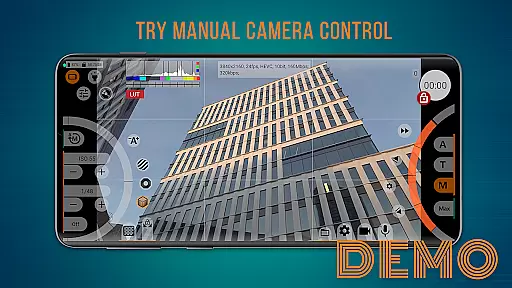
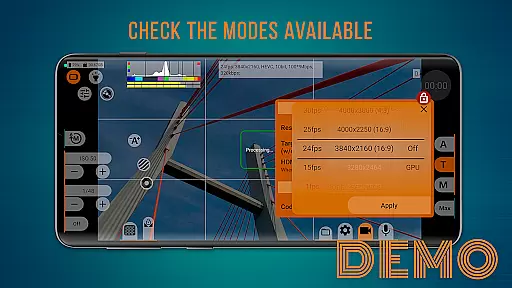
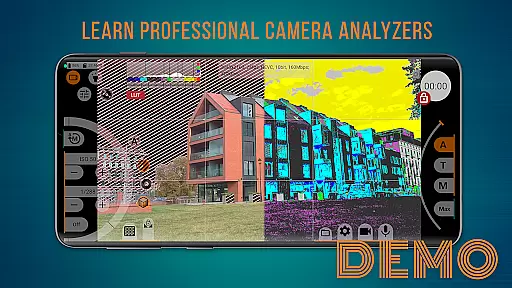
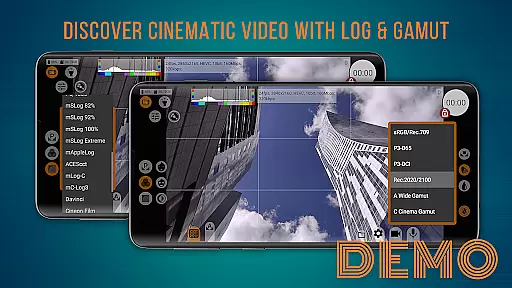
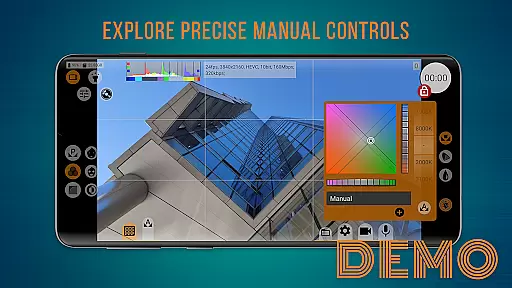
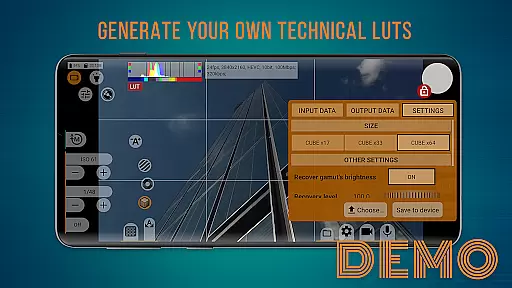
mcpro24fps demo serves as a free demonstration version of the professional camera app mcpro24fps, designed to showcase advanced video shooting capabilities on your smartphone. This app allows users to explore various professional shooting modes and interface features before committing to the full version. With manual settings and advanced tools, it provides an authentic experience of handling a professional-grade camera application.
The app is particularly useful for those who want to evaluate its compatibility and usability with their device. By installing this demo, users can familiarize themselves with the available options and assess whether the app meets their videography needs. It offers a risk-free way to understand the functionalities that will be accessible in the full version, aiding informed purchase decisions.
One of the standout features of mcpro24fps demo is its ability to provide a comprehensive preview of the professional video shooting modes available in the full version. Users can experiment with manual settings such as ISO, shutter speed, and focus, gaining hands-on experience with these advanced controls.
In addition to its core functionality, the app offers an intuitive interface that mimics the full version's environment, ensuring users can seamlessly transition after purchase. The demo also includes access to helpful resources like video tutorials and community support via platforms like YouTube and Telegram, enhancing the overall user experience and learning curve.
Functionality completeness refers to the extent to which an application provides features that cover all necessary aspects of its intended purpose. In the case of mcpro24fps demo, this app offers a comprehensive preview of professional video shooting capabilities tailored for your smartphone.
The demo version allows users to explore various shooting modes and options, providing a clear understanding of what the full version entails. This includes manual settings and advanced tools typically found in professional cameras, ensuring users can make informed decisions before purchasing.
By offering an interface identical to the full version, except for recording capabilities, mcpro24fps demo ensures that users experience the actual usability and convenience of the app's design. This thorough representation helps eliminate doubts regarding functionality and user experience.
Usability is a critical factor in determining how easily users can navigate and operate an application. The mcpro24fps demo excels in delivering a user-friendly interface that simplifies the exploration of professional video shooting features.
Operational smoothness in mcpro24fps demo is evident through its seamless interaction with the smartphoneu2019s hardware. Users can familiarize themselves with the app's layout and controls without facing any significant learning curve or operational hiccups.
This demo ensures that potential buyers understand the practicality and efficiency of using the full version daily. By experiencing the fluidity and responsiveness firsthand, users gain confidence in their decision to invest in the complete application package.
User-friendly interface
Comprehensive feature preview
Manual camera settings
Free demonstration version
Active community support
Limited to demo features
No video recording capability
Restricted advanced options
Device compatibility issues
Requires full version purchase

Game Booster GFX for smoother gaming experience. Enjoy 120 FPS and 4x Game Space
 4.20
4.20
Record with Double Camera Video Recording using Dual Camera Front and Back Video
3.00
A great tool help you to format Micro SD memory Card
3.10
a wireless controller that provides a seamless and gaming experience for players
3.80
Mobs maker Minecraft help MCPE creators make their own mob by using Blockbench
3.50
Al QURAN-القرأن الكريم app to read Quran offline just like an actual Quran book
4.30
CloudEye 365 is a easy-handling APP
3.60
Barcode scanning made simple!
4.40
Now Available on Android ™
3.40
SmartCast mirrors Android phone to TV screen With Cast Screen, Chromecast.
4.80
Expo is a free & open source platform to build apps using JavaScript and React.
4.70
The Free Catholic Latin American Bible in complete Spanish
4.60
Recite Quran Majeed القران with special 16 line real Kuran page in hand
4.30
Unlock the hidden menus of your phone with our mobile secret codes app.
4.20
With Endoscope Camera Connector you can connect your phone with endoscope cam
3.70
Connect and find your Smart Tag 2 devices through our app.
3.60
Experience virtual reality on your smartphone with Cardboard.
3.50
Connect and Find your smart tag via our app.our app is compatible with smarttag.
3.30
DamonSx2 is the open Source LGPL Emulator
3.20


User Reviews