
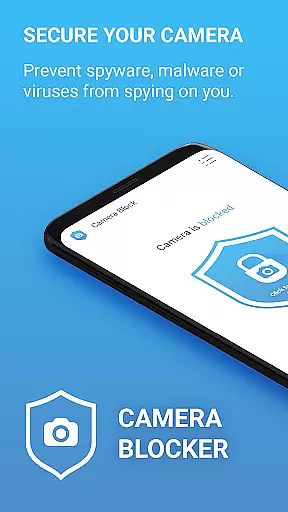

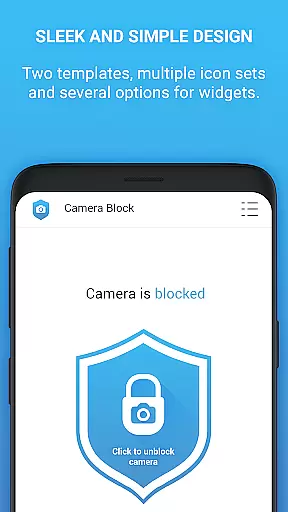
Camera Blocker is a privacy-focused application designed to secure access to your phone's camera and protect against unauthorized surveillance. The app allows users to block camera access with a single click, preventing spyware, malware, or any malicious apps from secretly recording or watching you. It is particularly useful for individuals who are concerned about digital privacy and want an easy solution to safeguard their personal space without requiring root access.
In addition to its core functionality, Camera Blocker offers features such as monitoring which apps have camera permissions, setting automatic blocking schedules, and providing a camera detector and guard system. With over 13,000 five-star ratings, this app has proven its reliability among users looking to enhance their device security while maintaining ease of use through its simple design and helpful dark mode.
Camera Blocker stands out due to its comprehensive approach to user privacy. One of the key features is the ability to disable camera access instantly with just one click, ensuring that no app can secretly use the camera without your knowledge. This feature is crucial in protecting against various threats like spyware, malware, and other surveillance tools that might try to exploit camera permissions.
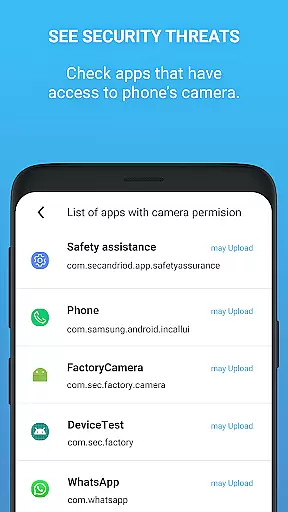
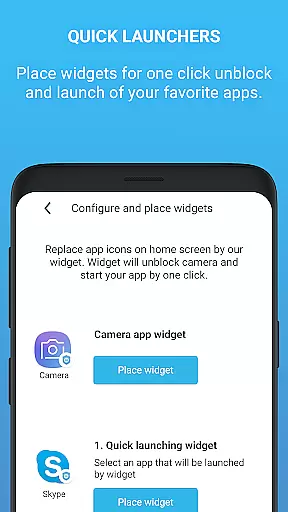
Beyond basic blocking, the app provides advanced functionalities such as monitoring apps with camera access and sending notifications when new apps gain permission to use the camera. Users can also set automatic blocking times and utilize a home screen widget for quick access. The inclusion of a camera detector and guard adds another layer of protection by continuously monitoring potential threats. These features collectively ensure maximum privacy and control over your device’s camera usage.
Camera Blocker offers a comprehensive suite of features designed to protect your privacy by blocking unauthorized access to your phone's camera. The app provides complete functionality for users seeking to secure their devices against spyware, malware, and surveillance threats.
With its one-click solution, users can easily disable camera access, ensuring that malicious apps cannot secretly record or watch them. This simplicity is complemented by advanced options such as automatic blocking times and monitoring capabilities, which alert users when new apps gain camera permissions.
The app also includes educational tools, guiding users through Android permissions and suggesting ways to remove risky apps. These tutorials increase protection levels and promote better security practices, making Camera Blocker an essential tool for safeguarding personal privacy.
For those needing unlimited protection, the PRO version offers extended features like 24-hour security coverage, no ads, and a lifetime license, demonstrating the app's commitment to full-featured privacy solutions.
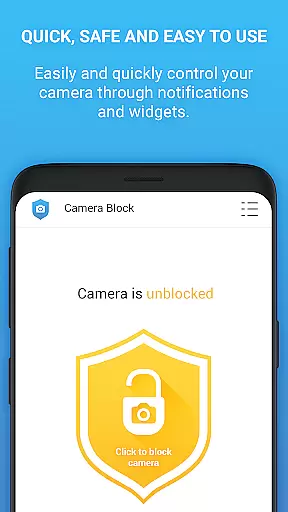
Usability is at the core of Camera Blocker's design, offering a seamless experience with its intuitive interface and straightforward controls. The app ensures operational smoothness by providing clear instructions and easy navigation, allowing users to quickly manage their camera permissions without hassle.
Its user-friendly design includes a home screen widget and notifications for quick access to blocking functions. Additionally, the inclusion of dark mode and customizable icon sets enhances the visual appeal and accessibility of the app, catering to diverse user preferences.
Monitoring apps that have camera access is simplified with the camera detector and guard features, which provide real-time updates and alerts. This proactive approach empowers users to maintain control over their privacy settings effortlessly.
Overall, Camera Blocker combines robust functionality with an accessible interface, ensuring that users can protect their privacy without compromising on ease of use or operational efficiency.
Easy-to-use interface
Effective privacy protection
Automatic blocking schedules
Real-time threat monitoring
No root access required
Limited free version
Occasional notification overload
Some features need PRO upgrade
Design could be more modern
Dependent on system permissions

Use your Phone as Drone Controller.
 3.70
3.70
Sad ringtones full of feeling, sad music ringtones
3.90
A great tool help you to format Micro SD memory Card
3.10
An essential GFX utility developed for specific FPS mobile games
4.50
Zlink Carplay Android a mirror link app with a Carplay interface style
4.1
Enjoy hours of entertainment with our Roblox mobile games app
4.0
Mobs maker Minecraft help MCPE creators make their own mob by using Blockbench
3.50
Al QURAN-القرأن الكريم app to read Quran offline just like an actual Quran book
4.30
Experience virtual reality on your smartphone with Cardboard.
3.50
The Free Catholic Latin American Bible in complete Spanish
4.60
MirrorLink for connecting your Android phone to your car’s infotainment screen.
4.50
Phone Software Update Quick Checker helps you to keep your phone apps up to date
4.50
Game Booster GFX for smoother gaming experience. Enjoy 120 FPS and 4x Game Space
4.20
Demo version of the mcpro24fps manual video camera. Try and buy a full version!
4.00
The best PS2 games from your childhood come to life in their mobile version!
4.00
Mirror link car connector to share your screen with car dashboard
3.80
Ps2 plugins for 64 bit artitechture
3.70
Endoscope camera an app to connect with endoscope cam or any device
3.30
Identify securely online
3.10


User Reviews