
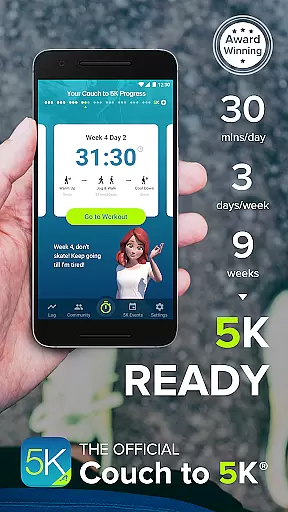
Couch to 5K is an official training app designed to help new runners transition from being inactive to completing a 5K race. The program spans nine weeks, requiring only 20 to 30 minutes of your time, three times a week. It has successfully guided thousands of users to the finish line, making it a trusted choice for beginners.
Developed by Active.com trainers, this app offers features like virtual coaching, audio cues, music integration, and GPS support. Users can track their progress, map routes, and engage with a supportive running community. Its user-friendly interface ensures that even those new to fitness apps can easily navigate and utilize its full potential.
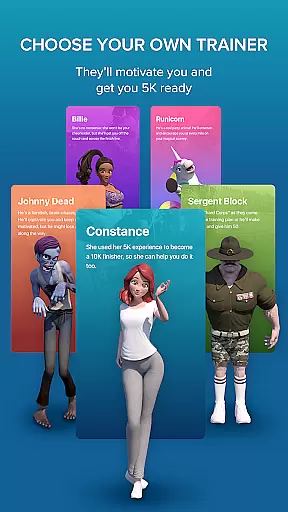
The Couch to 5K app stands out with its comprehensive feature set tailored for beginner runners. One of its key features is the ability to choose from four different virtual coaches, each providing motivation and guidance throughout the program. These coaches deliver human audio cues during workouts, ensuring you stay on track without needing to look at your device.
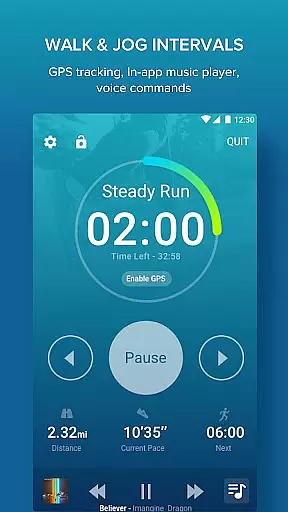
Additionally, the app integrates seamlessly with your music playlists, allowing you to listen to your favorite tunes while working out. With free GPS support, users can calculate distance and pace, map their routes, and log their workouts. The app also supports treadmill workouts and provides graphs to compare performance over time, helping users visualize their progress and stay motivated.
Personalized planning in fitness applications refers to the ability to tailor workout programs specifically to individual users based on their current fitness levels, goals, and progress. Couch to 5K excels in this area by offering a structured nine-week program designed by Active.com trainers.
The app provides users with a clear path from being inactive to completing a 5K run, adapting to the user's pace and improvements over time. This ensures that each user can progress safely and effectively without feeling overwhelmed or under-challenged.
By integrating human audio cues and virtual coaching from four different motivating coaches, Couch to 5K delivers an interactive and personalized training experience. These features guide users through each workout session, making sure they are performing exercises correctly and staying motivated.
Ultimately, personalized planning in Couch to 5K helps users build confidence and achieve their running goals, reducing the risk of injury and ensuring long-term adherence to an active lifestyle.
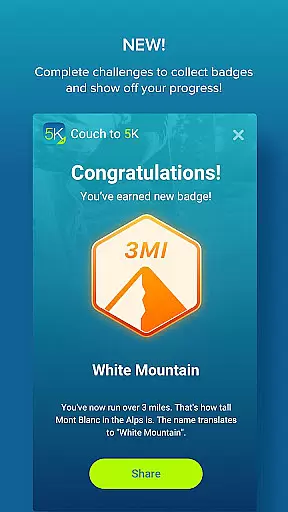
Progress visualization is a crucial feature in fitness apps as it allows users to see their advancements over time, providing motivation and a sense of accomplishment. Couch to 5K offers robust tools for tracking and visualizing progress throughout the nine-week program.
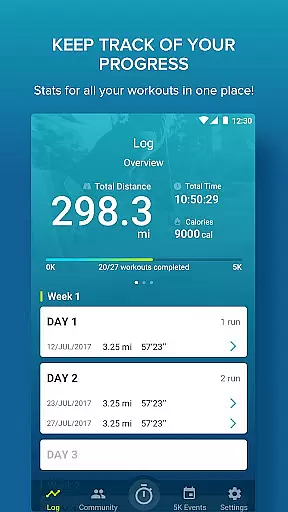
Users can log their workouts and track key metrics such as total distance and average pace. The app also includes graphs that compare distance and pace across workouts, enabling users to visually assess their improvement and make necessary adjustments to their training.
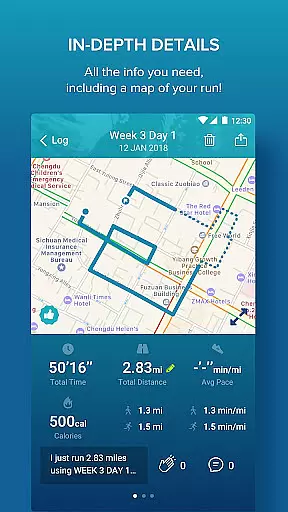
Additionally, Couch to 5K supports GPS functionality to map routes and calculate distances and speeds accurately. This data enriches the progress visualization by giving users precise feedback on their runs, which enhances the reliability of their tracked progress.
By clearly illustrating progress through various metrics and visual aids, Couch to 5K keeps users engaged and motivated, helping them stay committed to their fitness journey and ultimately succeed in reaching their goals.
User-friendly interface
Comprehensive training plan
Virtual coaching options
Integrated music player
Free GPS support
Limited advanced features
No video tutorials
Premium version required
Occasional bugs
Basic social sharing

The simplest way to track your 21 Day Program containers, exercises, and water.
 4.50
4.50
Power-lifting, weightlifting and Wendler 531 app to track your workout program.
4.90
a fun app full of surprises :)
4.70
The app helps you address digestive symptoms based on the Fast Tract Diet.
3.50
Walk. Earn: Get rewarded for every step! Walk, move, and earn real rewards.
4.70
FODMAP, Gluten, Allergy, Vegan
4.50
Fast Body building & Weight Loss. Home Workouts with Daily Coach, No Equipment.
4.30
GloryFit is a companion app for the smart bracelet.
3.60
Lazy home workouts with your virtual fitness coach for weight loss.
4.30
Beauty Care, Makeup & Skin Care Scanner | Pregnancy App For A Mom | Healthy Baby
5.00
Wall Pilates at home & Pilates workout for beginners for core and weight loss.
4.80
Step Counter, track steps when you walk or run
4.70
Build Healthy Habits!
4.60
See what's really going on inside your head! Real time EEG graphs from your Muse
4.40
Pedometer that gives you sweatcoins for steps. It pays to walk!
4.10
beat yesterday.
4.00
Your Health Has Met Its App (℠)
3.90
Live Heart Rate Pro - Real Time Heart & Workout Data For Wear OS & Bluetooth BLE
3.20
Optimization for TRT & Enhanced Athletes
4.1


User Reviews