
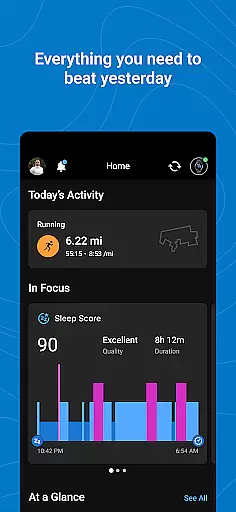
Garmin Connect is a comprehensive health and fitness application designed to help users achieve their wellness goals. The app pairs seamlessly with Garmin devices, such as Forerunner, Venu, and fēnix, offering detailed tracking of activities and health metrics.
Users can personalize their dashboard for quick access to vital information, analyze performance through in-depth statistics, and create tailored workouts. With features like health trend monitoring, achievement badges, and third-party app integration, Garmin Connect provides both motivation and insights to enhance your fitness journey.
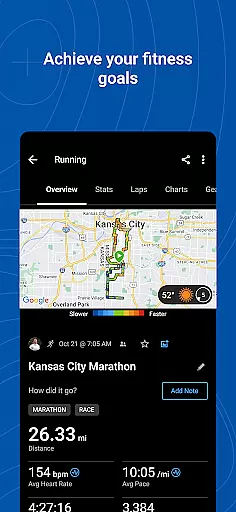
Garmin Connect stands out with its robust feature set tailored for fitness enthusiasts. The app offers advanced data analysis tools that provide comprehensive statistics on your activities, allowing you to track progress over time.
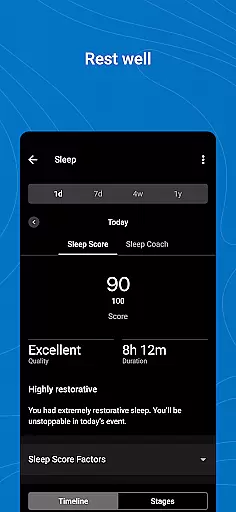
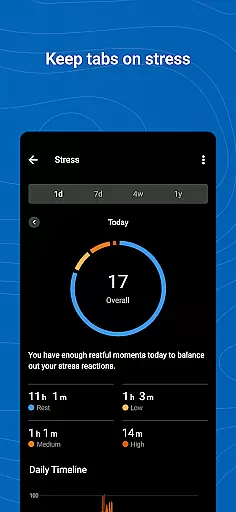
Beyond activity tracking, Garmin Connect supports the creation of customized workout plans and courses. It also monitors various health metrics including heart rate, sleep patterns, and stress levels. Integration with platforms like MyFitnessPal and Strava extends its functionality, making it a versatile tool for managing all aspects of your health and fitness.
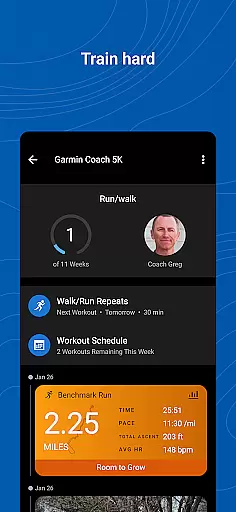
Garmin Connect offers personalized planning features that allow users to tailor their fitness journey according to individual needs and goals. This includes creating customized workouts and courses, which can be specifically designed to match one's fitness level and objectives.
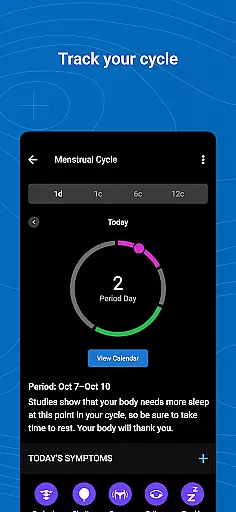
The app provides detailed statistics for analyzed activities, enabling users to adjust their plans based on accurate data. By reviewing trends in health metrics such as heart rate, steps, sleep, stress, menstrual cycle, weight, and calories, users can create a more effective and personalized fitness plan.
Additionally, Garmin Connect supports syncing with other apps like MyFitnessPal and Strava, enhancing the personalized planning experience by integrating various data sources for a comprehensive overview of the user's health and fitness status.
Visualizing progress is crucial for maintaining motivation and achieving fitness goals, and Garmin Connect excels in this area. The app provides a variety of ways to track and display your advancements, including earning badges for accomplishments, which serve as visual indicators of success.
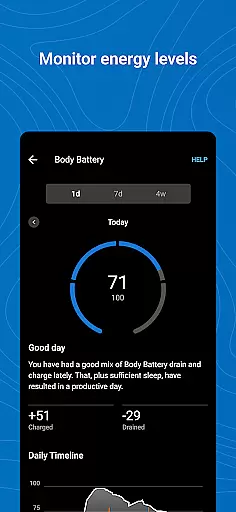
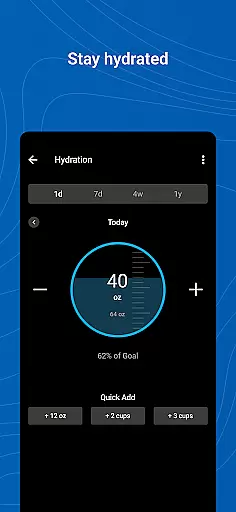
Users can review trends in their health metrics, such as heart rate, steps taken, sleep quality, stress levels, and more. These visual representations help individuals understand their progress over time and make necessary adjustments to their routines.
Furthermore, Garmin Connect's ability to sync with other apps like MyFitnessPal and Strava allows for an enriched visualization experience, combining multiple data points into a cohesive story of the user's fitness journey, thus providing clear and actionable insights.
User-friendly interface
Comprehensive health metrics
Customizable workouts
Integration with third-party apps
Detailed activity analysis
Requires compatible Garmin device
Background GPS drains battery
Limited functionality without premium
Occasional syncing issues
Subscription fees for advanced features

Using Recognise™ has been shown to reduce pain, and improve performance.
 4.3
4.3
The OFFICIAL Couch to 5K® running training app! A 9 week walk-run workout plan.
4.50
3D Body Measurement System
3.60
Pilates, Calisthenics, Yoga
4.50
Blood Pressure Log, HRV & Heartbeat Tracker. Pulse Checker.
4.40
Manage your and your family's health information.
4.60
Jogging app for calorie counter and distance tracker. Running app to lose weight
4.20
Monitor blood sugar, gain insights, and manage diabetes with ease.
3.20
Control your blood pressure, heart rate and blood sugar in a fast way.
4.00
Medbridge GO gets you moving - get back to doing what you love, faster!
4.90
Easy reconstitution calc for mixing peptides and creating protocols
4.70
Load the bar with this barbell & plate calculator. It's leg day, not brain day!
4.70
Measure your Pupil Distance for Eyeglasses and VR headsets in 3 quick steps.
4.70
Walk. Earn: Get rewarded for every step! Walk, move, and earn real rewards.
4.70
Eat smarter with Eato, your personal calorie counter and nutrition tracker!
4.40
Track sleep cycle, relax with white noise, sleep sounds & smart alarm clock
3.80
Live Heart Rate Pro - Real Time Heart & Workout Data For Wear OS & Bluetooth BLE
3.20
The Wear OS BeechBand app is designed to alleviate anxiety and other conditions
4.4
Transform your body and soul with DBFFitness, with a 40-day fitness journey.
4.4


User Reviews