
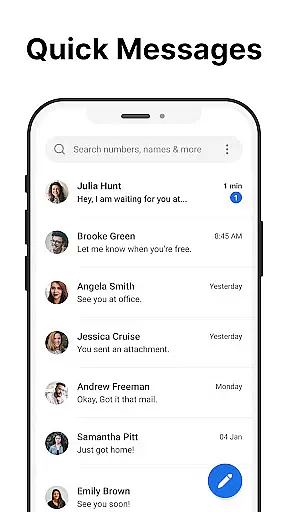
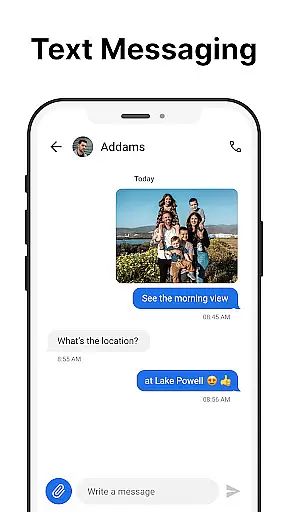
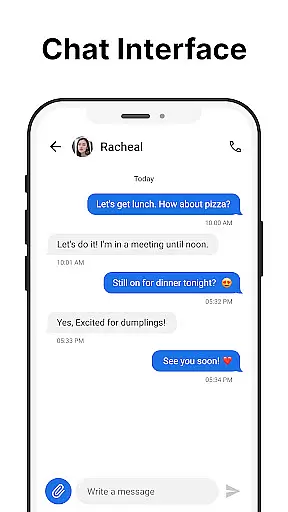
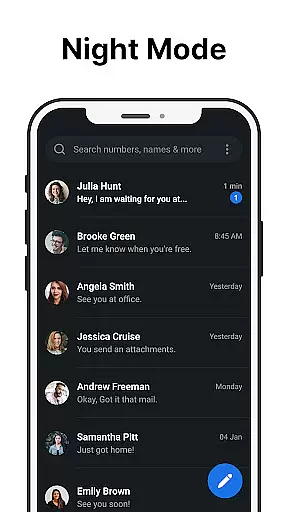
Messages is a robust SMS messaging app designed specifically for Android users who value simplicity and reliability. The app allows you to send and receive text messages without requiring an internet connection, making it ideal for areas with poor connectivity. Its intuitive interface ensures that managing your communications is effortless.
One standout feature of Messages is the After Call screen, which provides instant access to your SMS inbox right after each phone call. This functionality streamlines communication by allowing users to respond to calls with text messages promptly. Whether you're scheduling future texts or blocking spam, Messages offers tools that enhance your texting experience while keeping your conversations organized and secure.
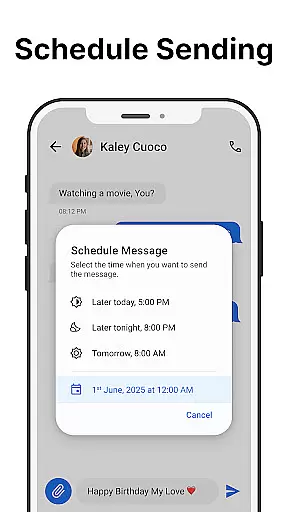
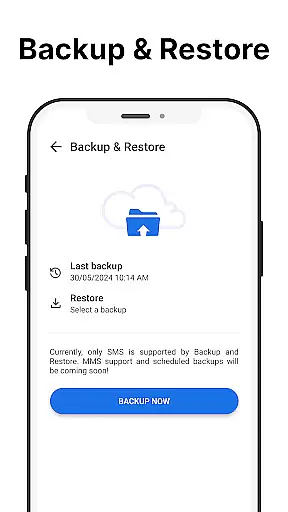
Messages comes packed with features that cater to both casual and power users. You can schedule messages to be sent at a later time, create and manage group chats, and even back up and restore your messages to prevent data loss. These functionalities ensure that you have control over your communications while safeguarding important information.
In addition to practical messaging tools, Messages also offers customization options such as dark mode, custom notifications, and the ability to pin essential chats to the top of your inbox. Spam blocking and message search further enhance usability by helping you maintain an organized and distraction-free environment. With its reliable performance and user-centric design, Messages stands out as a top choice for Android users seeking a dependable SMS solution.
Real-time messaging speed and reliability are crucial for effective communication. Messages ensures that every text you send reaches the recipient instantly without delays, making it ideal for time-sensitive conversations.
The app achieves this through optimized data transmission protocols and a robust server infrastructure. This guarantees that messages are delivered promptly even during peak usage times or in areas with poor network coverage.
Users benefit from knowing their communications are dependable. Whether sending important updates to family or coordinating with colleagues, the assurance of message delivery provides peace of mind.
This reliability enhances user experience by fostering trust in the app's performance. With Messages, users can focus on their conversations without worrying about technical disruptions.
Media sharing support is an essential feature for modern messaging apps. Messages allows users to easily share photos, videos, and audio files, enhancing communication beyond simple text exchanges.
The app supports various file formats and sizes, ensuring compatibility across devices. Its intuitive interface makes attaching and sending media files straightforward, even for less tech-savvy users.
This functionality enables richer interactions between users. Sharing memorable moments or important documents becomes seamless, strengthening personal and professional relationships.
By incorporating comprehensive media sharing capabilities, Messages distinguishes itself as a versatile communication tool suitable for diverse user needs.
User-friendly interface
Offline functionality
Message scheduling
Spam protection
Customizable themes
Limited multimedia support
No cloud backup
Occasional ads
Basic UI design
Device compatibility

 3.90
3.90
WazzapMigrator: transfer your WhatsApp history from iPhone to Android
4.00
Chat on the Jabber network (XMPP protocol); support for SMS and other gateways
2.10
Fast, Simple And Secure Application That Provides SMBv3 Server On Your Device
3.30
Weargram is an unofficial Telegram Client for Wear OS.
3.50
Read OBD2 data and DTCs Create custom dashboards Enhanced diagnostics available
4.70
Stay in touch with the people who matter most.
4.60
Say “hello” to privacy.
4.60
Enhance browsing with AI-powered features and Copilot.
4.70
Connect and browse the internet with a fast VPN proxy server and IP blocker.
4.50
Fast and mini browser with Ad Blocker,Video Downloader and Video Player
4.40
Caller ID App! Add names & photos to unknown calls & Call Recording
4.40
RemoteHams.com Android RCForb Client Pre-Release
4.30
SMS Messenger is a lightning-fast messaging app.
4.20
Federated instant messaging for your mobile device (Jabber, XMPP, Snikket)
4.10
Quickly and easily identify and block unknown callers
3.70
Secure Messaging App to Enhance Messenger Texting Experience and Organize SMS.
3.50
Comprehensive and powerful scan tool app with enhanced functions
3.00
Radio communication simulator for gaming communities
4.4


User Reviews