
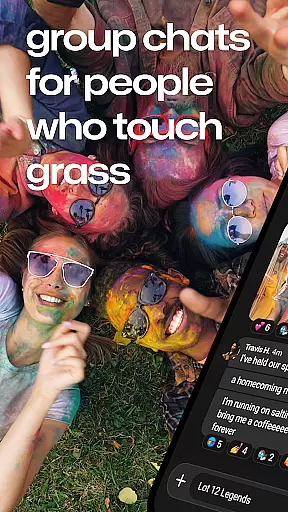
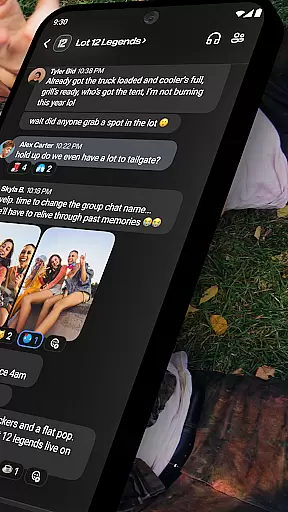
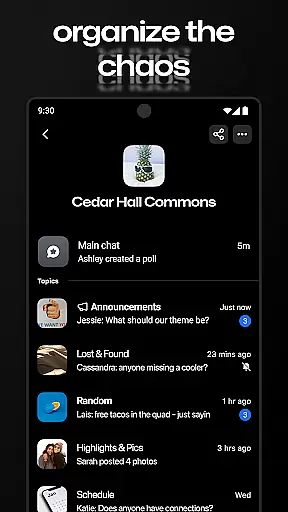



GroupMe is a free communication app designed to help users stay connected with important groups in their lives. Whether it's family, friends, coworkers, or other communities, this app makes group messaging simple and efficient. Available on both mobile devices and computers, GroupMe allows users to create group chats, send texts, images, GIFs, and even share web content seamlessly.
The app offers advanced features like customizable notifications, exclusive emoji packs, and the ability to add people via phone number or email. Users can also enjoy direct messaging that enhances one-on-one conversations beyond traditional texting. With its integrated gallery, GroupMe ensures that shared memories are easily accessible for future viewing. It’s an ideal tool for anyone looking to maintain meaningful connections regardless of distance.
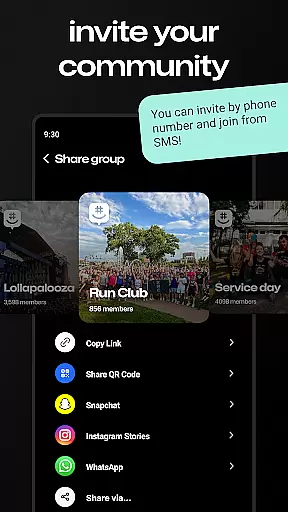
GroupMe stands out with its versatile communication tools tailored for group interactions. One of its key features is the ability to add members to a group chat using just their phone numbers or email addresses, even allowing SMS-based chatting for those without the app. The notification settings provide complete user control, enabling muting of specific chats or the entire app as needed.
Beyond basic messaging, GroupMe offers unique ways to express yourself through custom emojis and meme sharing. Its integration with GIF searches and URL previews enriches conversations by bringing internet content directly into chats. Additionally, the app includes a gallery feature that automatically saves shared photos and videos, making it easy to revisit past content. With cross-platform support, including desktop access via groupme.com, GroupMe ensures you can communicate wherever you are.
Real-time messaging is a critical feature for any communication app, and GroupMe excels in this area. The app ensures that messages are delivered instantly, allowing users to maintain seamless conversations without delays.
GroupMe's infrastructure is designed to handle high volumes of messages simultaneously, ensuring reliable delivery even during peak usage times. This reliability is crucial for maintaining the flow of conversation among family, friends, or coworkers.
Moreover, the app provides users with delivery receipts, so they can be confident that their messages have been received. This feature enhances the trust in the communication process, knowing that important messages will not be missed.
In addition to speed and reliability, GroupMe also offers users control over their messaging experience. Users can mute notifications for specific chats or the entire app, tailoring their real-time messaging experience to their personal needs.
Sharing media is an essential part of modern communication, and GroupMe offers robust support for exchanging photos, videos, and other files. Users can easily share images and videos within group chats or direct messages, enhancing the way they communicate with visual content.
The app includes a gallery feature that automatically saves shared media, allowing users to revisit memories at any time. This functionality not only preserves important moments but also makes it easy to find and relive past experiences shared within the group.
GroupMe goes beyond just photo and video sharing by supporting links that display rich content directly in the chat. Whether it's memes, GIFs, or web links, users can see previews without leaving the app, streamlining the sharing and viewing process.
With these media sharing capabilities, GroupMe transforms simple text-based conversations into dynamic interactions filled with engaging multimedia content, making every chat more lively and meaningful.
User-friendly interface
Customizable notifications
Integrated media gallery
Cross-platform support
Exclusive emoji library
SMS limited to US
No video calls
Basic UI design
Limited file sharing
Occasional bugs

 3.90
3.90
A web browser that respects your privacy.
4.30
This app enables the phone to receive and send FT8 traffic!
3.80
Welcome to the future of phone service.
4.60
Fast Dialer & Contact Manager with Caller ID and Spam Protection
4.00
Call Blocker app: Identify unknown callers, block spam calls, fraud & robocalls
4.30
Chill zone on your phone: relax with fun reels & hype shorts!
4.20
Enhance browsing with AI-powered features and Copilot.
4.70
Telegram is a messaging app with a focus on speed and security.
4.00
فیلتر شکن قوی پرسرعت کلید جدید برای اندرویدسریع ترین وی پی ان برای همه اپراتورها
4.70
Useful. Social. Expressive.
4.70
Build your web browser around you with private search, and more.
4.60
Create a secure hotspot on-the-go with Portable WiFi - Mobile hotspot.
4.40
RemoteHams.com Android RCForb Client Pre-Release
4.30
Use this SMS app standalone or as a TREK: Total Interface companion.
4.30
BiP is a fast, secure, free messaging and HD video calling app!
4.10
Messages is Private SMS Messenger 2023 with text message, instant messaging.
4.00
Quickly and easily identify and block unknown callers
3.70
Official NDI app: turn your phone into a professional live-streaming IP camera.
3.20


User Reviews