
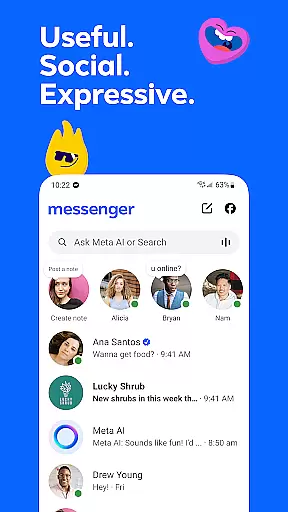



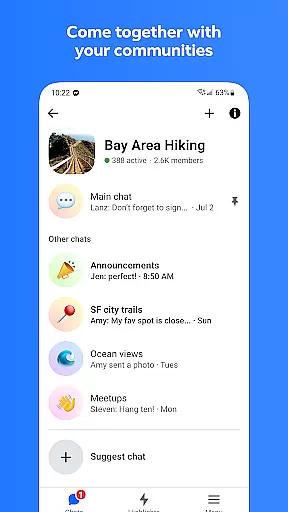

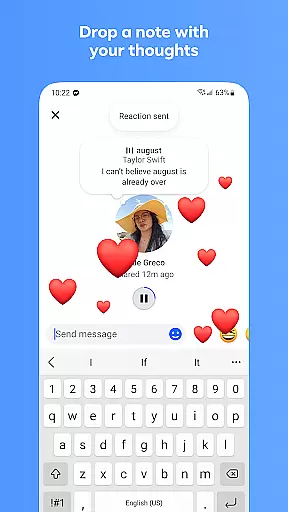

Messenger is a versatile communication app that allows users to connect with friends and family effortlessly. The app supports instant messaging, voice calls, and video calls across different platforms, making it easy to stay in touch regardless of location. With features like Meta AI assistant integration, high-definition photo sharing, and disappearing messages, Messenger offers both practicality and fun.
One standout feature is the ability to create shared albums for group chats, allowing users to collaboratively organize photos and videos from events such as vacations or family gatherings. Additionally, tools like QR code scanning simplify adding new contacts, while support for large file transfers ensures productivity remains uninterrupted. Whether you're engaging with communities or interacting with creators through broadcast channels, Messenger provides numerous ways to build meaningful connections.
Messenger stands out with its comprehensive set of communication tools designed to enhance user interaction. The inclusion of an AI assistant adds significant value by providing instant answers, homework help, and advice directly within conversations. High-definition photo sharing and shared album creation enable richer multimedia experiences when reminiscing about important moments with groups.
For professional use cases, Messenger allows sending large files up to 100MB without leaving the chat window. Disappearing messages offer privacy-conscious options for sensitive discussions, while message editing capabilities ensure flexibility post-send. Customizable themes let users personalize their chats according to mood or occasion, supported by animated stickers, GIFs, and reactions for expressive communication beyond plain text.
Real-time messaging speed and reliability are crucial for seamless communication in any messaging app. Messenger ensures that your messages are delivered instantly, allowing you to stay connected with friends and family without delays.
The app uses advanced server infrastructure and optimized data transmission protocols to maintain high-speed message delivery. This means that whether you're sending a simple text or a large file, the process is quick and reliable.
For users, this translates into uninterrupted conversations, where messages appear on the recipient's end almost immediately after being sent. This feature is particularly beneficial during important discussions or time-sensitive communications.
Moreover, Messenger's reliability ensures that even during peak usage times, the service remains stable, preventing missed messages or disruptions. This consistency enhances user trust and satisfaction, making it a dependable choice for daily communication needs.
Media sharing support is an essential feature of modern messaging apps, enabling users to exchange various types of media seamlessly. Messenger excels in this area by allowing users to send high-definition photos, videos, and large files directly within chats.
The app supports multiple file formats, including Word documents, PDFs, and Excel sheets, with a maximum size of up to 100MB. This versatility ensures that users can share comprehensive work documents or detailed reports without worrying about file size limitations.
In addition to document sharing, Messenger offers enhanced photo and video sharing capabilities. Users can send clearer, crisper images of their favorite moments, preserving the quality of shared memories. The ability to create shared albums further enriches group interactions by organizing collective experiences.
Overall, Messenger's robust media sharing features not only facilitate efficient communication but also enhance personal connections through rich multimedia exchanges, setting it apart from many competitors in the Communication category.
Free messaging and calling
High-definition photo sharing
AI assistant integration
Shared album creation
Customizable chat themes
Limited Meta AI availability
Privacy concerns with data
Occasional bugs reported
Heavy resource usage
Complex interface for new users

Manage your data, talk & text - affordable phone plans & data usage made simple
 4.30
4.30
Tether to Windows, OS X, Linux PCs or Android tablets. No root. No tether fees.
3.90
Fast and simple walkie talkie app
4.20
Pure modern IRC experience for Android
3.70
Experience real private browsing without tracking, surveillance, or censorship.
4.50
Create a secure hotspot on-the-go with Portable WiFi - Mobile hotspot.
4.40
Comprehensive and powerful scan tool app with enhanced functions
3.00
TeamSpeak - Secure Chat for Gaming & Business
3.10
Say “hello” to privacy.
4.60
Fast internet with AI, Adblock & VPN. Browse on a safe, incognito web browser.
4.70
فیلتر شکن قوی پرسرعت کلید جدید برای اندرویدسریع ترین وی پی ان برای همه اپراتورها
4.70
Caller ID App! Add names & photos to unknown calls & Call Recording
4.40
Group Chat That’s Fun & Games
4.30
A customizable phone number in the cloud
4.20
BE PRIVATE
Anonymous. No Trace. Fast.
4.20
Fast Dialer & Contact Manager with Caller ID and Spam Protection
4.00
Messages is Private SMS Messenger 2023 with text message, instant messaging.
4.00
A softphone with crystal clear SIP Calling & Reliable VoIP dialer
4.00
A Browser with powerful ad blocker to help focus on what really matters.
3.00


User Reviews