

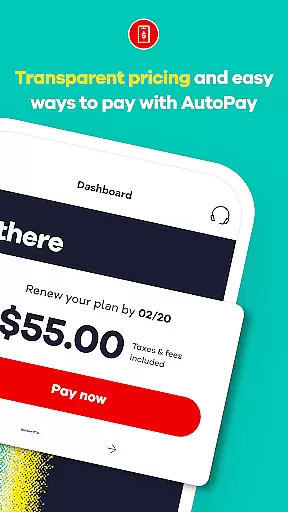
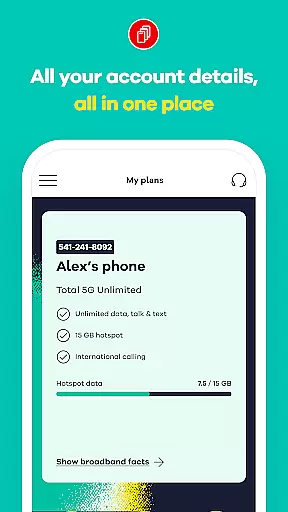
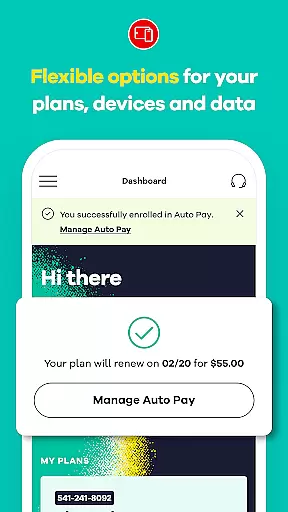
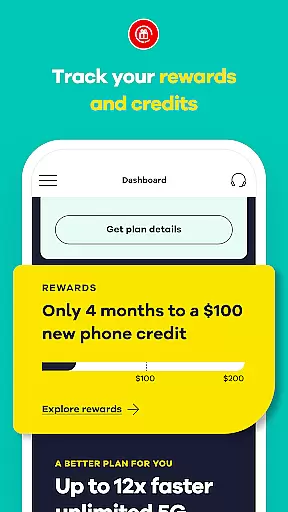
My Total Wireless: Account App is a comprehensive communication tool designed to help users manage their Total Wireless account with ease. The app provides detailed tracking of payments, plans, rewards, and data usage, ensuring that users maintain complete control over their phone service. With its intuitive interface, the app simplifies plan management and offers quick access to critical account details, making it an essential utility for anyone on the Verizon Wireless 5G network.
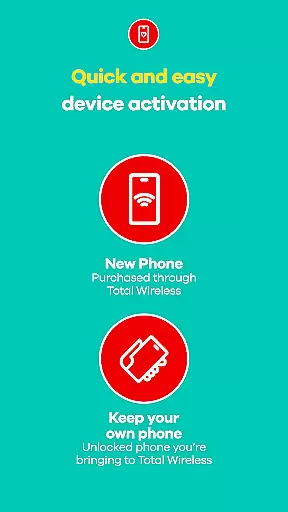
One of the standout features of My Total Wireless is its newly improved Activation experience, which allows users to get started quickly and stay connected. Whether you're monitoring unlimited data usage or managing multiple devices, this app ensures seamless connectivity. Additionally, the app supports special offers like free phones with select plans, further enhancing its value proposition for both new and existing customers.
My Total Wireless: Account App offers a robust set of features tailored to streamline your mobile account management. Users can easily organize and monitor their devices and data usage, even with unlimited plans. This functionality ensures that you stay informed about your consumption patterns and can optimize accordingly. The app also simplifies staying on top of your current plan, providing seamless connectivity without unnecessary complications.
The app stands out with its support for 5G network plans, offering reliable mobile network options starting at just $40. It includes tools for switching to enhanced 5G or 5G+ Unlimited plans, potentially earning you a free phone with limited-time offers. Furthermore, the Total Wireless Wallet feature allows users to add funds directly within the app, facilitating purchases of service plans, devices, and accessories. These capabilities collectively ensure that users have full control over their mobile network services while enjoying added benefits like reward tracking and redemption.
Real-time messaging speed and reliability are crucial for any communication app, ensuring that users can send and receive messages instantly without delays or interruptions. My Total Wireless: Account App excels in this area by providing seamless access to all account details at a glance, allowing users to manage their devices and monitor data usage effortlessly.
The app's infrastructure is designed to handle high volumes of user interactions simultaneously, maintaining optimal performance even during peak usage times. This ensures that whether you're checking your payment history or updating your plan, the information is always up-to-date and readily available.
For users, this means they can trust the app to provide timely notifications about their account status, upcoming payments, and rewards. The reliability of real-time updates enhances the overall user experience, making it easier to stay on top of their mobile service needs.
Moreover, the app's integration with the Verizon Wireless 5G network further boosts its messaging capabilities. With faster connectivity and improved network stability, users can enjoy uninterrupted access to their account information, ensuring they remain connected and informed at all times.
Media sharing support is an essential feature for modern communication apps, enabling users to share various types of media files such as images, videos, and documents seamlessly. My Total Wireless: Account App offers robust media sharing capabilities, allowing users to upload and download important account-related documents directly through the app.
The app supports multiple file formats, ensuring compatibility with a wide range of devices and operating systems. Whether you need to upload a proof of purchase for a new device or download a copy of your latest bill, the process is straightforward and efficient.
Additionally, the app's enhanced activation experience streamlines the setup process for new users, ensuring they can quickly start sharing media files related to their account. This feature is particularly useful for customers who frequently interact with customer support or need to submit documentation for promotions or rewards programs.
By offering comprehensive media sharing support, My Total Wireless: Account App empowers users to manage their accounts more effectively, enhancing both convenience and productivity. The ability to handle large files and maintain high-quality transfers ensures that users can rely on the app for all their media sharing needs.
User-friendly interface
Comprehensive account management
Supports 5G network plans
Free phone offers available
Reward tracking system
Limited to Total Wireless customers
Requires constant service for rewards
Auto-renewal opt-in necessary
Device compatibility issues
Geographical limitations

Enables Plus features of Quick Search.
 4.2
4.2
A web browser that respects your privacy.
4.30
SMS Messenger ensures that communication become effortless and accessible.
3.80
Messages: Fast, simple SMS app with scheduling and smart features.
4.00
Manage BoostMobile Account
4.60
Manage and Fund Calling Accounts and Schedule and Join Video Sessions
3.60
Fast Dialer & Contact Manager with Caller ID and Spam Protection
4.00
Caller ID App! Add names & photos to unknown calls & Call Recording
4.40
A softphone with crystal clear SIP Calling & Reliable VoIP dialer
4.00
Fast internet with AI, Adblock & VPN. Browse on a safe, incognito web browser.
4.70
Adblock & VPN Browser: Blocks banners, pop-ups and video ads, fast downloader!
4.60
Smart and simple anti-wiring application - IMSI-catchers catcher
4.40
Use this SMS app standalone or as a TREK: Total Interface companion.
4.30
Group Chat That’s Fun & Games
4.30
Enjoy secure messaging & calling. Safe Messenger: group chats, calls, messages.
4.20
Call & Text Anywhere With A Canadian Number.
3.60
At select facilities, you now have an easy way to video visit your loved ones!
3.30
A Browser with powerful ad blocker to help focus on what really matters.
3.00
Chat on the Jabber network (XMPP protocol); support for SMS and other gateways
2.10


User Reviews