
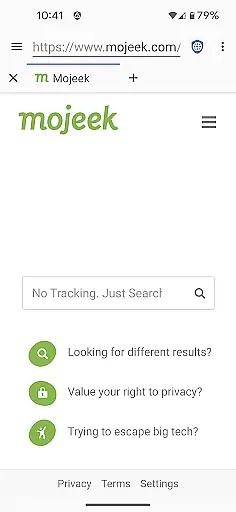
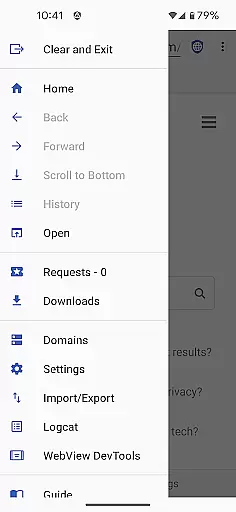
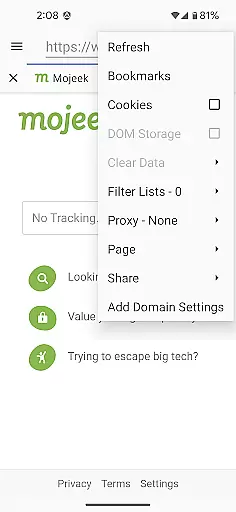
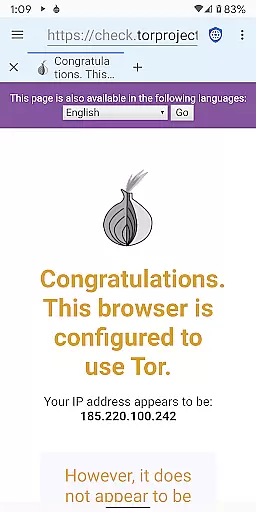
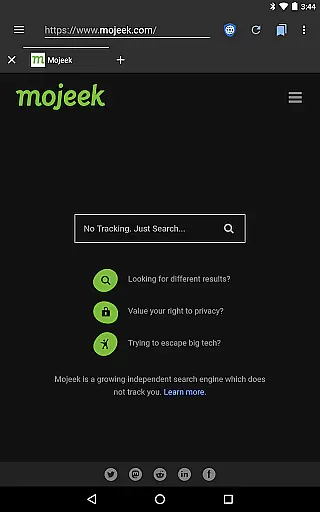
Privacy Browser is a communication-focused app designed to protect user privacy by minimizing data collection both online and locally. The app achieves this by disabling privacy-sensitive features by default, allowing users to enable them temporarily or on a per-site basis through domain settings. This ensures that websites and ad networks cannot easily track user activity through technologies like JavaScript, cookies, and DOM storage.
In addition to its privacy-centric approach, Privacy Browser leverages Android’s built-in WebView for rendering web pages, with plans to transition to Privacy WebView in future updates. This will introduce advanced privacy features while maintaining compatibility with the latest standards. By integrating tools like EasyList ad blocking, Tor Orbot proxy support, and SSL certificate pinning, Privacy Browser offers a secure browsing experience tailored for privacy-conscious users.
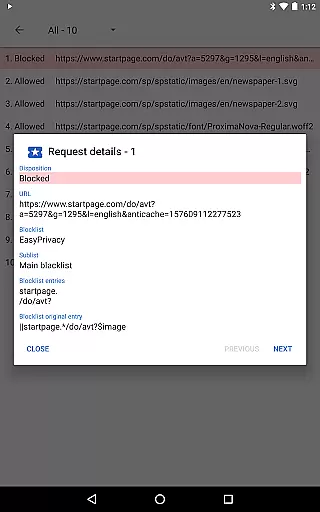
Privacy Browser stands out with its robust set of privacy-enhancing features. One of its core functionalities is the ability to block ads using integrated EasyList ad-blocking technology, ensuring a cleaner and safer browsing experience. Additionally, the app supports Tor Orbot proxy, enabling anonymous browsing by routing traffic through the Tor network. SSL certificate pinning further enhances security by preventing man-in-the-middle attacks.
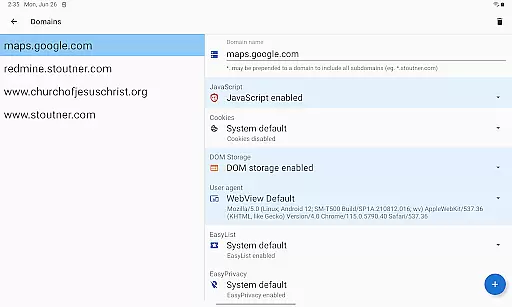
The app also allows users to manage their privacy preferences effectively. For instance, users can configure domain-specific settings to automatically enable certain features when visiting trusted sites and disable them afterward. This flexibility ensures that functionality is preserved where needed without compromising overall privacy. With these features, Privacy Browser empowers users to take control of their online presence and safeguard their personal information against misuse.
Privacy Browser excels in providing real-time messaging speed and reliability by minimizing the data sent to the internet. This ensures that your communications remain fast and uninterrupted while maintaining a high level of privacy protection.
The browser disables privacy-invasive features by default, allowing users to enable specific functionalities only when necessary. This selective enabling of features contributes to faster browsing and messaging speeds as fewer resources are used for tracking and data collection.
Additionally, Privacy Browser supports SSL certificate pinning and Tor Orbot proxy, enhancing the security and reliability of your connections. These features ensure that your messages are delivered securely and without unnecessary delays.
Privacy Browser offers robust media sharing support while ensuring that user privacy is not compromised. By minimizing the data stored on the device, it provides a secure environment for sharing images, videos, and other media files.
Integrated EasyList ad blocking prevents intrusive ads from interfering with media sharing, offering a seamless experience. Users can share media files directly through the browser without the concern of unwanted tracking or data collection.
Furthermore, Privacy Browser allows for the import and export of settings and bookmarks, making it convenient to manage and share your preferences across devices. This functionality ensures that your media sharing experience remains consistent and personalized.
Strong privacy protection
EasyList ad blocking
Tor Orbot proxy support
SSL certificate pinning
Domain-specific settings
Limited WebView features
No built-in tracker
Requires manual setup
Advanced for beginners
Few customization options

Secure Messaging App to Enhance Messenger Texting Experience and Organize SMS.
 3.50
3.50
Use this Dialer app alone or as a TREK: Total Interface companion.
4.70
Google's fast and secure browser
4.10
Manage BoostMobile Account
4.60
Quickly and easily identify and block unknown callers
3.70
Messages is Private SMS Messenger 2023 with text message, instant messaging.
4.00
Fast, Simple And Secure Application That Provides SMBv3 Server On Your Device
3.30
Smart and simple anti-wiring application - IMSI-catchers catcher
4.40
BE PRIVATE
Anonymous. No Trace. Fast.
4.20
Read OBD2 data and DTCs Create custom dashboards Enhanced diagnostics available
4.70
The ultimate productivity solution for all your email communication needs.
4.40
Get through your inbox faster with the mail app designed to simplify your life.
4.40
Phone Dialer with Caller ID, Address Book & Contacts Manager.
4.30
2nd Phone Number Line for Anonymous Texting, Calling, and Picture Messages
4.30
Enjoy secure messaging & calling. Safe Messenger: group chats, calls, messages.
4.20
Federated instant messaging for your mobile device (Jabber, XMPP, Snikket)
4.10
Pure modern IRC experience for Android
3.70
Chat on the Jabber network (XMPP protocol); support for SMS and other gateways
2.10
An app dedicated solely to marriage, not dating, and supported by a rigorous verification mechanism to ensure seriousness.
4.0


User Reviews