
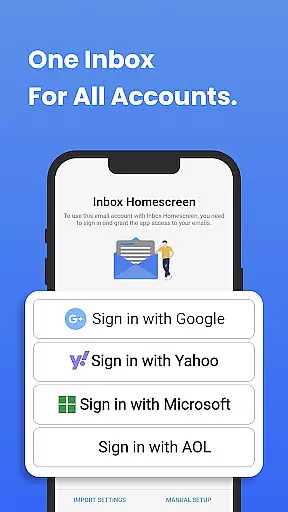
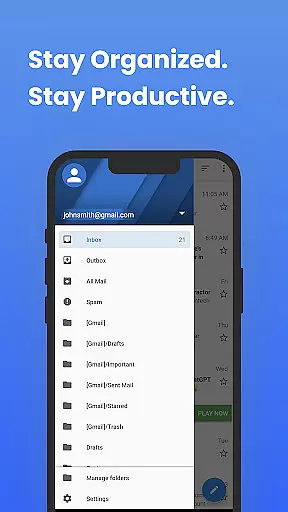
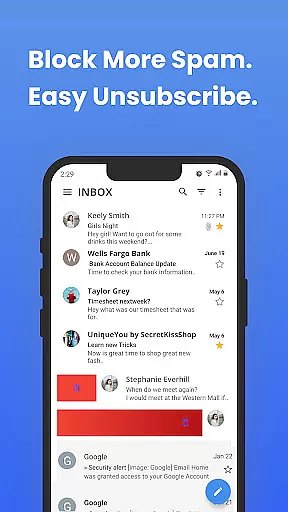
Inbox Homescreen is a cutting-edge email launcher designed to streamline and enhance your email management experience. This app consolidates all your email accounts, including Gmail, Outlook, and Yahoo, into one unified platform, making it easier than ever to send, receive, and organize messages. With advanced features such as automated filters, priority sorting, and scheduled sending, Inbox Homescreen ensures you stay on top of your inbox efficiently.
Beyond its core functionality, the app offers extensive customization options. Users can personalize their interface with various themes and layouts, ensuring a comfortable and intuitive user experience. Whether you're looking to boost productivity or simply manage your emails more effectively, Inbox Homescreen provides the tools necessary to do so seamlessly across multiple devices.
Inbox Homescreen stands out with its robust feature set tailored for both casual users and professionals. The app's integration capabilities are extensive, supporting a wide range of email services without compromising on speed or reliability. Its filtering system allows users to categorize emails automatically, ensuring that important messages are never overlooked.
Productivity is further enhanced through customizable themes and layouts, which adapt to individual preferences and workflows. Additionally, the app includes utility features accessible directly from the homescreen, maximizing ease of use. These include quick-access shortcuts to commonly used functions, streamlining daily tasks and improving overall efficiency.
The search functionality provided by Inbox Homescreen is powered by Yahoo, offering an enhanced search experience right from your homescreen. By accepting the terms of use and privacy policy during installation, users gain access to a powerful tool that not only manages emails but also optimizes their entire digital workspace.
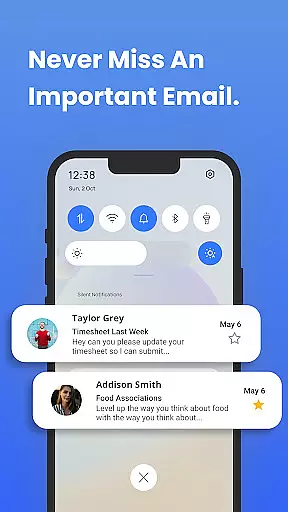
Real-time messaging speed and reliability are crucial for effective communication. Inbox Homescreen ensures that your messages are sent and received instantly, without delays. This is particularly important in today's fast-paced world where timely communication can make a significant difference.
The app achieves this by maintaining a stable connection with email servers, ensuring that any new message is immediately pushed to your device. Whether you're using Gmail, Outlook, or Yahoo, the seamless integration guarantees that you won't miss any important updates.
Moreover, Inbox Homescreen employs advanced syncing algorithms that prioritize essential emails, making sure they appear in your inbox without delay. This means you can trust the app to deliver urgent messages promptly, keeping you connected and informed at all times.
Media sharing support is an integral part of modern communication apps, allowing users to exchange photos, videos, and documents effortlessly. Inbox Homescreen excels in this area by providing robust support for various file formats, ensuring that you can share media without compatibility issues.
The app supports common file types such as JPEG, PNG, MP4, PDF, and more, enabling you to attach and send files directly from your device. This versatility makes it easy to collaborate on projects, share memorable moments, or distribute important documents without hassle.
In addition to supporting multiple formats, Inbox Homescreen also optimizes media files for quick uploading and downloading. This ensures that even large files are transferred efficiently, enhancing your overall productivity and user experience.
User-friendly interface
Extensive email service support
Advanced filtering options
Customizable themes and layouts
Integrated utility features
Limited offline functionality
Requires Yahoo search integration
Potential privacy concerns
Occasional sync issues
Learning curve for new users

BiP is a fast, secure, free messaging and HD video calling app!
 4.10
4.10
SMS & MMS Messaging App to easily send messages or schedule SMS on Chat
4.10
HD Video Meeting app is a fast & unlimited video conferencing app across world.
4.30
An agentic AI browser for Android, built by Perplexity
4.50
Watchgram for Telegram: Experience seamless Telegram messaging on your watch
1.80
Weargram is an unofficial Telegram Client for Wear OS.
3.50
A browser that does more than load page, like keeping your privacy safe.
4.70
SMS Messenger is a lightning-fast messaging app.
4.20
Talk & text free with a second phone number plus unlimited 5G data, no fees.
4.50
Messenger for SMS - texting message app, faster, simpler & safer, for you.
4.70
Messenger, an MMS & SMS messages app with Blockers, Driving mode & Private box
4.60
Say “hello” to privacy.
4.60
Connect and browse the internet with a fast VPN proxy server and IP blocker.
4.50
Google's fast and secure browser
4.10
Federated instant messaging for your mobile device (Jabber, XMPP, Snikket)
4.10
Caller ID, Spam Call & SMS Blocker
3.80
Pure modern IRC experience for Android
3.70
TeamSpeak - Secure Chat for Gaming & Business
3.10
Bringing the functionality of Winlink to your Android device
4.3


User Reviews