
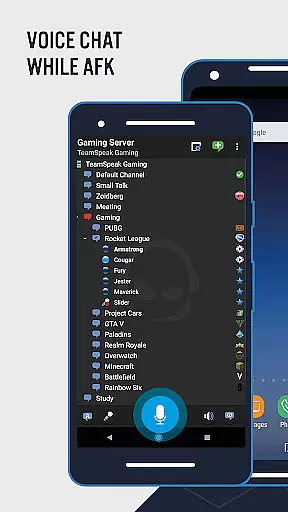
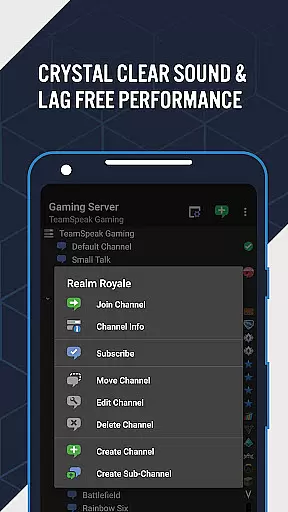
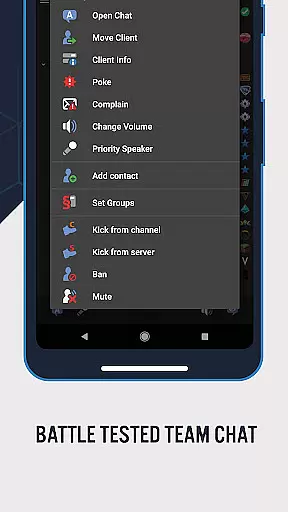
TeamSpeak 3 is a premier communication tool designed for seamless voice chat and information sharing across various platforms including Android, PC, MacOS, iOS, and Linux. This app stands out as the go-to solution for online gamers, families, friends, and small businesses globally, facilitating real-time strategy discussions, team chats, and online event management.
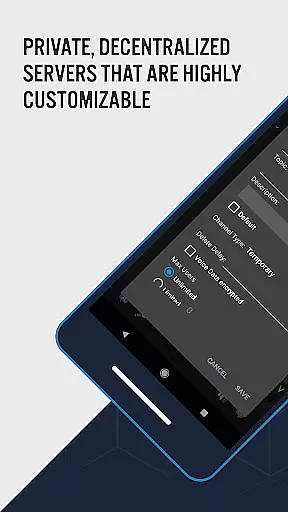
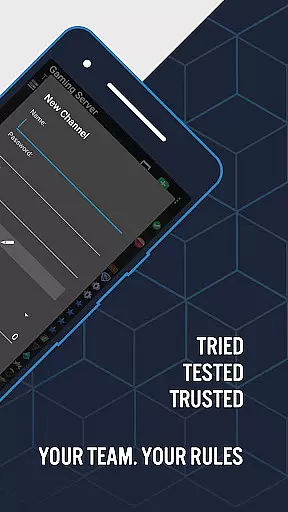
With its robust functionality, TeamSpeak 3 allows users to connect securely via private servers or join public servers and channels. The Android version is optimized for mobile use, ensuring you remain connected while on-the-go. To engage with others, users must connect to a TeamSpeak 3 server, either through public servers listed in the desktop client or private servers managed by clan, guild, or group administrators.
The app's value lies in its ability to provide spam-free, high-quality communication, making it an essential tool for communities that prioritize clear and reliable interaction.
TeamSpeak 3 offers a comprehensive suite of features tailored to enhance user experience. Key functionalities include synchronized bookmarks, multi-server connectivity, and flexible communication options such as Push-To-Talk (PTT) and voice activation. These features ensure users can manage their connections efficiently and communicate effectively.
In addition to voice capabilities, TeamSpeak 3 supports text messaging, identity and contacts management, and provides detailed channel and player information. Users are also notified of player statuses, ensuring they are always informed. The app includes most common admin functions, empowering users to manage their environments with ease.
Continuous updates and improvements by the development team guarantee that users receive new features and enhancements regularly, maintaining TeamSpeak 3's position at the forefront of communication technology.
Real-time messaging speed and reliability are crucial for effective communication in any platform. TeamSpeak 3 excels in this area by providing users with an advanced voice chat solution that ensures messages are delivered instantly and accurately.
The app supports both Push-To-Talk (PTT) and voice activation, allowing users to communicate seamlessly without delays or interruptions. This feature is particularly beneficial for online gamers who require quick exchanges of information during gameplay sessions.
Moreover, the multi-server connectivity option enhances the reliability of message delivery across different networks and devices. Whether you're using an Android device, PC, MacOS, iOS, or Linux, TeamSpeak keeps you connected with your peers at all times.
By maintaining synchronized bookmarks and offering detailed channel and player information, TeamSpeak 3 guarantees a smooth communication experience. Users can trust that their conversations will be transmitted efficiently, making it easier to collaborate on strategies or facilitate online events.
Media sharing support is an essential feature for modern communication apps, enabling users to exchange various types of content beyond just text or voice messages. TeamSpeak 3 offers robust media sharing capabilities that enhance user interaction and collaboration.
With the ability to send and receive text messages, users can share links, images, and other forms of digital content effortlessly. This functionality enriches conversations by allowing participants to provide additional context or visual aids when discussing strategies or organizing events.
In addition to text-based media sharing, TeamSpeak also provides identity and contacts management features. These tools help users maintain organized connections with their guild, clan, or colleagues, ensuring that shared media reaches the intended recipients securely.
Furthermore, ongoing free app updates ensure that TeamSpeak continues to improve its media sharing support over time. The development team actively works on adding new features and enhancing existing ones, providing users with an ever-evolving platform for efficient and versatile communication.
High-quality audio
Multi-platform support
Secure private servers
Real-time communication
Regular free updates
Requires server connection
No direct user connection
Complex setup for beginners
Limited offline functionality
Dependent on network quality

Radio communication simulator for gaming communities
 4.0
4.0
Enjoy secure messaging & calling. Safe Messenger: group chats, calls, messages.
4.20
Browse fast on Opera Mini, with Data Saving, News, Football Scores, and Download
4.60
Connect and browse the internet with a fast VPN proxy server and IP blocker.
4.50
A Browser with powerful ad blocker to help focus on what really matters.
3.00
Chat on the Jabber network (XMPP protocol); support for SMS and other gateways
2.10
Welcome to the future of phone service.
4.60
Faster version of Messages. Messenger for your contacts.
4.50
Auto Reply SMS, Text Messaging, Away SMS Response, Busy SMS messages, Block Text
3.10
Useful. Social. Expressive.
4.70
The ultimate productivity solution for all your email communication needs.
4.40
RemoteHams.com Android RCForb Client Pre-Release
4.30
Federated instant messaging for your mobile device (Jabber, XMPP, Snikket)
4.10
Share the moment!
4.10
Threema is the messenger with the most consistent focus on security and privacy.
4.00
Call Forwarding is easy and simple application to use.
3.80
Message and video call your family and friends in HD!
3.80
Pure modern IRC experience for Android
3.70
Secure Messaging App to Enhance Messenger Texting Experience and Organize SMS.
3.50


User Reviews