

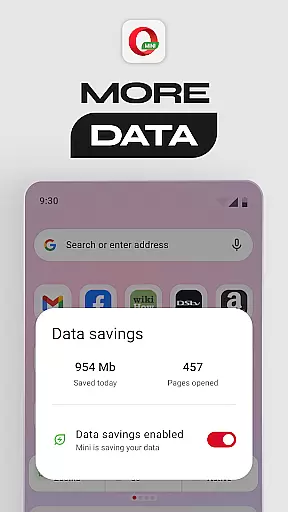


Opera Mini is a fast and lightweight web browser designed for smooth browsing experiences, especially on slow networks. It offers up to 90% data savings through its unique compression technology, making it ideal for users with limited data plans. The app also includes features like Football Mode, Locked Mode, and a personalized newsfeed, ensuring both entertainment and security while browsing.
In addition to its core functionality, Opera Mini provides tools such as an ad-blocker, offline page saving, and night mode, enhancing user convenience. Its customizable interface allows users to tailor their browsing experience. Whether you're looking to conserve data or need a secure browsing environment, Opera Mini delivers reliable performance across various devices.
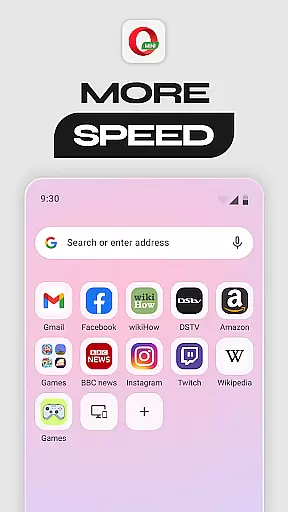
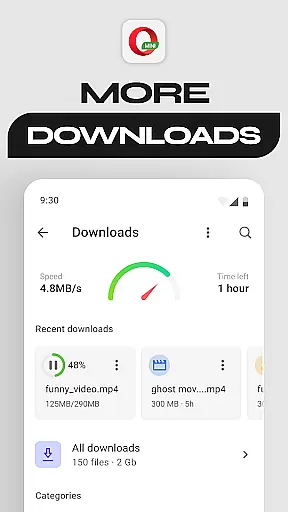
Opera Mini stands out with its advanced data-saving capabilities, allowing users to browse the web while consuming significantly less mobile data. This feature is particularly beneficial in areas with poor network connectivity. Additionally, the Fast Browsing & Downloads feature ensures pages load quickly, even under challenging network conditions.
The app also includes innovative features like Football Mode, which provides real-time updates from major leagues, and Locked Mode, offering PIN-protected private browsing. With further functionalities such as a personalized newsfeed, free ad-blocker, and video player, Opera Mini caters to diverse user needs while maintaining a lightweight footprint.
Real-time messaging speed and reliability are crucial for a seamless communication experience. Opera Mini ensures that users can browse and interact with web content without frustrating delays, even on slower networks.
The browser's optimized data compression technology reduces page loading times significantly. This means you can send and receive messages quickly, making your interactions as immediate as possible. Whether you're chatting with friends or staying updated with news, the speed ensures you're always in the loop.
Opera Mini also maintains connection stability, preventing unexpected drop-offs during your browsing sessions. This reliability is vital when you need to access important information or communicate effectively without interruptions.
With these features, Opera Mini delivers a dependable platform for real-time interaction, enhancing both personal and professional communication experiences.
Media sharing support is an essential feature for modern browsers, allowing users to share various types of content effortlessly. Opera Mini excels in this area by providing robust options for uploading and downloading media files.
Users can enjoy fast downloads thanks to Opera Mini's efficient compression algorithms, which reduce file sizes without compromising quality. This makes sharing photos, videos, and other media formats quicker and more convenient, even on limited data plans.
In addition to downloads, Opera Mini supports easy uploads, enabling users to share their media on social platforms or cloud services directly from the browser. The integrated video player further enhances the experience by allowing seamless playback of shared media.
This comprehensive media sharing support ensures that Opera Mini users can easily exchange content, enriching their online interactions and keeping them connected with their digital communities.
Fast browsing speed
Significant data savings
Enhanced privacy options
Customizable interface
Lightweight design
Limited advanced features
Occasional compatibility issues
Restricted multimedia support
No desktop syncing
Ads in free version

Connect and browse the internet with a fast VPN proxy server and IP blocker.
 4.50
4.50
Fast Dialer & Contact Manager with Caller ID and Spam Protection
4.00
Messages is Private SMS Messenger 2023 with text message, instant messaging.
4.00
Simplify texting with Messages SMS, offline messaging, themes & smart tools!
4.30
2nd Phone Number Line for Anonymous Texting, Calling, and Picture Messages
4.30
Chill zone on your phone: relax with fun reels & hype shorts!
4.20
A softphone app with seamless SIP calling and an intuitive VoIP dialer
3.50
Build your web browser around you with private search, and more.
4.60
Useful. Social. Expressive.
4.70
Fast internet with AI, Adblock & VPN. Browse on a safe, incognito web browser.
4.70
Enhance browsing with AI-powered features and Copilot.
4.70
An agentic AI browser for Android, built by Perplexity
4.50
Create a secure hotspot on-the-go with Portable WiFi - Mobile hotspot.
4.40
Call Blocker app: Identify unknown callers, block spam calls, fraud & robocalls
4.30
SMS Messenger is a lightning-fast messaging app.
4.20
Tether to Windows, OS X, Linux PCs or Android tablets. No root. No tether fees.
3.90
Quickly and easily identify and block unknown callers
3.70
Comprehensive and powerful scan tool app with enhanced functions
3.00
Chat on the Jabber network (XMPP protocol); support for SMS and other gateways
2.10


User Reviews