
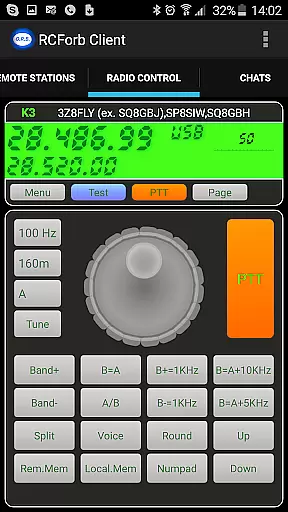
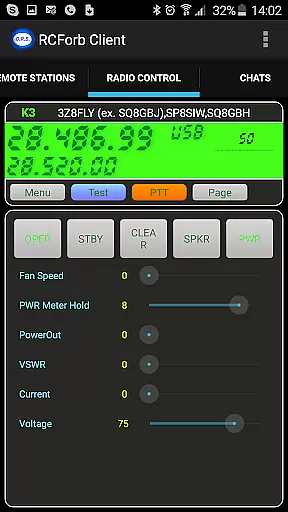
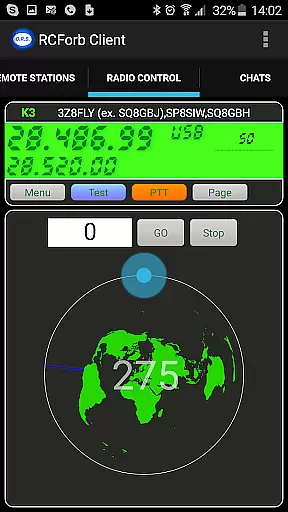
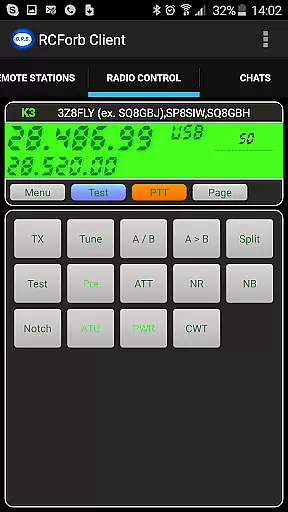
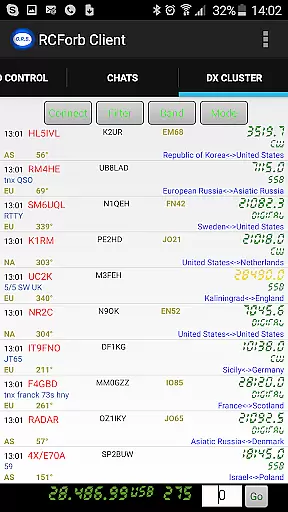
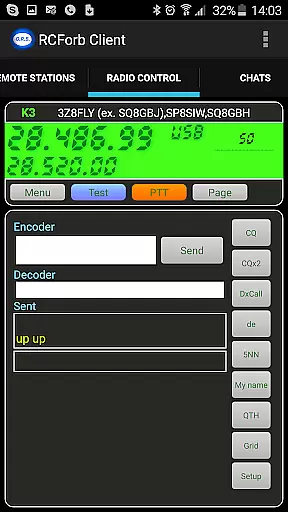
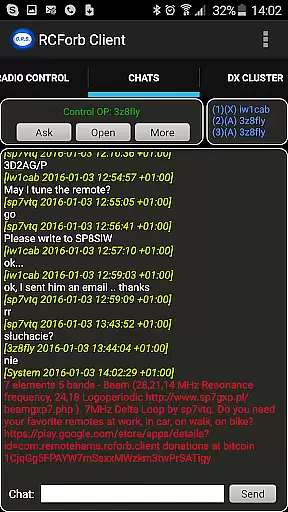
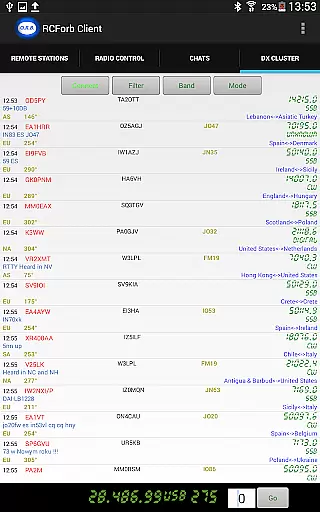
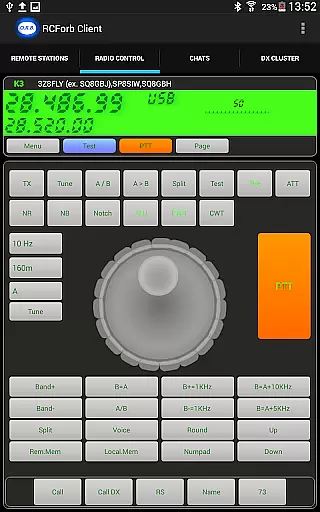
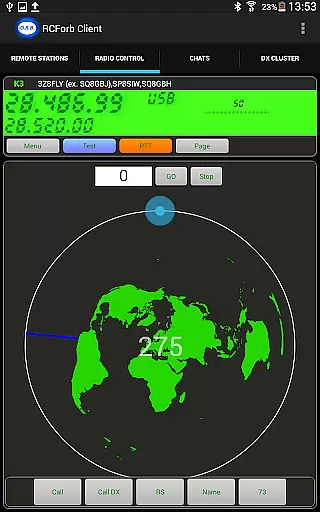
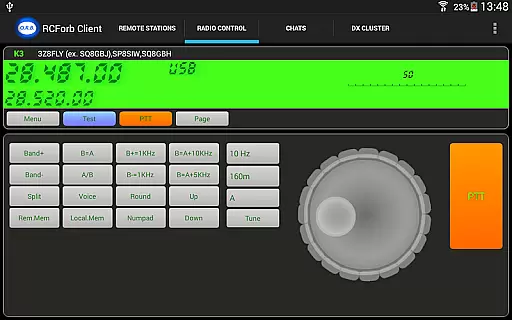
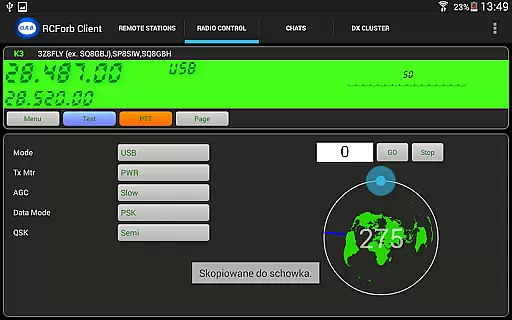
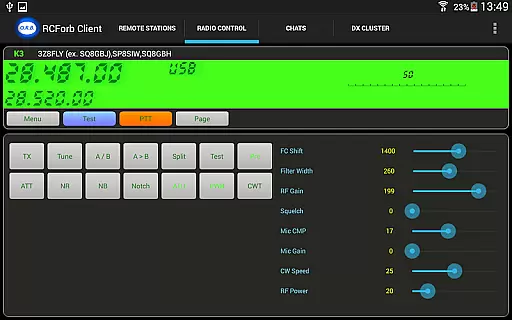
RCForb Client is a communication app designed for remote operation of amateur transceivers. This pre-release version allows users to test signal propagation and participate in various radio activities such as contesting and nets.
The app supports multiple operators, enabling collaboration between RF and REMOTE operators. It's an essential tool for amateur radio enthusiasts who want to extend their reach and capabilities through remote operation.
Users must register with the RemoteHams.com community to access the app's full features. The platform provides opportunities to connect with other radio enthusiasts worldwide and experience rare DX signals that might be inaccessible otherwise.
RCForb Client offers several key features that enhance remote radio operations. The app enables real-time control of amateur transceivers from anywhere, allowing users to test their signal propagation across different locations.
Multiple operator support is a standout feature, facilitating new forms of collaboration in contesting and round table discussions. The app also helps users determine if their signals are reaching distant locations, providing valuable feedback for optimizing transmission setups.
All features are still under development, and the developers actively incorporate user feedback to improve functionality and stability. This ongoing refinement ensures that RCForb Client will become an indispensable tool for amateur radio operators.
Real-time messaging speed and reliability are crucial for seamless communication in any platform. RCForb Client ensures that messages between operators are delivered instantly, allowing for efficient coordination during contests or nets.
The application employs advanced data transmission protocols to maintain stable connections even under varying network conditions. This guarantees that users can rely on the system to send and receive messages without delays or interruptions.
With this reliable messaging system, amateur radio enthusiasts can focus on their operations without worrying about missing important communications. Whether participating in DX contests or engaging in round-table discussions, users will experience smooth interactions with their peers.
Ultimately, the real-time messaging capability of RCForb Client enhances the overall user experience by providing a dependable means of communication among remote operators.
Media sharing support is an essential feature for modern communication applications, enabling users to exchange various types of content seamlessly. RCForb Client allows operators to share media files such as images and audio clips, enriching their interactions beyond plain text messages.
This functionality is particularly beneficial for amateur radio operators who may need to exchange technical diagrams, signal analyses, or other visual aids during their sessions. By supporting diverse file formats, the app ensures compatibility across different devices and operating systems.
In addition to enhancing collaboration among RF and REMOTE operators, media sharing also facilitates educational exchanges within the community. Users can easily distribute instructional materials or showcase their setups through shared photos and videos.
By incorporating robust media sharing capabilities, RCForb Client empowers its users to communicate more effectively and creatively while fostering a vibrant community of amateur radio enthusiasts.
User-friendly interface
Real-time transceiver control
Multiple operator support
Signal propagation testing
Active community engagement
Limited feature set
Pre-release instability
Registration required
Internet connection needed
Platform dependency

Call Blocker app: Identify unknown callers, block spam calls, fraud & robocalls
 4.30
4.30
HD Video Meeting app is a fast & unlimited video conferencing app across world.
4.30
TeamSpeak - Secure Chat for Gaming & Business
3.10
Call & Text Anywhere With A Canadian Number.
3.60
Read OBD2 data and DTCs Create custom dashboards Enhanced diagnostics available
4.70
Stay in touch with the people who matter most.
4.60
A browser that does more than load page, like keeping your privacy safe.
4.70
Get through your inbox faster with the mail app designed to simplify your life.
4.40
Group Chat That’s Fun & Games
4.30
We’re taking the yada yada out of wireless—now we’ve taken it out of your app.
4.70
Save 10% automatically on your first international mobile top up.
4.60
Caller ID App! Add names & photos to unknown calls & Call Recording
4.40
Block spam calls & scam - no more annoying calls with the call blocker function
4.30
Use this SMS app standalone or as a TREK: Total Interface companion.
4.30
SMS Messenger is a lightning-fast messaging app.
4.20
Messenger app for faster and simpler SMS text messaging, and personalized themes
4.10
At select facilities, you now have an easy way to video visit your loved ones!
3.30
Watchgram for Telegram: Experience seamless Telegram messaging on your watch
1.80
An app dedicated solely to marriage, not dating, and supported by a rigorous verification mechanism to ensure seriousness.
4.4


User Reviews