

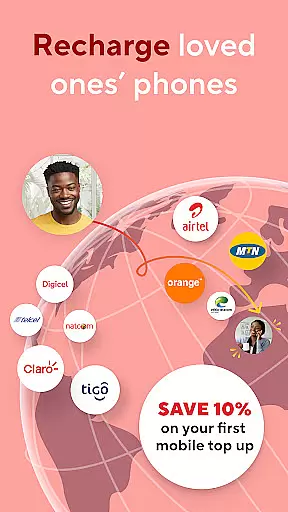

BOSS Revolution is a comprehensive communication app designed to simplify global mobile top-ups and international money transfers. The app supports over 300 carriers across 100+ countries, making it easy to send airtime or data packages to loved ones worldwide. Whether you're topping up a Digicel, MTN, or Airtel account, the process is quick and transparent.
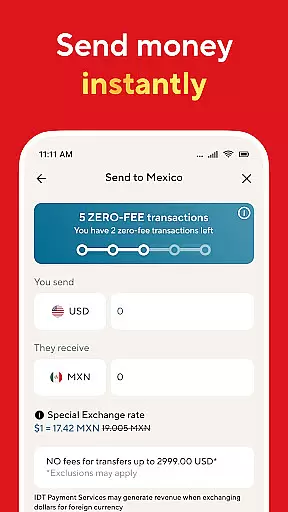
In addition to mobile recharges, BOSS Revolution offers secure international money transfer services. Users can choose from multiple delivery methods including cash pickup, bank deposit, and mobile wallet transfers. With features like scheduled recharges, transaction tracking, and a Money Back Guarantee, the app ensures both convenience and reliability for its users.
BOSS Revolution stands out with its diverse range of features tailored for global communication needs. The app allows users to schedule automatic mobile top-ups, access special promotions like double or triple balance deals, and purchase customized data bundles. It also provides free app-to-app communication, enabling users to stay connected without using airtime.
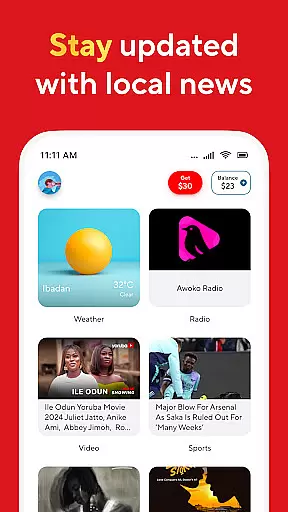
Additional functionalities include local news and entertainment access, exclusive insurance plans for select regions, and multilingual support in English, Spanish, French, and German. The Refer a Friend Program offers incentives such as calling bonuses, while seamless payment options via credit or debit cards enhance user experience. Rated 4.4 on Trustpilot, BOSS Revolution combines reliability with innovation.
BOSS Revolution ensures real-time messaging speed and reliability, which are crucial for effective communication. The app allows users to send messages instantly across the globe with just a few taps on their phones.
The infrastructure supporting this feature is designed to handle high volumes of messages without delay, ensuring that your communications reach their destination promptly every time. This reliability builds trust among users who depend on timely exchanges.
Whether you're coordinating with family or staying in touch with friends abroad, BOSS Revolution's robust system guarantees that your messages will be delivered swiftly and securely. This seamless experience enhances user engagement by providing consistent connectivity.
Media sharing support is another standout feature of BOSS Revolution, allowing users to share various types of media effortlessly. From photos to videos, users can enrich their conversations by sending multimedia content directly through the app.
This functionality extends beyond simple text-based interactions, offering a richer communication experience. Users can send important documents, memorable images, or entertaining clips without worrying about compatibility issues.
With BOSS Revolutionu2019s comprehensive media sharing capabilities, individuals can maintain deeper connections with loved ones around the world. This versatility not only improves user satisfaction but also encourages frequent use of the platform for diverse communication needs.
User-friendly interface
Wide carrier support
Secure transactions
Free app-to-app calls
Excellent customer ratings
Limited insurance availability
Regional service restrictions
Occasional technical glitches
High fees for small transfers
Complex navigation for new users

 3.90
3.90
Enables Plus features of Quick Search.
4.1
We’re taking the yada yada out of wireless—now we’ve taken it out of your app.
4.70
SMS & MMS Messaging App to easily send messages or schedule SMS on Chat
4.10
Official NDI app: turn your phone into a professional live-streaming IP camera.
3.20
Chat on the Jabber network (XMPP protocol); support for SMS and other gateways
2.10
Send SMS and chat messages easily with a fast text messaging app for Android.
4.10
Create a secure hotspot on-the-go with Portable WiFi - Mobile hotspot.
4.40
SMS Messenger is a lightning-fast messaging app.
4.20
A browser that does more than load page, like keeping your privacy safe.
4.70
Messenger for SMS - texting message app, faster, simpler & safer, for you.
4.70
Useful. Social. Expressive.
4.70
Welcome to the future of phone service.
4.60
Simple tool for businesses to talk to their customers.
4.40
Manage your data, talk & text - affordable phone plans & data usage made simple
4.30
Federated instant messaging for your mobile device (Jabber, XMPP, Snikket)
4.10
Messages: Fast, simple SMS app with scheduling and smart features.
4.00
Telegram is a messaging app with a focus on speed and security.
4.00
Manage Phone Calls, call history, and contacts easily with Phone Pro.
4.4


User Reviews