
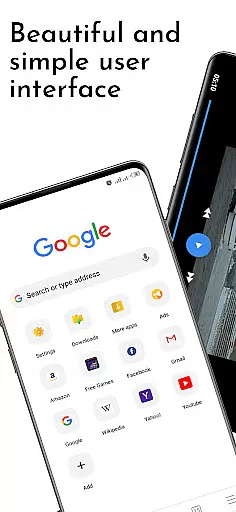
Adblock Fast Browser Pro is a powerful communication tool designed to enhance your browsing experience by blocking intrusive ads and protecting your tracking data. This browser allows you to focus on the content that matters most, without distractions from unwanted advertisements.
With features like multi-language ad blocking powered by Adblock Plus, video and music players, voice search, and multi-tab browsing with session saving, this app provides a comprehensive suite of tools for efficient web navigation. The individual site permission management and multiple search engine support further empower users to take control of their online activities.
Whether you're looking to translate webpages, download files with pause and resume capabilities, or browse in secret and night modes, Adblock Fast Browser Pro offers versatile functionalities tailored to various user needs. Its ability to save pages for offline reading and convert them into PDF format makes it an invaluable resource for both casual surfers and professionals alike.
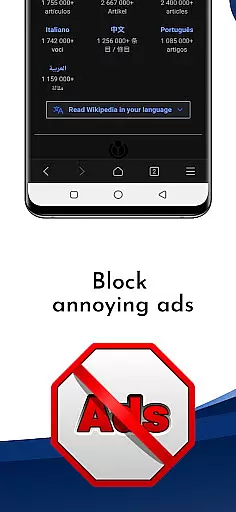
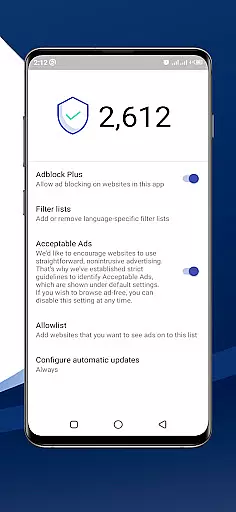
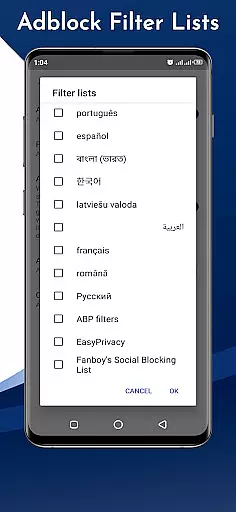
One of the standout features of Adblock Fast Browser Pro is its robust ad-blocking capability, which supports multiple filters in different languages thanks to integration with Adblock Plus. This ensures a cleaner, more focused browsing experience free from annoying ads.
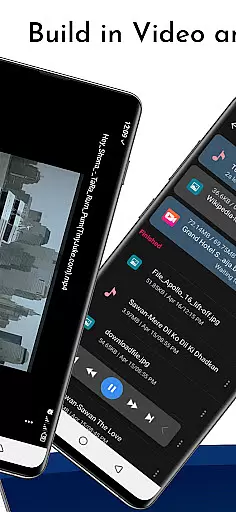
The browser also includes a video player with subtitle support, a music player with headset controls, and a voice search function that simplifies searching without typing. Additionally, the multi-tab browsing feature allows full session saving, enabling users to recover even deleted tabs effortlessly.
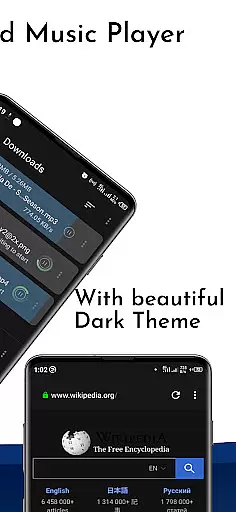
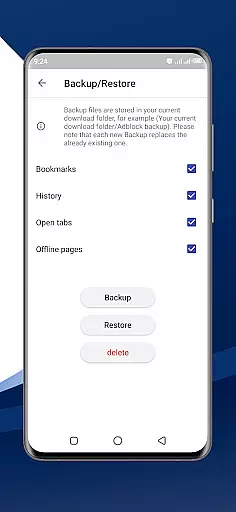
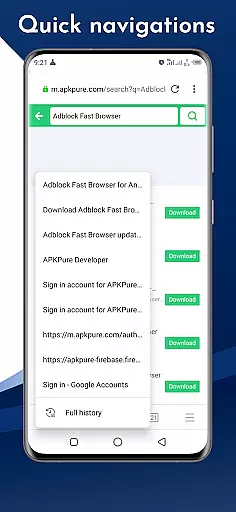
Other notable features include individual site permission management, multiple search engine options, page translation services, file downloading with pause and resume functionality, various themes (Light, Dark, System default), screenshot capabilities, secret mode, night mode, bookmarks, history, sharing options for downloaded files, on-page search, offline browsing, reader mode, and the ability to save pages as PDFs.
Real-time messaging speed and reliability are crucial for any communication app, ensuring that messages are delivered instantly and without fail. Adblock Fast Browser Pro excels in this area by integrating advanced ad-blocking technology that prevents intrusive ads from slowing down your browsing experience.
The browser's powerful ad-blocking feature, powered by Ad Block Plus, filters out unwanted content across multiple languages, allowing users to focus on their primary tasks without distraction. This ensures a seamless and fast browsing session, which is essential for real-time communication.
Moreover, the browser supports multiple search engines and offers page translation, enabling users to communicate effectively regardless of language barriers. These features collectively enhance the speed and reliability of message delivery, making it an ideal choice for users who prioritize efficient communication.
In addition to its core functionalities, Adblock Fast Browser Pro provides users with control over individual site permissions and data management. This not only boosts the overall reliability of the app but also gives users peace of mind knowing their data is secure, further enhancing the real-time messaging experience.
Media sharing support is a vital feature for modern browsers, allowing users to easily share files, images, and other media across different platforms. Adblock Fast Browser Pro stands out with its comprehensive file downloader, which includes pause and resume capabilities, making it easier than ever to manage and share downloaded files.
The browser also supports a music player with headset control and a video player with subtitle support, providing users with versatile options for media consumption. These built-in players ensure that users can enjoy multimedia content directly within the browser, streamlining the sharing process.
Furthermore, Adblock Fast Browser Pro offers features like screenshot functionality and the ability to save pages as PDFs. These tools enable users to capture and share web content effortlessly, enhancing the overall media sharing experience. The inclusion of multiple themes, such as Light, Dark, and System default, also allows users to customize their browsing environment to better suit their preferences.
With additional features like secret mode, night mode, and offline browsing, Adblock Fast Browser Pro ensures that users have a robust platform for media sharing. These functionalities collectively create a seamless and user-friendly environment, making media sharing both efficient and enjoyable.
Powerful ad blocker
Voice search feature
Multi-tab session saving
Page translation service
Offline browsing mode
Premium version costs
Occasional bugs
High memory usage
Limited customer support
Complex settings

BiP is a fast, secure, free messaging and HD video calling app!
 4.10
4.10
SMS & MMS Messaging App to easily send messages or schedule SMS on Chat
4.10
Simplify texting with Messages SMS, offline messaging, themes & smart tools!
4.30
Caller ID App! Add names & photos to unknown calls & Call Recording
4.40
Chill zone on your phone: relax with fun reels & hype shorts!
4.20
Measure BHP, Torque & 0-60 Clear car OBD faults View engine data in Google Earth
4.00
Build your web browser around you with private search, and more.
4.60
Caller ID, Spam Call & SMS Blocker
3.80
Group Chat That’s Fun & Games
4.30
Manage BoostMobile Account
4.60
Fast and mini browser with Ad Blocker,Video Downloader and Video Player
4.40
Create a secure hotspot on-the-go with Portable WiFi - Mobile hotspot.
4.40
Smart and simple anti-wiring application - IMSI-catchers catcher
4.40
Manage your data, talk & text - affordable phone plans & data usage made simple
4.30
A softphone with crystal clear SIP Calling & Reliable VoIP dialer
4.00
Call & Text Anywhere With A Canadian Number.
3.60
Weargram is an unofficial Telegram Client for Wear OS.
3.50
At select facilities, you now have an easy way to video visit your loved ones!
3.30
Enables Plus features of Quick Search.
4.4


User Reviews