
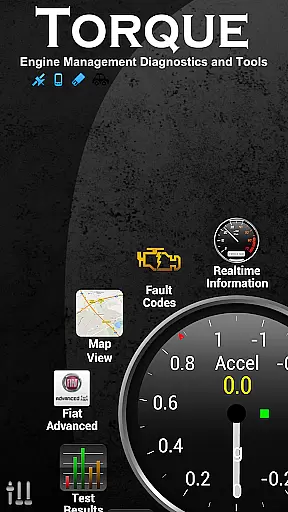
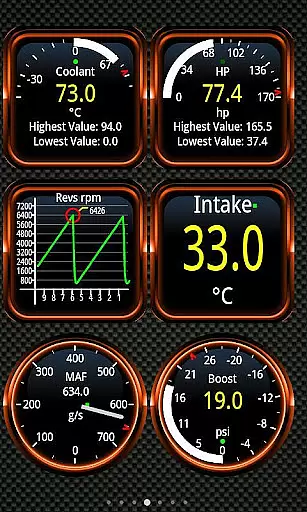
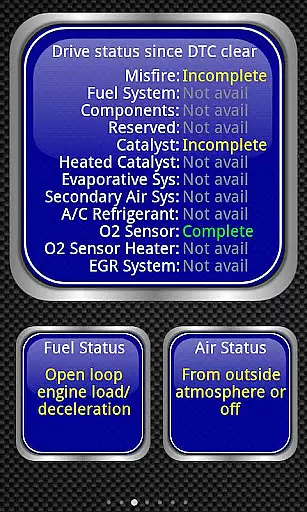
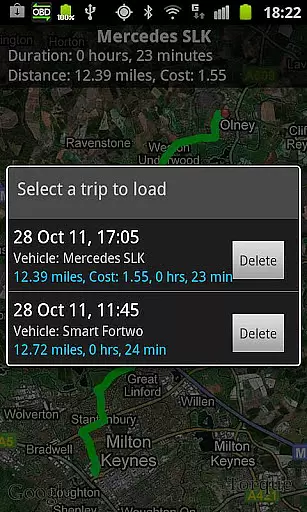
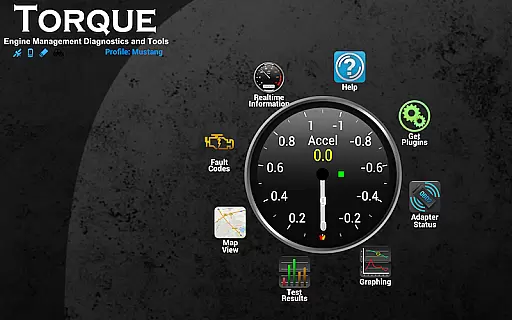
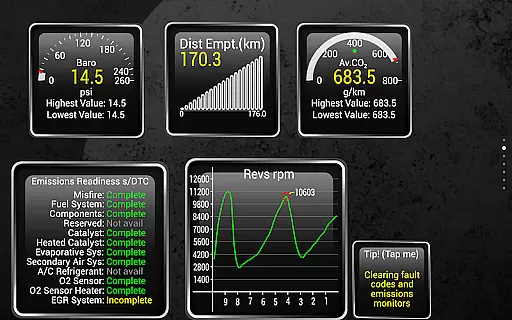
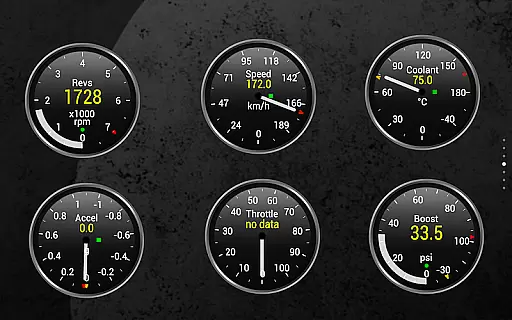
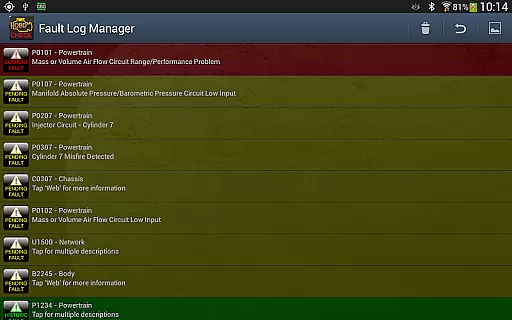
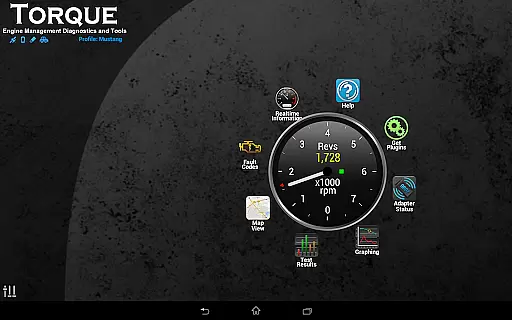
Torque Pro is a comprehensive vehicle diagnostics and performance monitoring tool designed for car enthusiasts and professionals alike. By connecting to your vehicle's OBD II port via a Bluetooth adapter, it provides real-time data on engine performance, fault codes, sensor readings, and more.
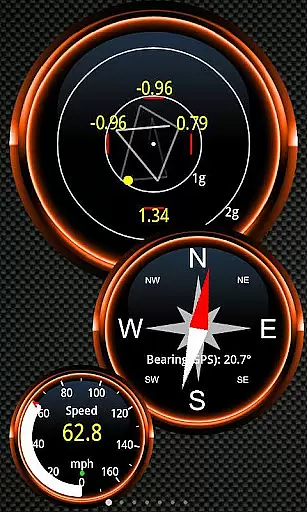
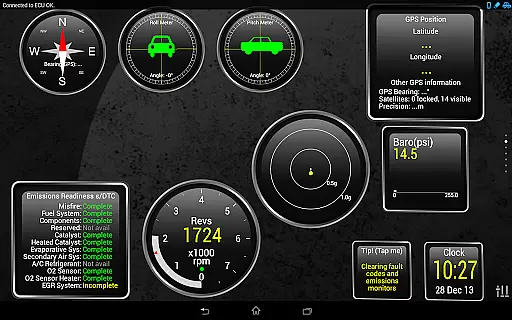
The app stands out with its customizable dashboard, allowing users to create personalized layouts with various widgets and gauges. It also offers advanced features like GPS tracking, dyno testing, and turbo boost monitoring, making it an invaluable tool for both casual drivers and automotive experts.
Whether you're looking to troubleshoot car issues, monitor performance metrics, or simply learn more about your vehicle's operation, Torque Pro delivers a professional-grade solution directly to your mobile device.
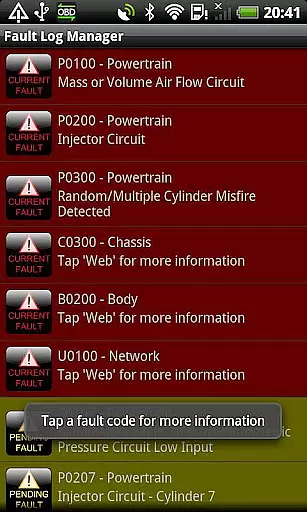
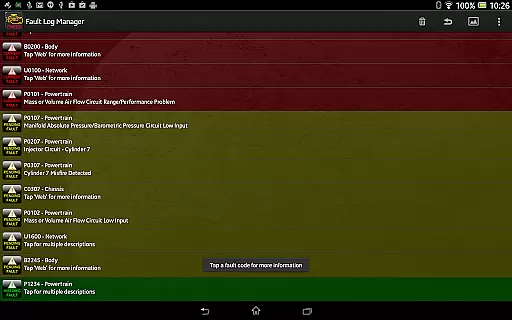
Torque Pro boasts an impressive array of features that cater to both basic and advanced automotive diagnostic needs. The app can read and clear fault codes, display real-time sensor data, and provide detailed information about your vehicle's performance metrics.
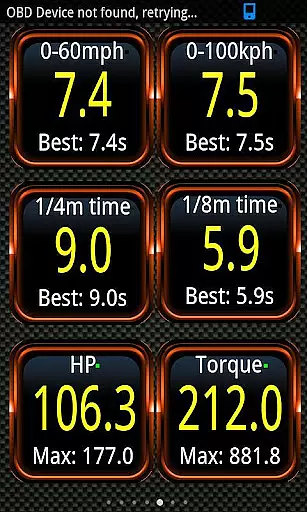
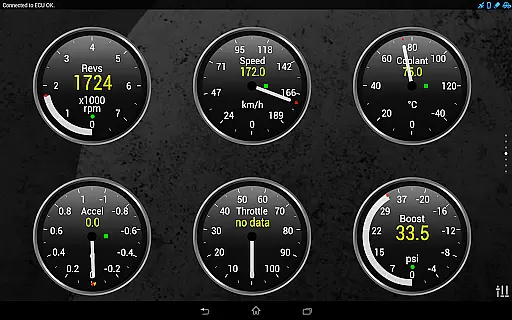
One of its standout capabilities is the ability to create custom dashboards using various widgets and gauges. Users can track parameters such as engine RPM, coolant temperature, fuel efficiency, and transmission temperatures. The app also supports advanced features like 0-60 acceleration timing, CO2 emissions monitoring, and even turbo boost measurements for supported vehicles.
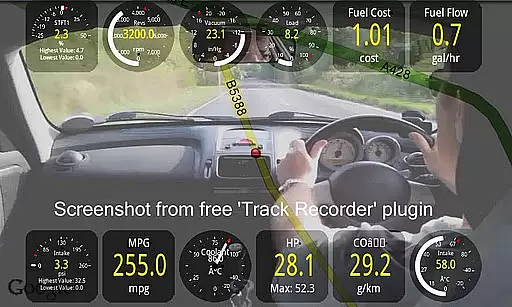
Additional features include GPS-tagged logging, video recording with OBD data overlay, and a massive fault code database covering multiple manufacturers. The inclusion of developer APIs and support for third-party plugins makes this app highly versatile and adaptable to various use cases.
Real-time messaging speed and reliability are crucial for any communication app, especially in automotive diagnostics. Torque Pro ensures that data from your vehicle's OBD II system is transmitted to your device without delay.
The application uses a Bluetooth adapter to connect to the car's engine management system, providing real-time updates on fault codes, performance metrics, and sensor data. This immediate feedback allows users to quickly address issues as they arise.
With its ability to log GPS and engine data simultaneously, Torque Pro offers an unparalleled level of detail for tracking vehicle performance over time. Users can review logs to understand driving patterns or diagnose intermittent problems.
Overall, the reliable transmission of critical vehicle information makes Torque Pro an indispensable tool for both everyday drivers and professional mechanics seeking to maintain optimal vehicle health.
Media sharing support is another vital feature of modern applications, allowing users to share important data with others easily. In Torque Pro, this functionality extends beyond simple text messages to include comprehensive diagnostic reports and visualizations.
Users can export logging information via email in CSV or KML formats, making it easy to share detailed analysis with mechanics or car enthusiasts. These files can be opened in spreadsheet software like Excel or OpenOffice, enabling further examination and collaboration.
In addition to traditional media sharing, Torque Pro also supports video recording through the Track Recorder plugin. This feature overlays OBD II data onto videos of your journey, creating a black box for your car that captures both visual and technical details.
By facilitating seamless sharing of complex vehicle data, Torque Pro enhances user engagement and fosters a community of informed drivers who can better understand and care for their vehicles.
Comprehensive OBD2 diagnostics
Highly customizable dashboard
Wide vehicle compatibility
Regular feature updates
Professional-grade tools
Requires separate OBD2 adapter
Some features vehicle-dependent
Premium version costly
Complex for beginners
Occasional connection issues

Manage your data, talk & text - affordable phone plans & data usage made simple
 4.30
4.30
Adblock & VPN Browser: Blocks banners, pop-ups and video ads, fast downloader!
4.60
Messages: Fast, simple SMS app with scheduling and smart features.
4.00
Fast and mini browser with Ad Blocker,Video Downloader and Video Player
4.40
Create a secure hotspot on-the-go with Portable WiFi - Mobile hotspot.
4.40
Fast, Simple And Secure Application That Provides SMBv3 Server On Your Device
3.30
A browser that does more than load page, like keeping your privacy safe.
4.70
Say “hello” to privacy.
4.60
Telegram is a messaging app with a focus on speed and security.
4.00
Read OBD2 data and DTCs Create custom dashboards Enhanced diagnostics available
4.70
Save 10% automatically on your first international mobile top up.
4.60
Manage BoostMobile Account
4.60
Messenger, an MMS & SMS messages app with Blockers, Driving mode & Private box
4.60
Build your web browser around you with private search, and more.
4.60
A web browser that respects your privacy.
4.30
SMS Messenger is a lightning-fast messaging app.
4.20
Messenger app for faster and simpler SMS text messaging, and personalized themes
4.10 3.90
3.90
Manage Phone Calls, call history, and contacts easily with Phone Pro.
4.4


User Reviews