
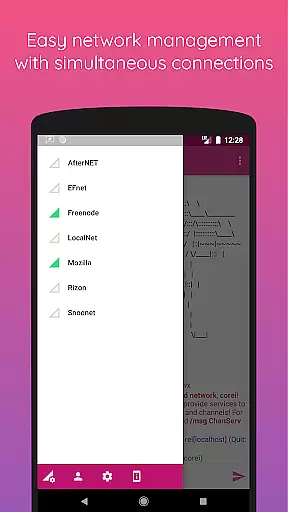
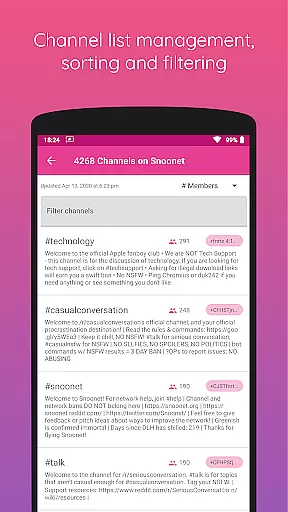
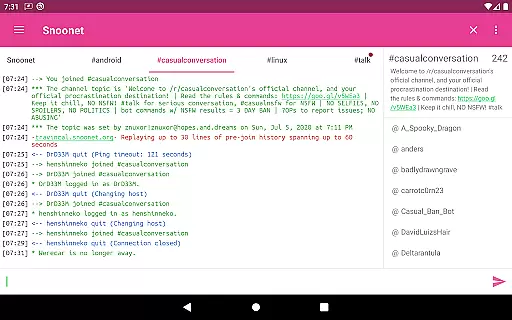
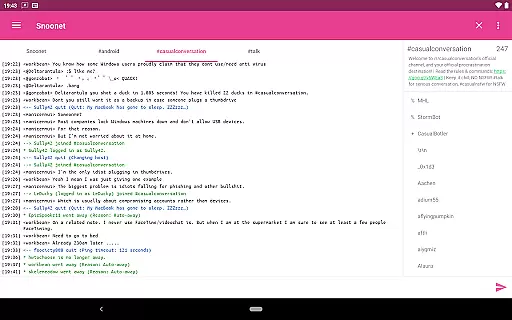
CoreIRC is a feature-rich IRC client designed for Android users who need secure and reliable communication. The app supports multiple secure IRC connections through SSL encryption, ensuring your chats remain private and protected. With support for advanced authentication methods like IRCv3 SASL and NickServ, you can connect to various IRC networks with confidence.
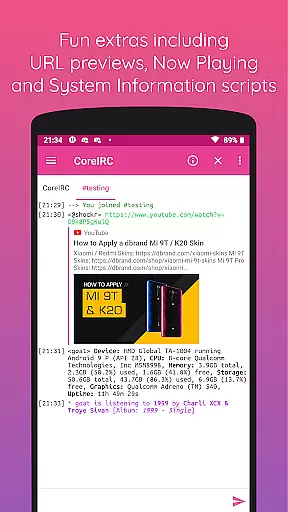
The application also offers a robust notification system that allows you to customize alerts based on channels, senders, or specific messages. Whether you're managing multiple networks or just staying connected with friends, CoreIRC ensures you never miss an important message. Additionally, the app includes fun extras such as inline URL previews and Now Playing scripts, which enhance the overall user experience.
CoreIRC stands out with its comprehensive set of features tailored for both casual and power users. One of its key strengths is the support for modern IRC protocols, including IRCv3 capabilities like account-notify, away-notify, and server-time. These features ensure that you have the most up-to-date information at your fingertips, enhancing your interaction within the IRC community.
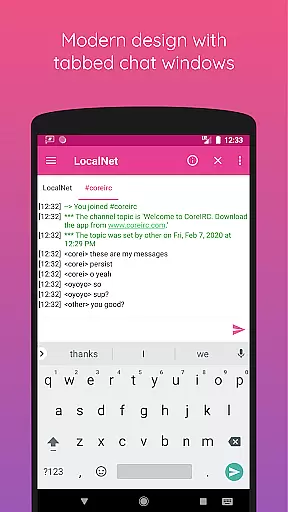
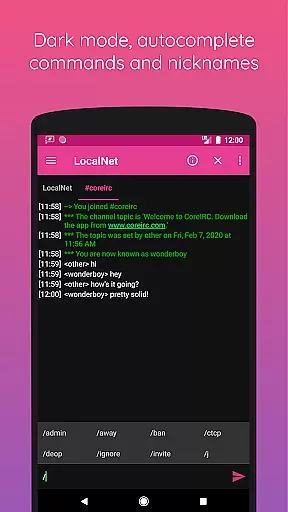
Beyond protocol support, CoreIRC provides practical tools such as DCC file transfers with resume support, making it easy to share files without interruptions. The app's modern design follows the latest Material Design principles, offering a sleek and intuitive interface. Moreover, functionalities like background connectivity, chat logging, and command autocomplete make daily usage seamless and efficient, catering to both new and experienced IRC users.
Real-time messaging is crucial for any communication app, and CoreIRC excels in this area. The application supports multiple secure IRC connections over SSL, ensuring that messages are not only delivered quickly but also securely encrypted during transmission.
The app's robust notification system allows users to configure specific alerts based on channels, senders, or message content. This ensures that important communications are never missed, enhancing the overall reliability of message delivery.
CoreIRC also offers features like background connectivity using Android services and command autocomplete, which contribute to a seamless user experience. These elements work together to maintain fast and dependable messaging, making it an ideal choice for users who require efficient real-time communication.
Media sharing is an essential feature for modern communication platforms, and CoreIRC provides several ways to share and preview media. With inline URL previews, users can view links shared in chat without leaving the app, offering convenience and saving time.
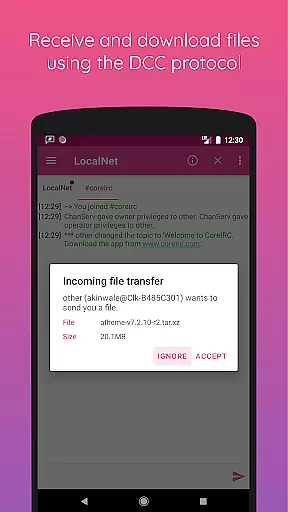
The app supports receiving files over the DCC protocol with resume support, allowing users to exchange documents, images, and other media formats effortlessly. This functionality ensures that file transfers are reliable and can be resumed if interrupted, providing a smooth sharing experience.
Additionally, CoreIRC includes fun extras such as the Now Playing script, which lets users share what they're currently listening to via various music services. These features enhance the interactive nature of media sharing within the app, making conversations more engaging and dynamic.
Secure connections
Custom notifications
Modern design
Advanced IRC support
User-friendly interface
Complex for beginners
Limited platform support
No voice calls
Occasional bugs
Heavy on resources

 3.90
3.90
Call Forwarding is easy and simple application to use.
3.80
Identify unknown numbers, block spam calls, customize calls with cool themes.
4.60
Quickly and easily identify and block unknown callers
3.70
Official NDI app: turn your phone into a professional live-streaming IP camera.
3.20
Manage and Fund Calling Accounts and Schedule and Join Video Sessions
3.60
Manage Phone Calls, call history, and contacts easily with Phone Pro.
4.5
Auto Reply SMS, Text Messaging, Away SMS Response, Busy SMS messages, Block Text
3.10
Stay in touch with the people who matter most.
4.60
فیلتر شکن قوی پرسرعت کلید جدید برای اندرویدسریع ترین وی پی ان برای همه اپراتورها
4.70
Faster version of Messages. Messenger for your contacts.
4.50
The ultimate productivity solution for all your email communication needs.
4.40
Create a secure hotspot on-the-go with Portable WiFi - Mobile hotspot.
4.40
Phone Dialer with Caller ID, Address Book & Contacts Manager.
4.30
Block spam calls & scam - no more annoying calls with the call blocker function
4.30
HD Video Meeting app is a fast & unlimited video conferencing app across world.
4.30
Chill zone on your phone: relax with fun reels & hype shorts!
4.20
Weargram is an unofficial Telegram Client for Wear OS.
3.50
At select facilities, you now have an easy way to video visit your loved ones!
3.30


User Reviews