
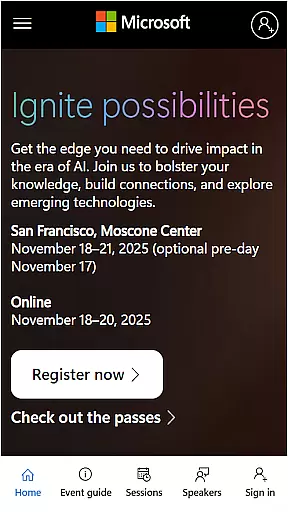
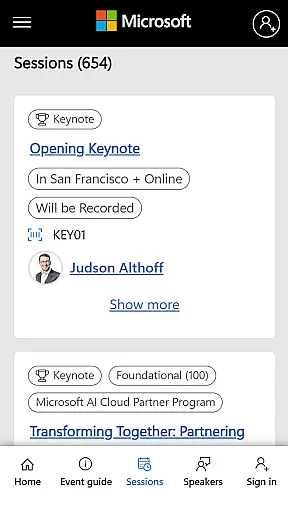
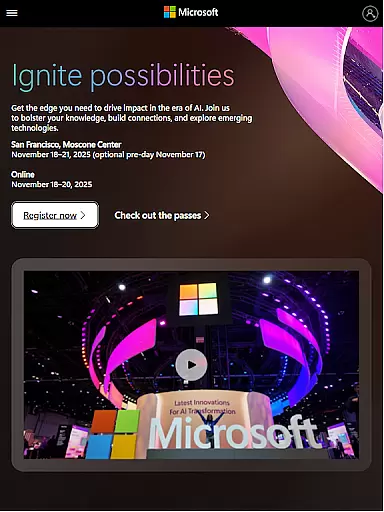
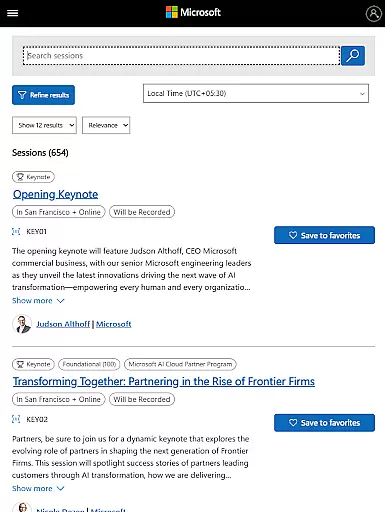
Microsoft Ignite is a premier annual event hosted by Microsoft, designed to showcase the latest advancements in technology. The app serves as an essential companion for tech enthusiasts, developers, and industry leaders attending the event. It provides real-time updates on innovations in AI, cloud computing, and productivity tools.
The app enhances user experience by offering easy access to event schedules, speaker information, and session details. Attendees can network with peers, participate in learning opportunities, and engage socially within the broader tech community. This makes Microsoft Ignite not just an event app but a comprehensive tool for professional growth and networking.
Microsoft Ignite app offers a variety of features tailored to enhance the event experience. Users can access detailed schedules, allowing them to plan their attendance effectively. Speaker profiles and session descriptions provide valuable insights into what to expect at each presentation.
Networking capabilities are a standout feature, enabling attendees to connect with like-minded professionals easily. The app also supports social engagement, letting users share their experiences on social media platforms. These features collectively ensure that participants maximize their event involvement while staying informed and connected.
Task creation and detail customization are essential features for any event management app, including Microsoft Ignite. These functionalities allow users to create personalized schedules by selecting sessions, workshops, and keynotes that match their interests and professional needs.
Microsoft Ignite offers a streamlined process for creating tasks or events within the app. Users can browse through an extensive list of sessions, each with detailed descriptions, speaker information, and intended audience levels. This ensures that every task created is tailored to the user's specific learning objectives and time availability.
The customization options extend beyond simple scheduling. Attendees can set reminders, add personal notes, and even link related sessions together. This level of detail helps maximize the event experience by ensuring attendees do not miss crucial sessions and can easily refer back to key takeaways.
Ultimately, these features enhance the overall value of attending Microsoft Ignite by empowering users to design a personalized and productive event itinerary. The ability to customize task details ensures that each attendee can optimize their time and focus on what matters most to them.
Reminder settings in event apps like Microsoft Ignite play a crucial role in enhancing attendee engagement and ensuring they make the most out of the event schedule. By offering flexible reminder options, the app helps users stay on top of their planned activities and important sessions.
Microsoft Ignite provides multiple ways to configure reminders. Users can choose from various notification types, such as push notifications, email alerts, or in-app banners. Each reminder type can be customized based on timing preferences, whether it's a few minutes before a session starts or a day in advance.
In addition to timing, the app allows users to personalize the frequency and intensity of reminders. For instance, frequent reminders might be preferred for high-priority sessions, while less critical events could have fewer notifications. This flexibility ensures that attendees receive timely updates without feeling overwhelmed.
By leveraging advanced reminder settings, Microsoft Ignite not only keeps users informed but also enhances their overall event experience. Attendees can fully immerse themselves in the event, knowing they will be promptly reminded of upcoming sessions and important networking opportunities.
User-friendly interface
Comprehensive event details
Real-time updates
Effective networking tools
Social media integration
Limited to event dates
Requires stable internet
Few offline features
Platform-specific content
Advanced features need login

Audio guide companion APP for SEE's Michelangelo's Sistine Chapel
 3.50
3.50
Purchase line-skip passes, drinks, cover, and more at bars and clubs
3.50
Watch live football matches and streaming events on our Arabic TV app!
3.50
Invitation card maker for birthday party & Wedding. Digital greeting card editor
4.90
Digital Income Wallet of the Final Libertadores 2025
4.4
The Official Football Ticketing App for Fans in Qatar
4.1
Meet people over dinner
4.40
Find Live Event Ticket Deals to Sports, Concerts, Festivals, & Comedy For Less!
4.80
Save money on concert, sport, and theater tickets, and discover upcoming events.
4.80
Wedding planner app with wedding venues, wedding checklist, countdown & budget.
4.60
Everything you need for the Best Thursday Ever.
4.40
Freebie Games for Epic Games, Steam, Amazon, Rockstar etc.
4.40
Track birthdays, habits & goals. Unlimited countdowns and count-ups
4.20
Manages display and transfer of tickets from the Mundo Tickets platform
3.80
Local events, contests, and giveaways for local dads
3.70
Buy event tickets easily with our user-friendly App. Stay updated on hot events
4.4
Browse events, find transportation, keep up with the latest news from your team
4.2
It is an Event Planning Application.
4.5
Thanksgiving Wishes, Thanksgiving Stickers & Animated GIF for Whatsapp Stickers
4.3


User Reviews