
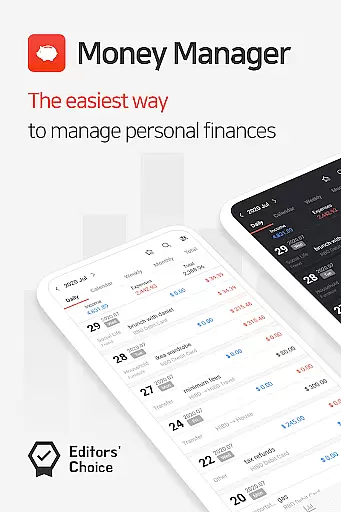
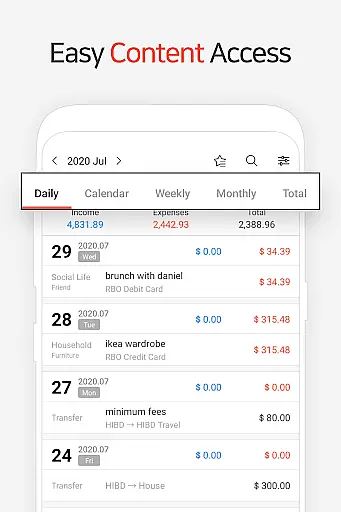
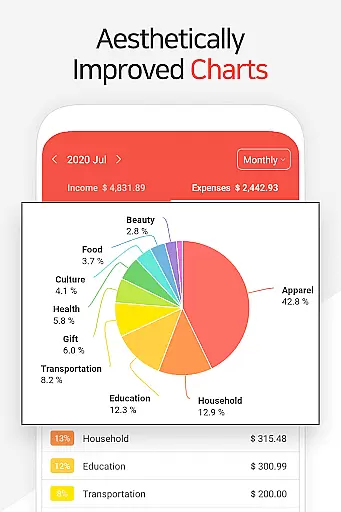
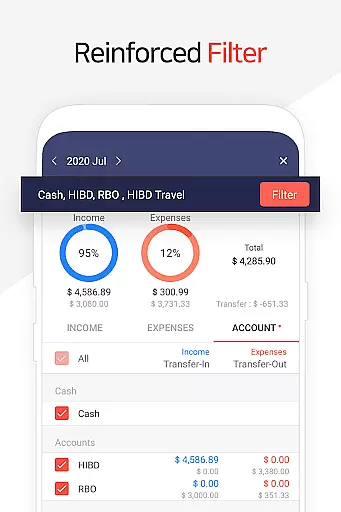
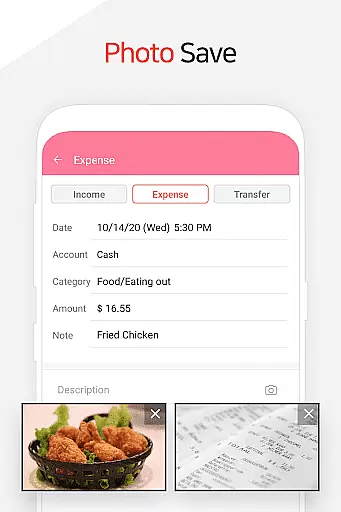
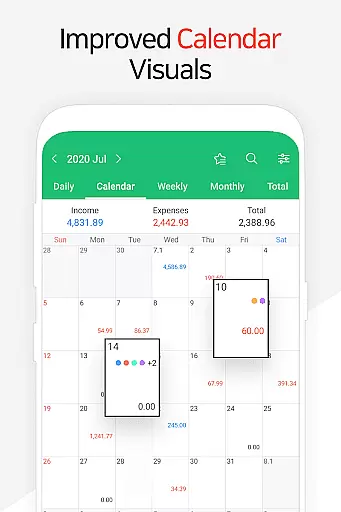
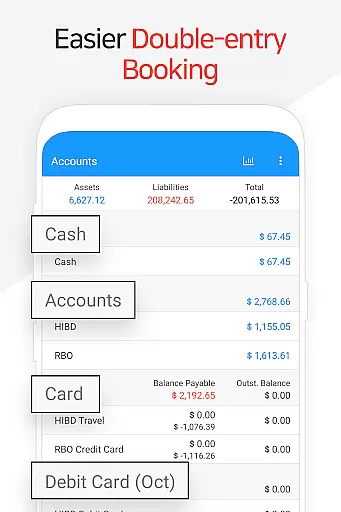
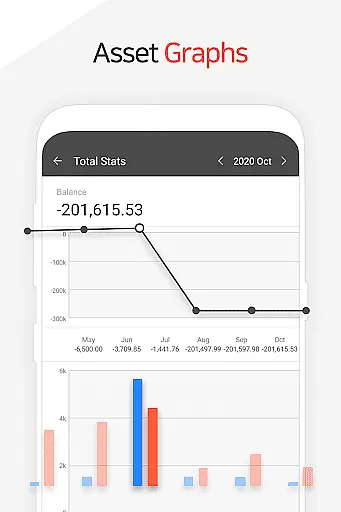
Money Manager is a comprehensive personal asset management application designed to help users efficiently track and manage their finances. The app incorporates double-entry bookkeeping, ensuring accurate recording of income and expenses while automatically updating account balances. With its budget management feature, users can visualize spending against set budgets through intuitive graphs.
The application also offers advanced tools for managing credit and debit cards, including automatic payment tracking and scheduling. Users can securely access their financial data with the passcode feature, while the instant statistics function provides real-time insights into spending patterns and trends. Supporting both PC and mobile platforms, Money Manager delivers a seamless cross-device experience for organizing and monitoring personal finances.
Money Manager stands out with its robust feature set tailored for effective financial management. The PC manager functionality allows users to view and edit financial data via Wi-Fi, offering advanced sorting options and graphical representations of account fluctuations. Its double-entry bookkeeping system ensures precise tracking of all monetary transactions.
Additional notable features include budget visualization through graphs, card management with automated payment scheduling, and secure access via passcode protection. The app supports efficient fund transfers, recurring payments, and instant statistical analysis. With bookmarking for frequent expenses, calculator functions, and Excel-based backup capabilities, Money Manager provides a complete toolkit for maintaining organized and up-to-date financial records.
Account and fund security is a critical aspect of any financial management application. Money Manager ensures the safety of user data through multiple layers of protection. The app employs advanced encryption protocols to safeguard sensitive financial information, ensuring that all transactions and account details remain confidential.
In addition to encryption, Money Manager offers a passcode feature for an added layer of security. Users can set up a unique passcode to access the app, preventing unauthorized access even if the device is lost or stolen. This feature provides peace of mind, knowing that personal financial data is protected against unauthorized viewing.
The app also supports secure cloud backups via Google Drive. This allows users to create encrypted backup files of their financial data, which can be restored when needed. By maintaining secure backups, Money Manager ensures that users never lose their important financial records while keeping them safe from data breaches.
These security measures collectively provide a robust framework for protecting user funds and financial information. With features like encryption, passcode protection, and secure cloud backups, Money Manager delivers comprehensive account security tailored for personal asset management.
A seamless transaction experience is essential for effective personal asset management. Money Manager excels in this area by offering intuitive tools that simplify the recording and tracking of financial transactions. The app uses double-entry bookkeeping, which automatically updates accounts as soon as income or expenses are entered, streamlining the entire transaction process.
Money Manager also includes budget management features that enhance the transaction experience. Users can view graphical representations of their budget versus actual expenses, allowing them to quickly assess their financial situation. This visual approach helps users make informed decisions about their spending habits and manage their budgets more effectively.
For recurring transactions, such as salary deposits or loan payments, the app provides automation capabilities. By setting up automatic transfers and recurring entries, users can ensure that regular transactions are recorded accurately without manual input each time. This saves time and reduces the risk of errors in transaction logging.
Overall, Money Manager's transaction experience combines efficient data entry, automated processes, and insightful visualizations to deliver a powerful toolset for managing personal finances. These features work together to provide users with a clear understanding of their financial status while simplifying daily money management tasks.
User-friendly interface
Comprehensive budget tracking
Secure passcode protection
Instant expense statistics
Cross-platform support
Limited investment tracking
No multi-currency support
Premium feature costs
Occasional sync issues
Complex for beginners

Secure, simple money transfer app. Send money to Mexico and worldwide fast.
 4.80
4.80
All your crypto & stocks in one secure and trusted app.
4.40
Money App - Earn Cash back, Fast Cash Advance, Personal Loan Offers, Banking
4.70
Check EBT, SNAP, WIC balances, manage food stamps, and save money with benefits
4.80
Easy budgeting planning on a calendar!
4.80
All expenses at a glance.
4.80
Registration of your debts and Mdionatk and assembled, as well as a significant reports
4.30
Keep track of your subscriptions with no limitations
4.80
Access State Farm accounts, policies, ID cards and more
4.60
PayMe helps you claim money from settlements on companies that harmed you.
4.80
No credit checked needed.
4.80
No credit check, no interest, no worries.
4.70
Loan Calculator, Mortgage Calculator, Compound Interest Calculator
4.70
Cash Advance, Credit Cards, Credit Lines, Score Monitoring, Saving, Budgeting
4.70
Manage and cancel subscriptions, lower bills, track expenses, create budgets.
4.60
Put crypto to work & earn rewards. Stake crypto like Ethereum, Solana & Cardano
4.40
Mine Bitcoin in the cloud! Earn BTC daily with high-speed mining power.
4.30
NFC mobile payment app Use your phone as a contactless bank card
4.00
Bill Manager is a simple app to help you keep track of your upcoming bills.
4.1


User Reviews