
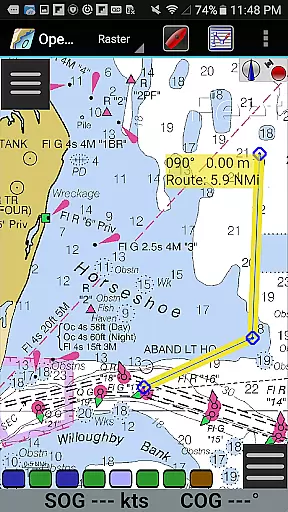
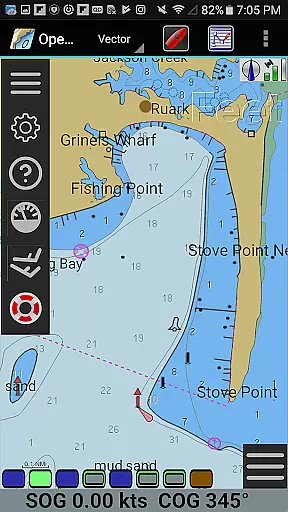
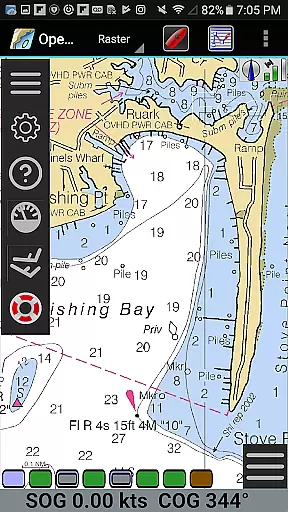
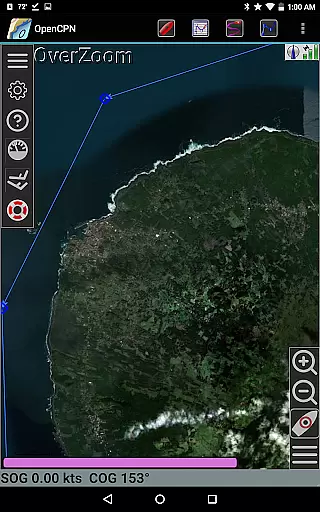
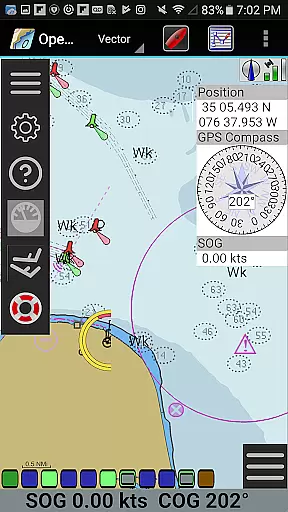
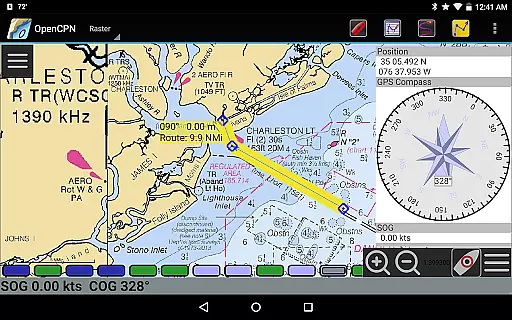
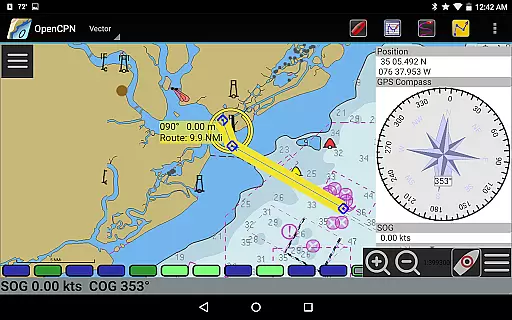
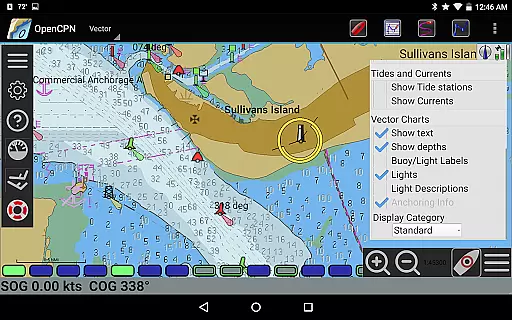
OpenCPN is a comprehensive chart plotter and navigation application designed for both desktop and mobile platforms. It offers advanced features such as BSB v3 raster chart support, S57 vector chart display, and integrated chart downloading. The app supports multiple display modes including North-up, Course-up, and Chart-up, providing flexible viewing options for users.
In addition to its robust charting capabilities, OpenCPN includes essential navigation tools like route planning with tidal support, AIS input with target tracking, and autopilot output support. These features make it an invaluable tool for marine professionals and enthusiasts alike who require precise positioning and real-time data while on the water.
OpenCPN stands out with its extensive range of features tailored for marine navigation. The application supports various chart formats including RNC, ENC, and CM93, ensuring compatibility with different types of nautical charts. Its IHO S52 compliant display provides accurate visualization of vector charts, crucial for safe navigation.
Beyond chart support, OpenCPN offers practical functionalities such as networked AIS input for collision alerting, GPS integration through multiple interfaces, and GPX file handling for waypoints and routes. Users can also benefit from tide prediction, anchor watch alarms, and Google Maps integration, making it a versatile tool for both recreational and professional maritime activities.
Map accuracy is a critical feature for any navigation application, and OpenCPN excels in this area. The app supports various chart formats including BSB v3 raster charts, S57 vector charts, and CM93 vector charts with per-cell offset corrections. This ensures that users have access to highly detailed and precise maps, which are essential for safe and efficient navigation.
OpenCPN's support for IHO S52 compliant display of S57 vector charts means that the app adheres to international standards for electronic navigational charts. This guarantees that the information displayed on the screen is both accurate and consistent with what mariners expect globally. Additionally, the inclusion of MBTiles chart overlay support allows users to add custom layers to their maps, enhancing the level of detail available.
The app also features an integrated Chart Downloader, making it easy for users to obtain the latest charts directly within the application. With options for single-chart and quilted display modes, users can choose how they view their maps based on personal preference or situational requirements. These features collectively ensure that OpenCPN provides reliable and up-to-date mapping data, crucial for effective marine navigation.
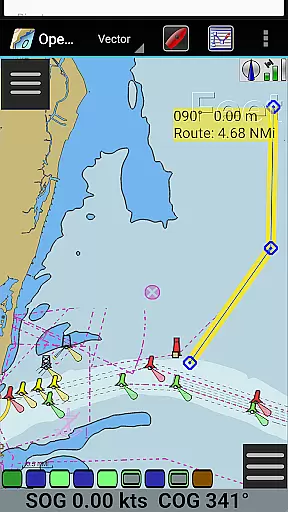
Effective route planning is vital for successful maritime journeys, and OpenCPN offers robust tools to assist with this task. The app includes advanced route navigation capabilities with ship tracking functions, allowing users to plot courses accurately while monitoring their vessel's progress in real time. Waypoint navigation further enhances this experience by enabling sailors to set specific points along their journey for more controlled travel.
OpenCPN supports both true north and magnetic north navigation, catering to different navigational preferences and needs. This flexibility ensures that users can plan routes using the orientation method they find most intuitive. Moreover, the app's ability to integrate with various GPS devicesu2014such as device-integrated GPS, Bluetooth remote GPS, and networked (TCP/UDP) GPS unitsu2014ensures seamless connectivity and accurate positioning during route planning.
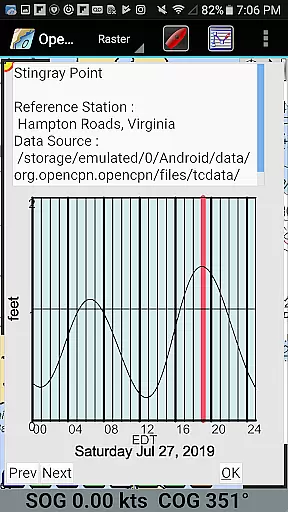
Tide and current prediction functionalities provide additional insights into environmental conditions, helping sailors anticipate potential challenges and adjust their plans accordingly. By incorporating these elements into its route-planning system, OpenCPN empowers users to create well-informed and adaptable navigation strategies, ultimately leading to safer and more efficient voyages.
User-friendly interface
Comprehensive chart support
Real-time AIS tracking
Flexible display options
Active community support
Steep learning curve
Resource-intensive
Limited offline functionality
Occasional bugs
Complex setup process

Explore the world with Live Satellite View, 3D Maps, GPS Navigation & Earth Map.
 2.90
2.90
Easy, Moderate and difficult offroad adventures.
4.00
TACNAV-X: Precision MGRS navigation, built specifically for the military.
4.00
Track accurate speed & distance with GPS Speedometer. Check speed limit & time.
4.50
Parcel map, property lines, owner, acres, land use, zoning and more from Regrid.
4.60
Drive safe with real-time speed camera radar, police, and traffic alerts
3.80
Truck Safe GPS Navigation & Maps: Parking, Fuel, Diesel, Weight Station
4.80
Explore offline maps with radar, satellite view, and real-time alerts.
3.60
Rideshare, taxi cabs, and more for your airport travels and everyday trips.
4.50
GPS Speedometer & Odometer: Track car, bike, truck speed & distance in real-time
4.70
GPX Viewer PRO shows tracks, routes and waypoints from gpx and kml files.
4.60
Turn your Android device into a real off-road GPS using off-line topo maps!
4.40
Instant diesel discounts - save big with each fill up!
4.40
ParkWhiz, an Arrive Mobility brand, part of the Arrive Network
4.30
Phone Tracker and GPS Location Sharing
4.20
Get route, find shortest path, near by places and weather update
3.90
NJ TRANSIT information and ticketing at your fingertips
3.70
Navigate via GPS Maps of GPS Voice Navigation, driving directions to find routes
3.60
Turn your tablet or Android powered unit into a full blow Android Auto headunit.
2.30


User Reviews