
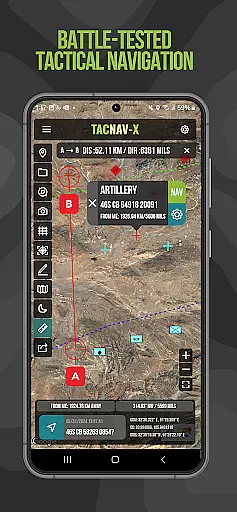
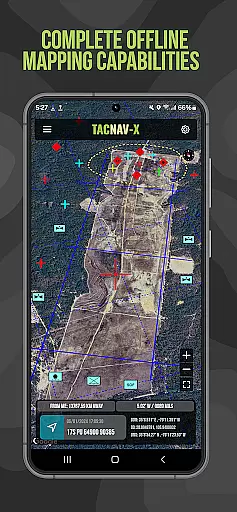
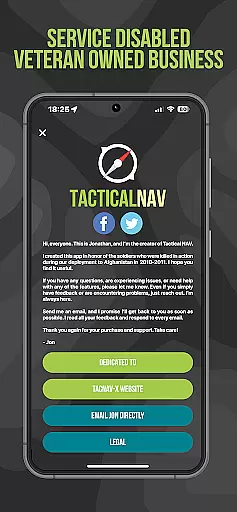
Tactical NAV is a specialized navigation app designed for military use, particularly by soldiers in the field. Developed during a combat deployment in Afghanistan, this app provides precise location tracking and mapping capabilities using MGRS, UTM, and other military-standard coordinate systems. Its offline functionality ensures operational security by not emitting cellular signals, making it ideal for tactical missions.
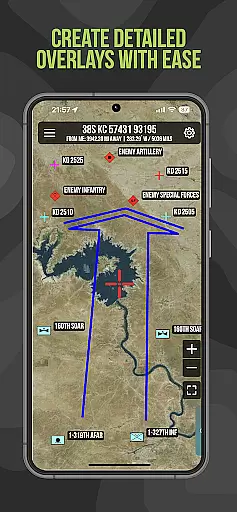
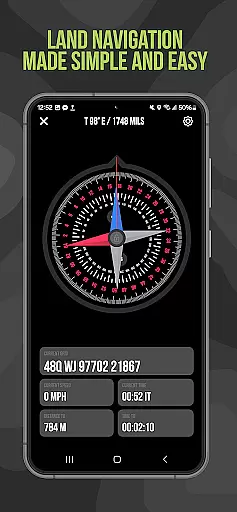
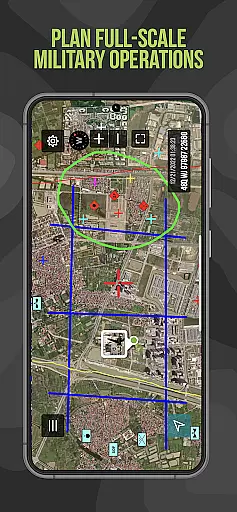
The app's key features include waypoint plotting with military graphics, a 'FastLock' compass function for quick azimuth capture, and tactical drawing mode for mission planning. These tools are built to enhance situational awareness and support mission success in austere environments. With accuracy rivaling official DoD-issued devices, Tactical NAV serves as an essential tool for military personnel.
Tactical NAV stands out with its military-grade precision targeting platform, purpose-built for individual soldiers operating in contested environments. The app offers complete offline mapping capabilities, ensuring no cellular signal emissions that could compromise a mission. It supports WGS-84 standard coordinates including MGRS, UTM, BNG, and USNG, providing compatibility with existing military systems.
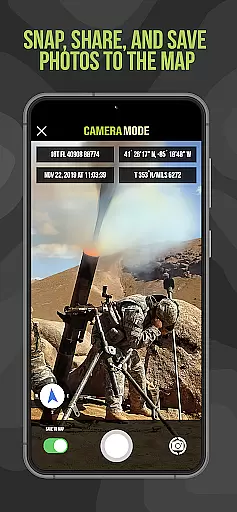
Additional notable features include tactical drawing mode for creating overlays and mission planning, a 'Go to Grid' feature for precision operations, and photo integration onto maps for enhanced situational awareness. Users can also share locations, waypoints, and photos via email or text. The Android native code ensures optimal performance even in the most challenging conditions.
Map accuracy is a critical feature for any navigation application, especially one designed for military use like Tactical NAV. This app offers precision targeting and mapping capabilities that are essential in austere and contested environments where every millimeter counts.
Tactical NAV's performance matches that of the AN/PSN-13 Defense Advanced GPS Receiver (DAGR), ensuring users can rely on its accuracy within 1mm of officially approved systems issued by the DoD. The app supports various coordinate systems including MGRS, UTM, BNG, and USNG under the WGS-84 standard, providing comprehensive location plotting with military graphics as per FM 1-02.2.
For soldiers in the field, this level of map accuracy means enhanced situational awareness and mission success. With offline mapping capabilities, it ensures operational security by not emitting cellular signals while still delivering precise geographical data necessary for planning missions or navigating unknown territories effectively.
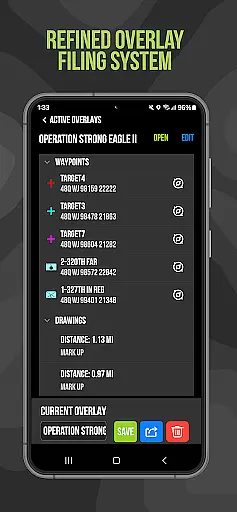
Route planning is an indispensable tool within Tactical NAV, empowering service members to strategize their movements with confidence. This feature allows users to plot waypoints using military graphics, which aids in creating detailed mission plans and overlays for effective navigation.
The 'Go to Grid' function further enhances route planning by enabling precision placement of waypoints and drawing overlays directly onto maps. Coupled with the Compass u201cFastLocku201d function, soldiers can capture quick and precise azimuths, ensuring they maintain accurate bearings during operations.
By integrating these advanced route-planning tools into a mobile platform, Tactical NAV provides troops with the ability to share locations, waypoints, and photos via email or textu2014facilitating coordinated efforts among team members even when operating remotely from command structures.
Highly accurate GPS
Offline map access
Military-grade features
Easy waypoint plotting
Secure communication
No DoD endorsement
Limited civilian use
Subscription required
Complex for casual users
Specialized audience

This app is military GPS coordinate systems helper. (MGRS, UTM & DMS Maps)
 4.80
4.80
Turn your Android device into a real off-road GPS using off-line topo maps!
4.40
Complete offline 1:50k South Island topo map including DOC Hunting Permit Areas
4.60
Route tracker, Speedometer, Odometer, Fuel, HUD mode, save route as .GPX
4.40
Airport parking, with airport shuttle (TPS shuttle), reservations, and Spot Club
4.80
GPS Speedometer & Odometer: Track car, bike, truck speed & distance in real-time
4.70
Your real-time window to the world. Explore anywhere, anytime.
3.30
Explore Live Earth Map with 3D World Map & locate cites, mountains real time.
3.80
MapQuest is your go-to app for maps, GPS, voice navigation & live traffic.
3.80
Navigate confidently with our precise Digital Compass app & Direction Compass!
4.70
Offline maps & GPS for hiking, travel, fieldwork & outdoor adventures
4.70
Track friends in real-time and explore worldwide live cameras.
4.60
CamSam PLUS - The speed and red light camera warning system!
4.40
Plan routes, share locations, and set custom alert zones
4.40
OpenCPN is a full featured ChartPlotter and Navigator for Android.
3.60
Explore Earth with live GPS, satellite view & street navigation
3.60
Explore offline maps with radar, satellite view, and real-time alerts.
3.60
Explore the world with Live Satellite View, 3D Maps, GPS Navigation & Earth Map.
2.90
Turn your tablet or Android powered unit into a full blow Android Auto headunit.
2.30


User Reviews