
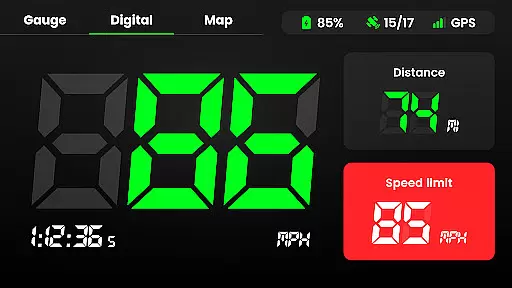
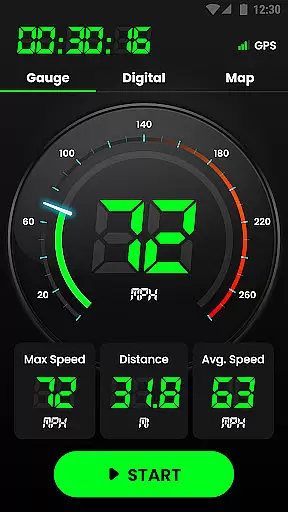
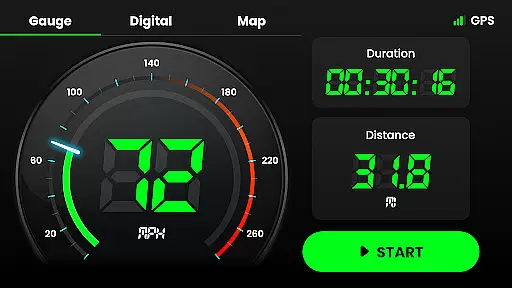
Speedometer is a highly accurate GPS-based speed tracking application designed to measure the velocity of various modes of transportation. Whether you're driving, cycling, or even walking, this app provides real-time speed updates and distance tracking through an intuitive interface. The app supports both digital and analog displays, allowing users to view their current speed in multiple formats.
One of the standout features of Speedometer is its ability to function offline, ensuring that users can track their speed even when internet connectivity is unreliable. With additional functionalities such as speed limit alerts, HUD mode for mirroring speed on windshields, and detailed journey tracking, it offers a comprehensive solution for anyone looking to monitor their travel metrics accurately.
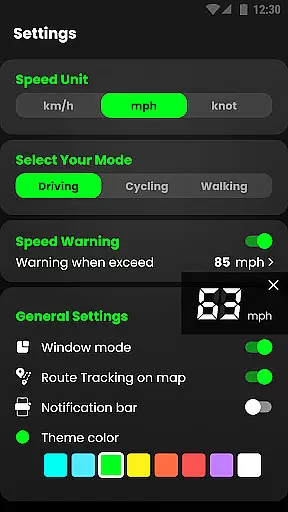
The app also includes advanced mapping capabilities, enabling users to record their routes and switch between different units of speed measurement like km/h, mph, and knots. Its lightweight design ensures minimal battery consumption while delivering precise readings, making it ideal for everyday use across different vehicles and activities.
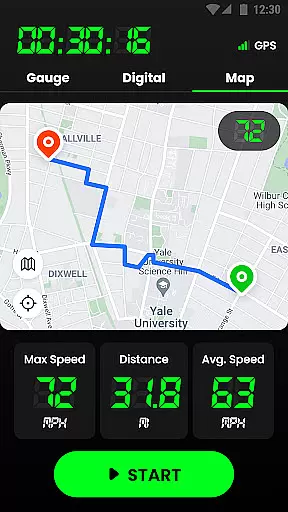
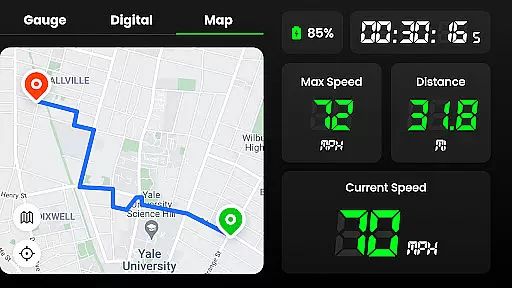
Speedometer stands out with its rich feature set tailored for accuracy and convenience. One of its core functionalities is the GPS navigation system, which allows users to track their real-time location quickly and efficiently. This feature not only shows your current speed but also records your entire journey route on an interactive map, providing insights into distance traveled, average speed, and more.
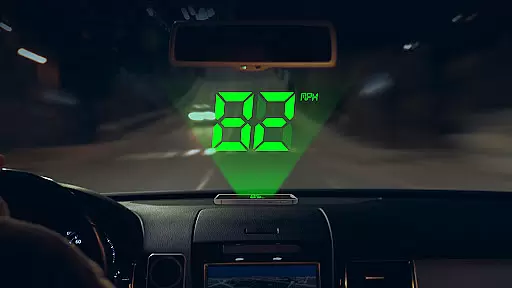
Another notable aspect is the app's flexibility in terms of display options. Users can choose between digital or analog speedometer views, switch between portrait and landscape modes, and select from multiple theme colors to personalize their experience. Additionally, the Head-Up Display (HUD) mode mirrors your speed directly onto your car’s windshield, enhancing safety by allowing drivers to keep their eyes on the road.
Speedometer also excels in utility with features like speed limit alerts, which notify users via vibrations or voice alerts if they exceed preset limits. Furthermore, the app offers extensive tracking capabilities, including historical data storage, trip time recording, and detailed statistics about each journey. These features collectively ensure that users have access to all necessary information to maintain safe and efficient travel practices.
Map accuracy is essential for any navigation or tracking application, and Speedometer excels in this area. The app uses advanced GPS technology to provide real-time location data with impressive precision. This ensures that users can rely on the app to track their routes accurately, whether they are driving, cycling, or walking.
The GPS Speedometer & Odometer app not only displays current speed and distance but also records trails on a map. Users have the option to enable or disable tracking based on their preferences, allowing for customized experiences. This feature is particularly useful for those who need detailed records of their journeys for personal or professional purposes.
With its offline functionality, Speedometer guarantees accurate mapping even in areas with poor internet connectivity. This reliability makes it an indispensable tool for travelers and professionals who require consistent performance regardless of network availability. The app's ability to maintain accuracy without an active internet connection sets it apart from many competitors.
Route planning is a critical component of any maps and navigation app, and Speedometer offers intuitive tools to help users plan their trips effectively. By leveraging GPS navigation, the app provides fast and reliable route suggestions that adapt to real-time conditions. This allows users to make informed decisions about their travel plans, ensuring optimal time management and safety.
In addition to basic route guidance, Speedometer includes features such as speed limit alerts and historical route tracking. These functionalities enhance the user experience by providing valuable insights into past travels and helping drivers stay within legal speed limits. Such comprehensive support empowers users to navigate confidently and efficiently.
Speedometer also supports both portrait and landscape modes, catering to different user preferences during route planning sessions. Its user-friendly interface, combined with practical widgets and notification bar displays, ensures that all necessary information is readily accessible. Whether commuting daily or embarking on long journeys, users will find these route planning capabilities invaluable for seamless navigation.
User-friendly interface
Accurate GPS tracking
Offline functionality
Customizable display options
Comprehensive journey statistics
Limited free features
Occasional GPS inaccuracies
Ads in free version
Battery consumption
Complex settings for beginners

Compass is an accurate compass and a great tool for any outdoor activities
 4.1
4.1
Turn your tablet or Android powered unit into a full blow Android Auto headunit.
2.30
America’s largest public fast charging network, with over 500 charging stations.
4.50
"Balad" is a map and navigator with a Persian voice assistant and a complete city guide
4.40
Parcel map, property lines, owner, acres, land use, zoning and more from Regrid.
4.60
NJ TRANSIT information and ticketing at your fingertips
3.70
Drive safe with real-time speed camera radar, police, and traffic alerts
3.80
Neshan: map & navigation app with 20M+ monthly active users
4.50
Rideshare, taxi cabs, and more for your airport travels and everyday trips.
4.50
Airport parking, with airport shuttle (TPS shuttle), reservations, and Spot Club
4.80
Bolt is a ride-hailing app for requesting fast, safe, and affordable transport
4.80
Navigate with your watch and keep the phone in your pocket!
4.60
CamSam PLUS - The speed and red light camera warning system!
4.40
Instant diesel discounts - save big with each fill up!
4.40
Get matched with a nearby driver — you’ll be on your way in minutes.
4.30
Find radar, speed camera, flight tracker. Use hud, location tracker, speedometer
4.20
Navigation, weather, offline maps & tools for smarter, safer travel planning.
4.00
Off-Roading Navigation App With Trails, Public Lands, & Private Property Info
3.30
Find 93 Octane Gas: Locate Gasoline Stations Selling Premium 93 Octane or Higher
4.2


User Reviews