
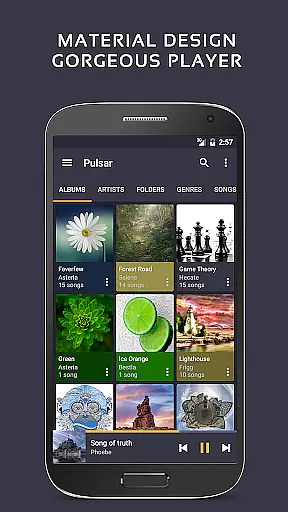
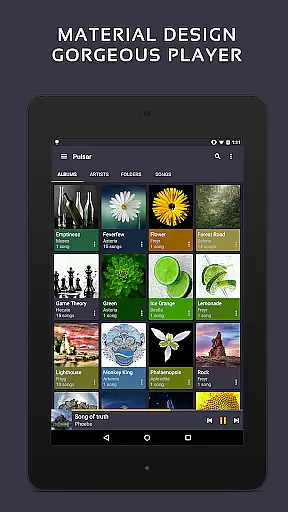
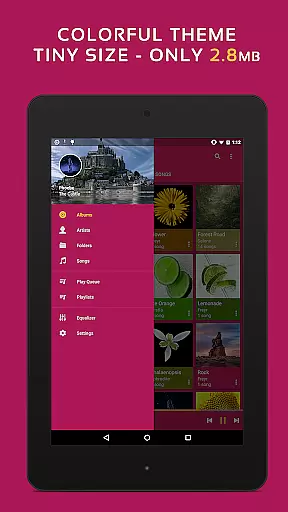
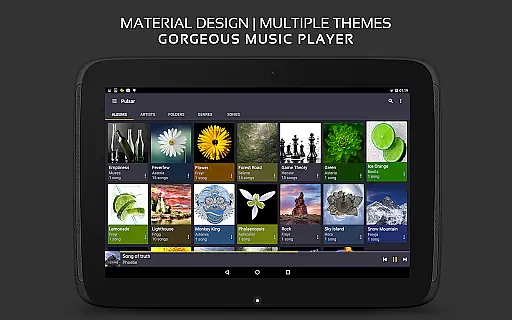
Pulsar Music Player Pro is a premium offline audio player designed for Android users who appreciate high-quality music playback without interruptions from advertisements. The app embraces material design principles, offering a visually appealing interface with smooth animations and customizable themes.
With an array of advanced features such as gapless playback, crossfade support, and play speed adjustment, Pulsar caters to audiophiles seeking precise control over their listening experience. It also supports lyrics display, tag editing, and music visualization, making it a versatile tool for managing extensive music libraries.
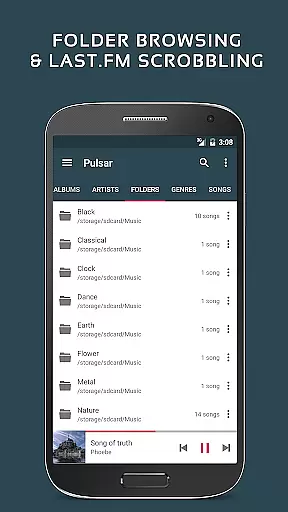
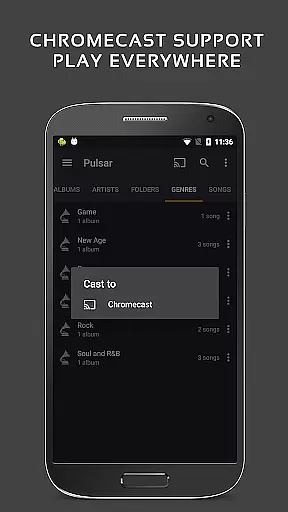
This application is ideal for users who desire both functionality and aesthetics in their music player, providing seamless integration with services like Chromecast, Last.fm scrobbling, and Android Auto while delivering a rich auditory experience through its equalizer and bass boost capabilities.
Pulsar Music Player Pro stands out with its comprehensive feature set tailored for music enthusiasts. The app allows users to manage and play music by album, artist, folder, and genre, ensuring easy navigation through vast collections. Smart playlists highlight most played, recently played, and newly added tracks, enhancing music discovery.
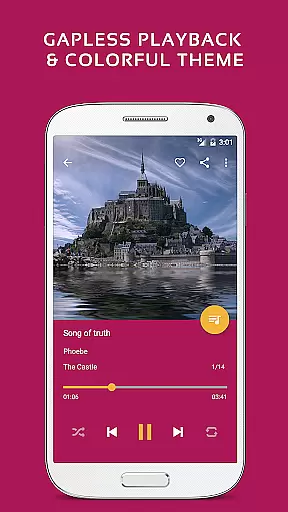
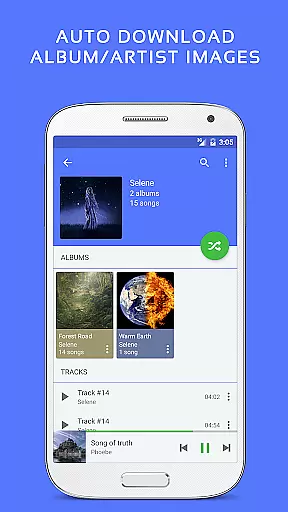
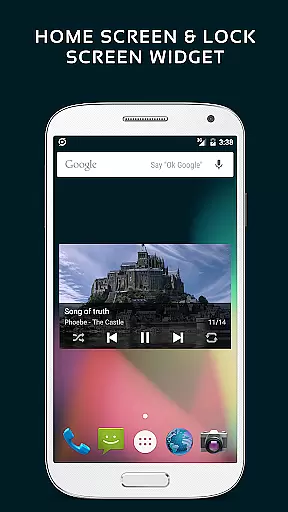
Advanced functionalities include automatic syncing of missing album or artist images, fast search across all metadata, and resizable home screen widgets for quick access. Gapless playback and ReplayGain volume normalization ensure uninterrupted, studio-quality sound output during listening sessions.
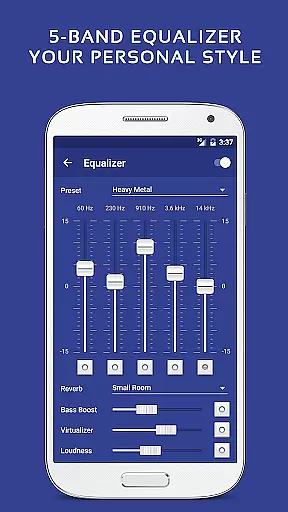
Exclusive to the Pro version are 16 extra themes, theme customization options, a 5-band equalizer controller with 9 pre-built presets, and additional audio effects like bass booster and reverb. These features provide users with unparalleled control over their music playback experience while maintaining a sleek and modern aesthetic that aligns with contemporary design standards.
Pulsar Music Player Pro offers an extensive music library that supports a wide range of audio file formats including MP3, AAC, FLAC, OGG, and WAV. This ensures that users can access and enjoy their music collection without compatibility issues.
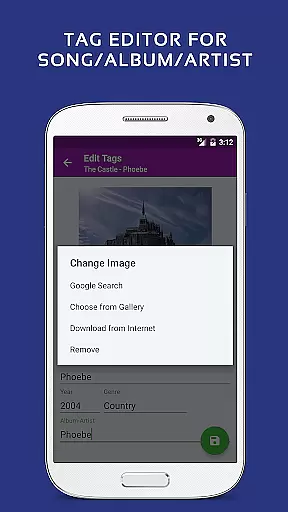
The application places a high emphasis on copyright authenticity by providing tools for editing metadata tags directly within the app. Users can manage their music files with accurate information, ensuring proper attribution and organization of copyrighted materials.
With features like automatic syncing of missing album or artist images and fast search capabilities across albums, artists, and songs, Pulsar enhances the user's ability to maintain a comprehensive and authentic music library.
By supporting legitimate music file types and offering advanced library management features, Pulsar Music Player Pro empowers users to build a personalized, high-quality music collection that respects copyright laws.
Pulsar Music Player Pro stands out in the realm of audio quality options by providing a 5-band equalizer controller with 9 pre-built equalizer presets. These features allow users to fine-tune their listening experience according to personal preferences or specific audio requirements.
In addition to the equalizer, Pulsar includes bass boost, reverb, and other sound-enhancing effects. Such tools enable users to further customize their audio output, enhancing the depth and richness of their music playback.
The player also supports advanced audio features such as gapless playback, ReplayGain for volume normalization, and play speed adjustment. These functionalities ensure that listeners enjoy a seamless and high-fidelity audio experience without interruptions or inconsistencies in sound levels.
Overall, Pulsar Music Player Pro delivers exceptional audio quality options that cater to audiophiles and casual listeners alike, making it a top choice for those who value pristine sound reproduction.
User-friendly interface
Gapless playback support
Customizable themes
Advanced equalizer settings
No advertisements
Paid version only
Occasional bugs reported
Limited language support
Requires manual library scanning
High system requirements

Make music anywhere. Turn your device into an instrument.
 4.1
4.1
Walkout Song DJ is the most intuitive app to manage your sports music.
4.70
Bass Booster Pro takes auto-equalizing to the next level!
4.30
Super Sound Editor, Song Maker & Mixer, Vocal Remover, Voice Recorder & Changer!
4.60
Unleash your creativity! Turn simple prompts into full fledged songs.
4.70
Voice recorder - Audio recorder. Best recorder for recording
4.90
Make songs with AI! Any genre, custom lyric, song generator for music creation!
4.80
Learn and play 2M+ music tabs & chords on guitar, ukulele, bass, and more
4.30
Customize Your Favorite Songs and Videos with booster.
4.70
Over 100 million tracks available for high quality streaming and download
4.60
Offline Music Player&MP3 Player with themes, equalizer, lyrics, music play mode
4.60
DJ Music Mixer - DJ Remix: remix songs, make beat music & record mix of DJ.
4.40
Help you quickly get started with Shokz headphones
4.40
Play KORG’s revolutionary touch-based instrument on a variety of devices.
4.40
Ringtone Maker is free app create ringtone from music files or your recording.
4.40
Advanced 10-Band Audio Graphic Equalizer Sound Booster Pro
4.30
Turn your Android phone into a professional audio analyser with up to 120 bands.
4.00
Offline Tunes, Unlimited Vibes
3.90
The Cubase remote control app
3.60


User Reviews